Holiday Gift Guide 2026: The Best Toys by Age and Budget, From Preschool to Grown-Ups
Three gift picks for every age from 3 to 17, a budget table from under $50 to over $100, and a link to our guide for grown-ups.
1 अक्टू॰ 2026 को प्रकाशित · 6 मिनट में पढ़ें
इस गाइड का अभी अनुवाद नहीं हुआ है, इसलिए आप इसका मूल अंग्रेज़ी संस्करण पढ़ रहे हैं।
As an Amazon Associate, I earn from qualifying purchases. Your price stays the same.
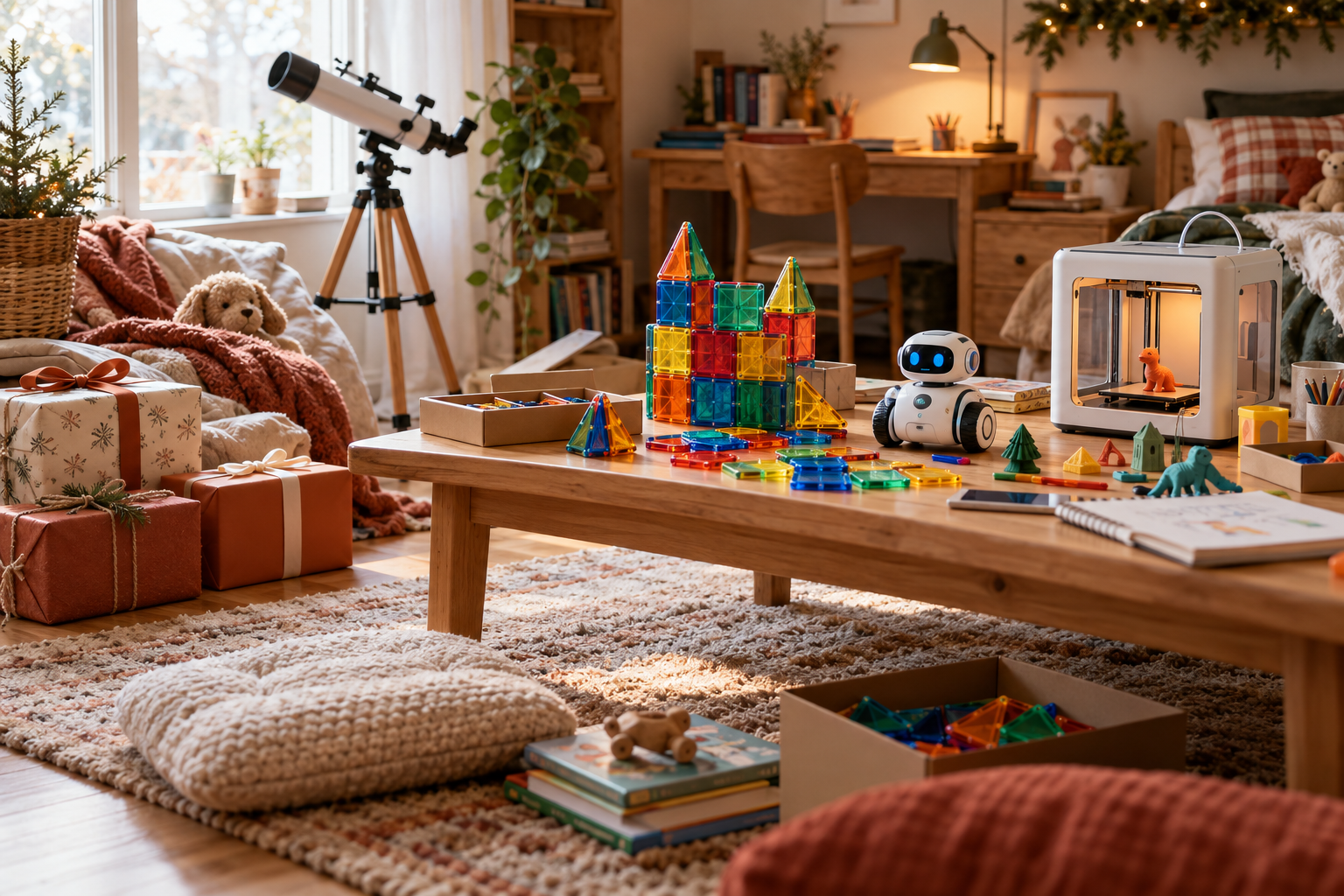
TL;DR
- Ages 3–8: Magna-Tiles Classic 100 is the easy all-around pick because its open-ended building play can grow with a child.
- Ages 9–12: Makeblock mBot2 combines building with a path from Scratch-style blocks to Python.
- Ages 13–17: Creality Ender-3 V3 SE is our pick for a teen who wants to start making original objects with a 3D printer.
You are standing in front of a holiday display, phone in one hand and a gift list spanning preschoolers, middle schoolers, and teenagers in the other. The useful questions are simple: Does the toy fit the child’s age, match an existing interest, and offer enough room to grow?
How we picked: every gift here is the verdict of one of our full BestToys reviews, which are built from manufacturer specs, published expert reviews and safety standards, not hands-on lab testing. Prices are rough ranges; check the current price before you buy.
Short on time? Some gifts arrive by email instead of in a box: an Audible gift membership for audiobook listeners, a Kindle Unlimited gift for readers, or a Prime gift membership (affiliate links).
What should you buy a 3- to 5-year-old?
For preschoolers, favor simple controls, open-ended construction, and toys that do not demand reading or a screen.
| Gift | Best for | Price range | Full review |
|---|---|---|---|
| Magna-Tiles Classic 100 | Open-ended building | About $85–120 | Read the review |
| Yoto Player | Screen-free stories | About $110 | Read the review |
| Code & Go Robot Mouse | First coding logic | About $35–50 | Read the review |
Our safest default gift: Magna-Tiles Classic 100. The set is intended for ages three and up, while its magnetic construction supports both quick experiments and larger free-form builds. Our building-toy guide selected it as the durable all-in-one option for this age group.
Yoto Player is the quieter choice for a child who enjoys stories. It is fully screen-free, uses physical cards, and has a large content library, according to our audio-player comparison. Those cards are also cheaper to add than Toniebox figures based on the ranges reviewed there.
Code & Go Robot Mouse suits a child who likes puzzles and directions. Its large buttons and grid-based sequencing make it the simpler first robot for ages four to five. Keep the small-parts warning in mind: our preschool coding-robot review notes that it is not for children under three.
What should you buy a 6- to 8-year-old?
This is a good age for visible cause and effect: complete a circuit, program a route, or assemble a working mechanism.
| Gift | Best for | Price range | Full review |
|---|---|---|---|
| Snap Circuits Jr. SC-100 | First electronics | About $55 | Read the review |
| Botley 2.0 | Screen-free sequencing | About $50–90 | Read the review |
| K'NEX Beginner 40-Model | Guided engineering builds | About $20–35 | Read the review |
Snap Circuits Jr. is our first stop for a child curious about electricity. Components snap together, mistakes remain visible, and no screen is required. Our STEM-toy guide for ages six to eight favors it for independent play, although the separate Snap Circuits comparison leans toward ages eight to ten for a first-time user.
That distinction matters. For a younger six-year-old, K'NEX may provide faster early success through guided models, based on our engineering-toy guide. Botley 2.0 lands between the two: it teaches sequencing and debugging without requiring reading or a tablet, as covered in our coding-robot comparison.
Watch the labels. A capable younger child may enjoy an older kit with adult help, but that does not make every age recommendation interchangeable. Match the gift to patience and experience, not merely the school grade printed on your list.
What should you buy a 9- to 12-year-old?
Tweens can handle longer projects, but the right format still depends on whether they want to build, code, or observe.
| Gift | Best for | Price range | Full review |
|---|---|---|---|
| Makeblock mBot2 | Building and coding | Check current price | Read the review |
| LEGO Technic NASA Artemis SLS Rocket | Mechanical building | About $60 | Read the review |
| Celestron FirstScope 76mm | First astronomy setup | About $70 | Read the review |
Makeblock mBot2 is the strongest fit for a child who wants the robot itself to be part of the project. The user builds it, then can move from Scratch-style programming to Python. That combination made it the overall choice in our robot-kit guide for ages nine to twelve.
The NASA Artemis SLS Rocket is more focused. Its three-stage launch-staging mechanism gives a nine- or ten-year-old a mechanical feature to understand, though our LEGO Technic age guide recommends an adult co-builder for that age.
For a child who would rather look outward than assemble a machine, the Celestron FirstScope is the standout. This tabletop reflector needs no tools and can show Moon craters and Saturn’s rings, according to our kids’ telescope guide. It is aimed squarely at ages eight to twelve.
What should you buy a teenager?
A teen gift should connect to a real interest and leave room to learn beyond the first afternoon.
| Gift | Best for | Price range | Full review |
|---|---|---|---|
| Creality Ender-3 V3 SE | Beginning 3D printing | About $200 | Read the review |
| Ryze Tello | Drone coding | About $100 | Read the review |
| Makeblock mBot Ranger | Growing into Arduino | About $75–120 | Read the review |
Pick the Ender-3 V3 SE for a teen who wants to make physical objects and does not mind troubleshooting. Our beginner 3D-printer comparison recommends it for supervised users ages thirteen and up, citing its established help community and repairability when prints fail.
Ryze Tello is a STEM gift before it is a camera gift. It can be programmed through Scratch and a Python software development kit, while its camera is a secondary feature. That tradeoff is spelled out in our teen drone guide.
Makeblock mBot Ranger is the middle path for a teen who likes robotics but has not settled on one specialty. It starts with block coding and can grow into Arduino work, which is why our teen STEM gift guide calls it the most giftable all-around option.
What about the grown-ups on your list?
Adults can be even harder to shop for because “likes toys” might mean intricate construction, display pieces, electronics, or pure nostalgia. Start with our gift guide for grown-ups who still love toys, then choose around the recipient’s hobby rather than assuming every adult collector wants the same thing.
What can you get under $50, $50 to $100, or over $100?
These bands use the rough ranges from our reviews. Retail prices move a lot in the holiday season, so treat this as a shortlist and check the current price on the product page.
| Budget | Pick | Age | Why |
|---|---|---|---|
| Under $50 | K'NEX Beginner 40-Model | 6–8 | Guided building |
| Under $50 | Code & Go Robot Mouse | 3–5 | Simple sequencing |
| $50 to $100 | Snap Circuits Jr. | 6–8 | Screen-free electronics |
| $50 to $100 | LEGO Technic NASA Artemis SLS Rocket | 9–12 | Mechanical building |
| $50 to $100 | Celestron FirstScope | 9–12 | Tabletop astronomy |
| $50 to $100 | Ryze Tello | 13–17 | Programmable flight |
| Over $100 | Magna-Tiles Classic 100 | 3–5 | Open-ended building |
| Over $100 | Yoto Player | 3–5 | Screen-free stories |
| Over $100 | Creality Ender-3 V3 SE | 13–17 | First 3D printer |
A cheaper kit is not automatically a smaller gift. Snap Circuits Jr., for example, gives a child a genuine introduction to electronics, while K'NEX offers multiple guided builds. Conversely, a higher-cost gift only makes sense if the recipient wants the extra depth. A 3D printer is a project, not a passive appliance.
How do you avoid a gift that ends up on the shelf?
Start with the child’s current habits. The cleverest kit in the room will sit untouched if it asks for more patience, reading, or setup than the recipient enjoys.
- Match age honestly. Snap Circuits guidance varies by kit and user, while the NASA Artemis build is better with adult help for younger builders. The reviews explain those boundaries rather than treating the printed age as a challenge to beat.
- Check screen and app requirements. Botley 2.0 and Code & Go Robot Mouse are screen-free, while some coding toys depend on a tablet or other device. Choose the format the family will actually permit and manage.
- Favor room to improvise for younger children. Magna-Tiles supports open-ended building, so the child does not need to follow one correct sequence or finish a prescribed model.
- Plan around setup. A telescope can be ready without tools, while a robot kit or 3D printer asks more from its owner. Decide whether the recipient wants an immediate activity or a longer technical project.
So which gift should you buy?
Bottom line: Choose Magna-Tiles Classic 100 for the broadest preschool and early-elementary appeal, Makeblock mBot2 for a tween ready to build and code, and the Ender-3 V3 SE for a supervised teen maker.
My default family gift is Magna-Tiles because open-ended construction leaves the child in charge of what happens next. For older recipients, buy toward a demonstrated interest: mBot2 for robotics, Tello for programmable flight, or the Ender-3 V3 SE for making physical designs. If you want Prime shipping on holiday orders, check whether you can start a free Prime trial.
How we research: This guide is based on manufacturer specifications, published independent reviews, and verified-buyer feedback, not hands-on testing.
Q4 में हर Friday एक Holiday Gift Guide मिलेगा
हफ़्ते में एक ईमेल, जिसमें नवीनतम समीक्षा और वे खिलौने होंगे जिन्हें हमारी कम्युनिटी सच में खरीद रही है। कोई स्पैम नहीं, कभी भी सदस्यता छोड़ें।