robotics · ages 9-12
Best Robot Kits for 9-12 Year Olds (2026): Honest Picks by What Your Kid Wants
The best robot kits for ages 9-12 in 2026, bucketed by goal: learn-to-code, build-and-tinker, classroom-grade, budget, and screen-free. Honest cons included.
Published 2026-06-09 · 9 min read
Amazon Associates disclosure
As an Amazon Associate, I earn from qualifying purchases. The price you pay is the same. This guide is based on manufacturer specifications, published independent reviews, and verified-buyer feedback, not hands-on testing.
Buying a robot kit for a 9-12 year old is harder than it should be. Half the boxes say "ages 8+" and stop there, which tells you almost nothing. A total first-timer and a kid already dragging blocks around in Scratch want completely different things. Worse, two of the most-recommended kits from a few years back are now retired or retiring, and most listings won't mention it.
So this guide doesn't rank by spec sheet. It buckets the picks by what your child wants: learn to code, build-and-tinker, classroom-grade, budget, or screen-free. Each one is framed against manufacturer specs, expert reviews, and our hands-on series, with honest cons. Find the matching bucket, and the choice gets easy.
TL;DR
- Best overall (build + code, ages 9-12): Makeblock mBot2 (mBot Neo). You build the bot, then code it from Scratch to Python. It isn't being discontinued.
- Best learn-to-code on-ramp: Sphero BOLT+: Draw, then blocks, then Python. No building required.
- Best budget / classroom value: VEX GO (~$199, direct only) for ages 7-11.
- Buy SPIKE Prime eyes-open. It's a great set, but LEGO Education is retiring it June 30, 2026.
Best overall robot kit for 9-12: Makeblock mBot2 (mBot Neo)
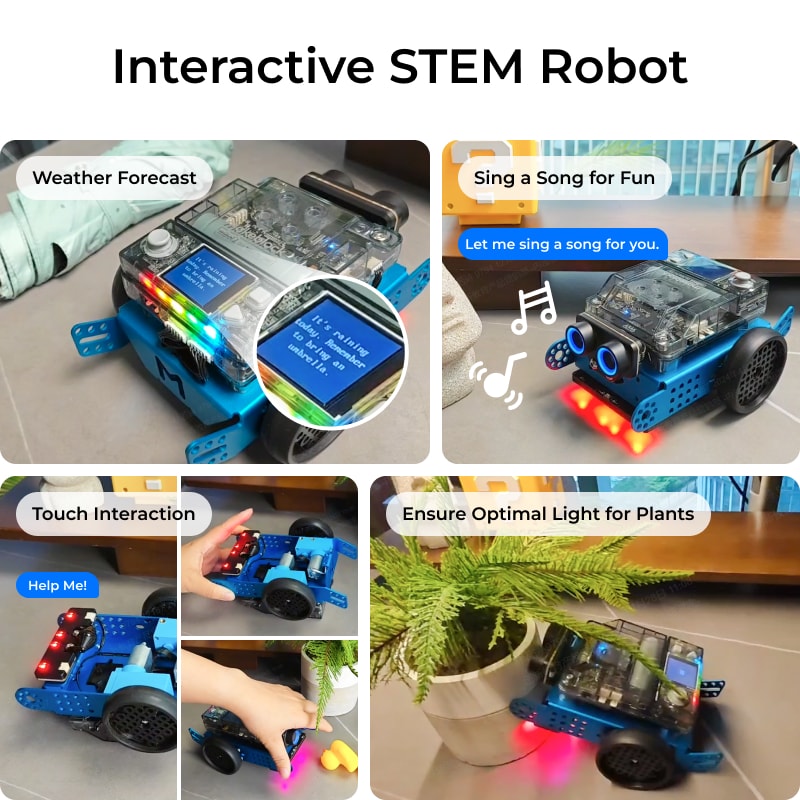
If you want one kit that fits the widest band of this age range, this is it. The Makeblock mBot2 (the mBot Neo in some markets) is a build-it-yourself bot. A kid assembles it from an aluminum-alloy chassis, then programs it. Per Makeblock's product page, it runs block-based (Scratch) and Python code through the mBlock software, and its Amazon listing rates it for ages 8-14. That span is why it wins. A 9-year-old starts with blocks. A 12-year-old grows into real Python without buying a new kit.
It also does more out of the box than the coding balls. The onboard CyberPi controller adds a screen, microphone and speaker, so kids get line-following, color recognition, obstacle avoidance and voice control. Makeblock says it expands with 60-plus add-on modules. That "build it, then keep extending it" loop keeps a tinkerer engaged.
Pros: real build experience plus a genuine Scratch-to-Python ceiling, durable metal parts, big expansion ecosystem, currently active. Cons: you assemble it (great for builders, less so for someone who just wants to drive it), and mBlock setup is more involved than a coding ball. We put it head-to-head with a bare microcontroller board in our mBot Neo vs Elegoo starter guide. Who it's for: the build-and-tinker child, and any parent who wants one kit to cover ages 9-12.
Best learn-to-code on-ramp: Sphero BOLT+
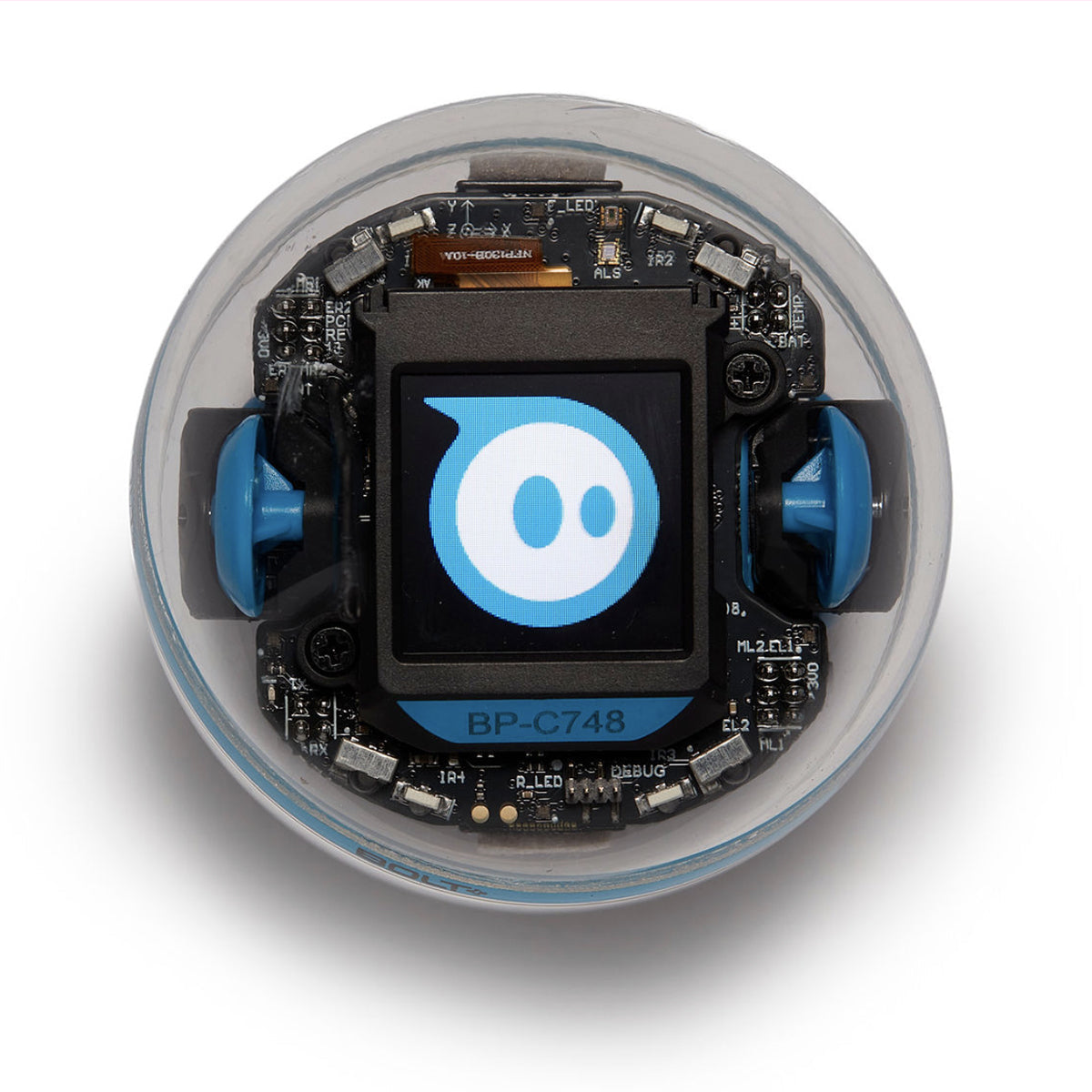
Some kids don't want to build anything. They want to make a bot do things, fast. For them, the Sphero BOLT+ is the gentlest serious on-ramp. Sphero's BOLT+ page pitches it at grades 3-10, and its Amazon listing lists ages 8+. The clever part is the three-tier path. Kids start by drawing on screen, then move to drag-and-drop blocks, then graduate to JavaScript or Python, all driving the same waterproof, Qi-charging ball.
BOLT+ upgrades the older BOLT's 8x8 LED matrix to a small animated LCD screen and adds programmable sensors, so kids can program messages, animations and live data readouts. There's nothing to assemble and almost nothing to break. That makes it the most frustration-proof pick for a younger or less patient child who still wants real text code eventually. We go deeper in our Sphero BOLT+ hands-on review.
Pros: zero assembly, near-indestructible, the smoothest Draw-to-blocks-to-Python progression here. Cons: no building or mechanical tinkering, and the device is a rolling ball. It doesn't grab, lift, or look like the bot kids picture. Who it's for: the learn-to-program kid, especially a 9-10 first-timer who'd be put off by assembly.
Best classroom-grade kit (buy eyes-open): LEGO Education SPIKE Prime
The LEGO Education SPIKE Prime (set 45678) is genuinely one of the most solidly engineered robotics kits for older kids. It also carries the biggest 2026 asterisk. LEGO Education's product page targets grades 6-8 (roughly 10+), with 528 elements, color/distance/force sensors, a programmable hub, and a coding path from icon and word blocks into Python. For a 10-12 year old ready to program seriously and maybe enter FIRST LEGO League, it's a real platform, not a toy. Buy it on Amazon or through LEGO Education.
Here's the honesty part. LEGO Education is retiring the entire SPIKE portfolio, with end of sales on June 30, 2026. Per LEGO's own retirement notice, the SPIKE App stays supported with bug fixes until June 30, 2031. Spare parts are stocked for two years after the last sale. And SPIKE stays eligible in FIRST LEGO League through the 2027-2028 season. The replacement, LEGO Education Computer Science & AI, is a different product, not a drop-in upgrade. So the set still works for years, but you won't get new lessons and the platform is winding down. We break down the LEGO generations in our SPIKE Prime vs Mindstorms comparison.
One related warning. If you see the older LEGO Mindstorms Robot Inventor (51515) still around, LEGO discontinued the Mindstorms brand and retired that set at the end of 2022 (Brickset). It can still be fun, but it's even further down the sunset road. Our Mindstorms Robot Inventor review covers the buyer trade-offs.
Pros: classroom-grade build quality, rich sensors, deep Python ceiling, FIRST LEGO League path (for now). Cons: highest price here, steeper on-ramp for younger kids, and a retiring platform with no new content after the line ends. Who it's for: a 10-12 year old ready to code and compete, where buying before the cutoff is a deliberate choice.
Best budget / classroom value: VEX GO
If you want the most classroom-grade build system per dollar, VEX GO is the value pick. It has one quirk. VEX's GO page aims it at grades 3-5 (ages 7-11), with kits starting around $199, a snap-together construction system, free standards-aligned STEM Labs, and block-based or Python coding. For a 9-11 year old, it lands in a sweet spot: cheaper than SPIKE Prime and younger-friendly. It also sits on a living K-12 ladder that climbs to VEX IQ and competitive VEX Robotics, so the platform grows with the kid instead of sunsetting.
Now the quirk. VEX GO is sold direct from vexrobotics.com only, with no Amazon listing, so there's no Prime shipping and you budget for a direct checkout. We pitted it against SPIKE Prime for home use in our VEX GO vs SPIKE Prime guide.
Pros: strong value, free curriculum, younger-friendly build, a forward path that isn't being retired. Cons: direct-only purchasing (no Amazon), fewer sensors than SPIKE Prime, and it tops out younger. A coding-hungry 12-year-old may outgrow it. Who it's for: the budget-conscious family and the 9-11 kid who likes building over pure coding.
Best ready-to-go / lighter-screen option: Wonder Workshop Dash
Not every kid is ready to assemble a chassis or graduate to Python, and that's fine. Wonder Workshop Dash is a pre-built bot, ready the moment you unbox it. Its Amazon listing rates it for ages 6+, and Wonder Workshop provides free apps (including Blockly) for block coding. Dash rolls, lights up, plays sound, navigates objects and responds to voice. It's the most immediately fun of the picks, which matters for a younger or screen-cautious sibling.
The honest limit: Dash is block-only. There's a Blockly Pro path toward text-style coding, but it doesn't reach the Python ceiling that mBot2, BOLT+, SPIKE Prime or VEX GO offer. A coding-hungry 11-12 year old may outgrow it. We compare it to its more advanced sibling in our Dash vs Cue breakdown.
Pros: zero setup, genuinely fun out of the box, durable, lower cost, great for the younger end of 9-12. Cons: block-only ceiling, no building or mechanical tinkering, and the oldest hardware of the bunch. Who it's for: a 9-10 year old wanting instant play over deep coding, or a younger sibling tagging along. (For a kid under the band, see simpler screen-free starters in our preschool coding robots guide.)
Comparison: best robot kits for 9-12 at a glance
| Kit | Best for | Age fit | Coding path | Where to buy | Status |
|---|---|---|---|---|---|
| Makeblock mBot2 (Neo) | Build + code (overall) | 8-14 | Scratch → Python | Amazon | Current |
| Sphero BOLT+ | Learn-to-code on-ramp | 8+ (gr. 3-10) | Draw → blocks → Python/JS | Amazon | Current |
| LEGO SPIKE Prime (45678) | Classroom-grade / compete | 10+ (gr. 6-8) | Blocks → Python | Amazon | Sales end Jun 30, 2026 |
| VEX GO | Budget / value | 7-11 (gr. 3-5) | Blocks → Python | vexrobotics.com (direct) | Current |
| Wonder Workshop Dash | Ready-to-go / lighter screen | 6+ | Blocks (Blockly) | Amazon | Current |
Our overall pick and verdict
Bottom line: For most families shopping for a 9-12 year old, the Makeblock mBot2 (mBot Neo) is our top all-round pick (4.5/5) for ages 9-12: buildable, codeable from Scratch to Python, and not being discontinued.
The mBot2 wins because it refuses to make a child choose between building and coding. Its 8-14 age band covers the entire 9-12 window with room to grow, and it has a future, more than you can say for two famous names here.
But "best overall" isn't "best for your kid." Want clever tricks without building? The Sphero BOLT+ is the smoother on-ramp. On a budget? VEX GO is the value play (it ships direct). Want serious sensors and a competition path before the June 2026 cutoff? SPIKE Prime still delivers. And for a younger or screen-cautious kid, Dash is the most instantly fun. Match the kit to what your kid wants, and any of these is real robotics education.
Disclosure: this post contains Amazon affiliate links; we may earn a commission at no cost to you. Always check each product's official page for current pricing and age guidance before you order.