robotics · ages 13-18
Best Robotics Kits for Teenagers (13+): An Honest, Research-Backed Guide
The best robotics kits for teenagers age 13 and up, ranked honestly. Real Arduino vs block-coding picks, prices, skill fit, and the one platform to skip.
Published 2026-06-14 · 11 min read
Amazon Associates disclosure
As an Amazon Associate, I earn from qualifying purchases. The price you pay is the same. This guide is based on manufacturer specifications, published independent reviews, and verified-buyer feedback, not hands-on testing.
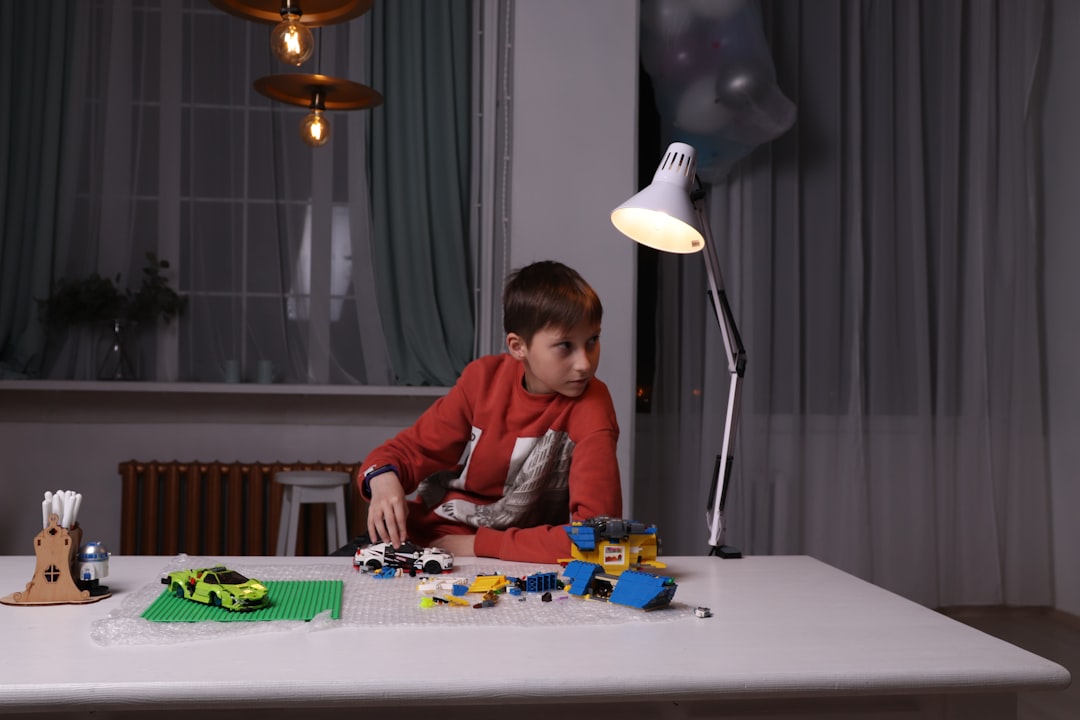
Your teen used to love their kid coding robot. Now they call it babyish and want something that feels real, a machine they can actually program in Python or Arduino, not just drag-and-drop blocks. If you searched "best robotics kits for teenagers," you are probably standing at that gap: the kid stuff is too simple, but a bare microcontroller and a pile of wires looks like a $200 mistake waiting to happen.
This guide ranks five serious robotics kits for teens age 13 and up by skill level and budget, names the one platform to skip, and helps you choose by what your teenager actually wants to learn.
TL;DR
- Best balanced (ages 12-14, first real robot): Makeblock mBot Ranger, around $190. Block coding that graduates to real Arduino C++.
- Best real-Arduino value (ages 13+, has coded before): Elegoo Smart Robot Car V4, around $65-99. Genuine Arduino, brutal but authentic.
- Most expandable (premium): Sphero RVR+, around $339. Takes Raspberry Pi, micro:bit, and Arduino; draws to JavaScript and Python.
- Skip: LEGO SPIKE Prime, which retires June 30, 2026.
How we evaluated: This is a research-based guide, not a hands-on lab test. We cross-checked manufacturer specs, published expert reviews (Tech Age Kids, Eduporium, Expert Reviews, CNX Software, SparkFun), and platform status announcements. Prices are USD as of June 2026 and shift with retailer and tariffs. Where no clean review aggregate exists, we say so.
How do you choose a robotics kit for a teenager?
Three questions sort almost every buyer:
What does your teen want out of it? A teenager chasing quick visual results wants a different kit than one who wants to wrestle with genuine engineering. The first group is happy with mBot Ranger or Sphero RVR+; the second wants the Elegoo car or the Arduino kit.
How much have they coded? Age matters less than experience. A 13-year-old who has never written a line of code should start on a block-to-text ramp, not a bare board. One who has already done Scratch, Python, or a micro:bit or Arduino starter kit can jump straight to the deeper picks.
What is the budget, and is this for home or a classroom? These kits run from about $65 to $429, and most suit a solo builder at a desk. VEX IQ is built for groups of two to four students and competition, so for one kid at home it is expensive overkill. For a younger child, our robot kits for 9-to-12 year olds guide is the gentler companion.
| Kit | Price (USD) | Age / skill | Languages | Build complexity | Best for |
|---|---|---|---|---|---|
| Makeblock mBot Ranger | ~$190 | 12-14, beginner | Scratch/mBlock → Arduino C++ | Easy (~45 min) | Balanced first real robot |
| Elegoo Smart Robot Car V4 | ~$65-99 | 13+, has coded | Arduino C/C++ | Hard (intimidating) | Real-Arduino value |
| Sphero RVR+ | ~$339 | 13+, any level | Draw → blocks → JS/Python | Pre-built | Expandable, premium |
| Makeblock Ultimate 2.0 | ~$366-429 | 12+, ambitious | mBlock + Python | Very hard (100+ min) | 10-in-1 step-up |
| Arduino Engineering Kit Rev2 | ~$159-199 | 14+, high school | Arduino C++ + MATLAB | Hard (electronics) | College-prep engineering |
Is the mBot Ranger the best balanced pick?
The Makeblock mBot Ranger (on Amazon) is our top overall choice for a teen's first real kit, and it earns a 4/5. It runs around $190.
Why it wins: it transforms into three builds (a Land Raider tank, a Dashing Raptor three-wheeler, and a self-balancing Nervous Bird) and packs about eight sensors, including ultrasonic, line-follow, light, and a gyro. The deciding spec is the coding ramp. Your teen starts in Scratch-based mBlock and can graduate to genuine Arduino C++ on the same hardware, the block-to-text progression an outgrowing kid needs. Reviewers at Tech Age Kids and Eduporium praise the aluminium chassis's durability and the smooth 45-minute first build. No single clean review-count aggregate was found.
The honest complaint: advanced kids report the block UI feels limiting after roughly six months, and motor torque is weak for heavy loads. Makeblock lists it at age 10+, but the realistic sweet spot is a beginner around 12-14.
Who should NOT buy it: an advanced teenager who wants a hard challenge out of the box, or anyone wanting zero hands-on setup.
Is the Elegoo Smart Robot Car V4 the best real-Arduino value?
The Elegoo Smart Robot Car Kit V4 (on Amazon) is the cheapest way to put a genuine Arduino in your teen's hands, at roughly $65-99. It is our pick for a teenager who has coded before and wants real depth.
It ships as about 24 module parts built around a genuine Arduino UNO R3, programmed in C/C++. Out of the box it does obstacle avoidance, line following, and IR-remote control, backed by a strong GitHub community. The skill it teaches is the prize: the same C/C++ used in a college engineering course, not a block language. For a teen who already finished the Makeblock mBot Neo or an Elegoo UNO starter, this is the natural step up.
Now the honest part. The barrier is steep for anyone under 14 without a mentor, the assembly is intimidating, and owners report weak tutorial videos. Listed at age 8+, it realistically needs a patient 13-year-old. No clean count was found.
Who should NOT buy it: beginners who want instant results, or families wanting a pre-built, play-now toy.
Is the Sphero RVR+ the most expandable choice?
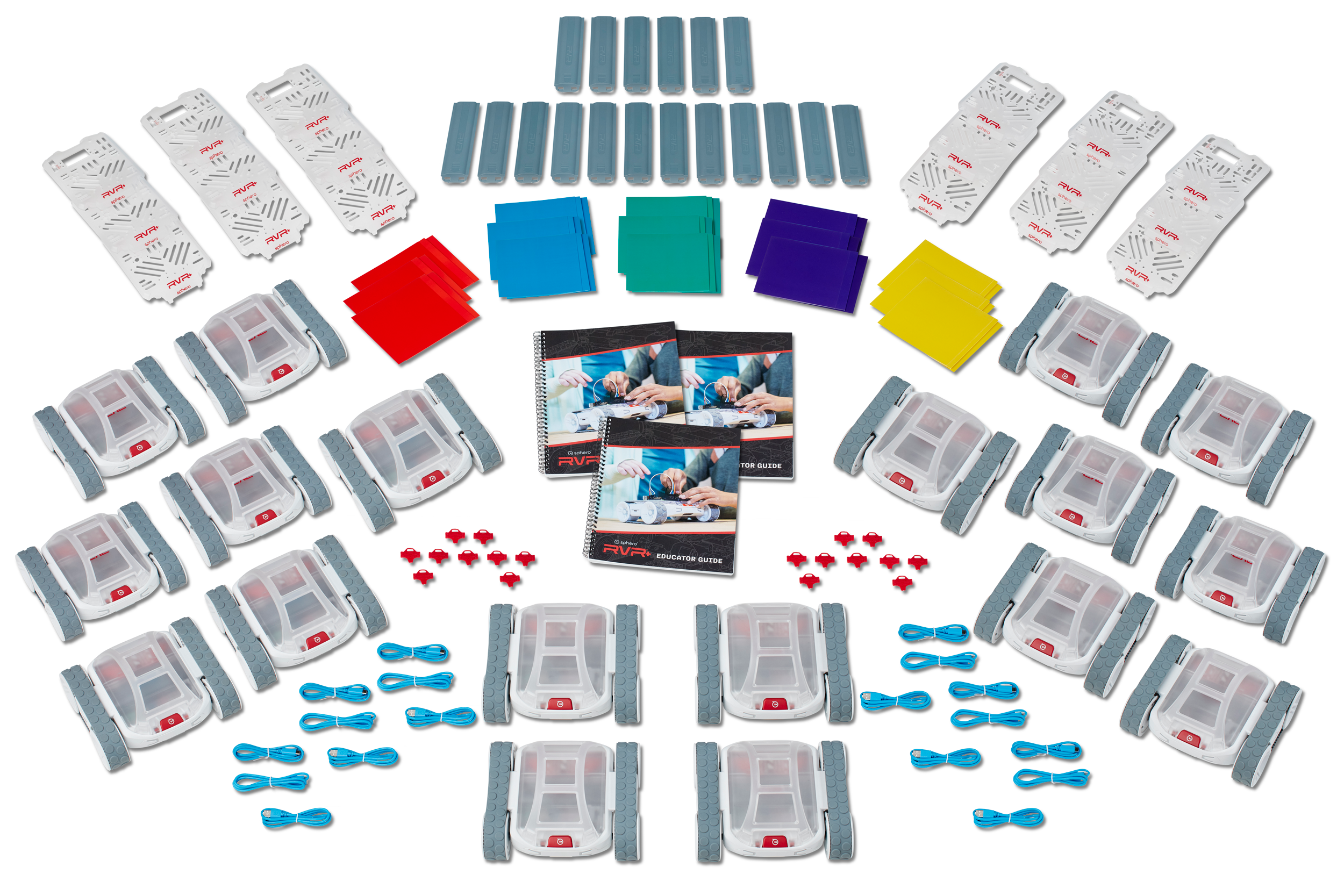
The Sphero RVR+ (on Amazon) is the premium, grow-forever pick at around $339. If your kid might get deep into robotics, it will not run out of room.
It is an all-terrain wheeled rover with expansion headers for a Raspberry Pi, micro:bit, or Arduino. It adds color, light, and gyro sensors and a roughly two-hour battery over Bluetooth and IR. The coding path has three tiers: draw mode, block mode, then JavaScript and Python. Reviews at Expert Reviews, Stuff, and RobotsJudge highlight that ramp and its classroom adoption. No clean numeric aggregate was found.
The honest complaints: it is expensive, the education app has a steep learning curve, and JavaScript is required to reach the advanced features. Note that the original RVR (B07RBBRQW3) is superseded, so new buyers should get the RVR+.
Who should NOT buy it: budget buyers, or anyone wanting something instantly playable with no coding.
Is the Makeblock Ultimate 2.0 worth the step up?
The Makeblock mBot Ultimate 2.0 (from Makeblock) is the heavyweight step-up, at roughly $366-429. There is no clean single-product Amazon listing, so buy it from the manufacturer.
It is a 10-in-1 configurable kit (gripper, tank, crane, and more) with over 160 parts, an Arduino Mega2560 brain, nine sensors, and coding in both mBlock and Python. Educators at Tech & Learning and CNX Software praise its build quality, sensor suite, and curriculum readiness. It is the most capable Makeblock kit here.
The honest complaint is complexity: the first build can top 100 minutes, the 160-plus part count overwhelms solo builders, and owners report occasional mBlock firmware-sync issues. This one is for an ambitious teenager with patience.
Who should NOT buy it: a solo 13-year-old who wants out-of-box-in-30-minutes, or anyone intimidated by the part count.
Is the Arduino Engineering Kit Rev2 the college-prep pick?
The Arduino Engineering Kit Rev2 (on Amazon) is the most academically serious option, at about $159-199, suited to ages 14+ and high schoolers eyeing engineering.
It runs eight guided projects (a self-balancing bot, a motorized arm, a temperature-controlled fan) using the genuine Arduino IDE with C++ plus MATLAB and Simulink. The deciding feature: it teaches the engineering mindset, the why behind the build, not just how to copy code. Arduino and SparkFun position it for resume and college-prep value. A teenager who has moved past a microcontroller starter kit will find this the next rung.
The honest complaint: it assumes electronics knowledge, including breadboarding and some soldering, and is expensive for a one-and-done beginner. No clean review count was found.
Who should NOT buy it: anyone under 14, non-technical parents who cannot help when it stalls, or anyone wanting a pre-built toy.
Which robotics kits should you skip?
Some of the most-searched "teen robotics" names are dead ends in 2026. Skip these:
- LEGO SPIKE Prime is retiring on June 30, 2026. App and platform support ends, and LEGO is replacing it with a new computer science and AI solution. Starting a kid on a platform dying within weeks strands them, while the mBot Ranger has years of runway ahead. Our LEGO SPIKE Prime vs Mindstorms breakdown walks through both.
- LEGO Mindstorms Robot Inventor was discontinued at the end of 2022. It is gone.
- DJI RoboMaster S1 is effectively abandoned, with no successor and degraded support since 2024. Avoid it as a long-term bet.
A robotics kit is only as good as the software that keeps it alive. A discontinued platform means no updates.
So which robotics kit should you buy?
Bottom line: For a teen's first real kit, our pick is the Makeblock mBot Ranger (4/5). It is the balanced choice: block coding that graduates to genuine Arduino C++, on a durable aluminium frame, for around $190.
The short version by need:
- Best balanced pick: Makeblock mBot Ranger, for a 12-to-14-year-old's first step, with a block-to-C++ ramp and a durable frame.
- For serious coders on a budget: Elegoo Smart Robot Car V4 at around $65, or the Arduino Engineering Kit Rev2 for guided, college-prep engineering. Both teach transferable C/C++.
- Most expandable: Sphero RVR+, the premium rover that takes Raspberry Pi, micro:bit, and Arduino and steps up to JavaScript and Python.
One last note on framing. The instinct that started you here, a teen who wants something real, is worth honoring. Buy for the skill they want to grow, not the flashiest box, and skip any platform that will not be alive next year. If their interest leans toward making objects, our best 3D printers for teen beginners guide is the next stop. If they'd rather fly than build, our best drones for teenagers guide covers the FAA rules and the sub-250g picks that skip the registration paperwork.