programming · ages 6-12
Best Coding Toys for Girls Ages 6-12: An Honest, Research-Backed Guide
The best coding toys for girls ages 6-12, ranked honestly. Screen-free vs app picks, hidden costs, and the one with a real battery risk — by age and budget.
Published 2026-06-13 · 11 min read
Amazon Associates disclosure
As an Amazon Associate, I earn from qualifying purchases. The price you pay is the same. This guide is based on manufacturer specifications, published independent reviews, and verified-buyer feedback, not hands-on testing.
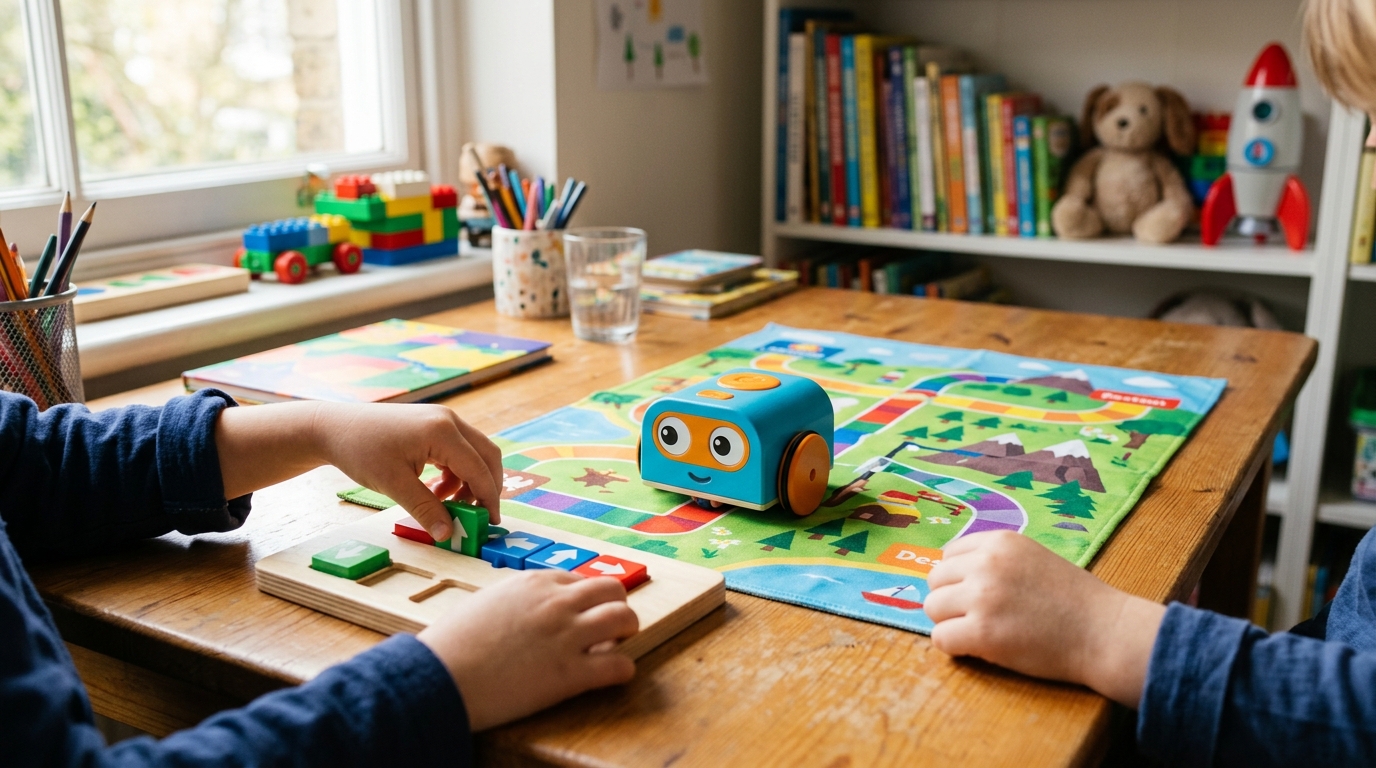
If you searched "best coding toys for girls," you probably are not looking for pink robots. You want your daughter to feel she belongs in science and tech, and to find a toy she will actually play with. That instinct is right.
Here is the honest part. These robots have no inherent gender. The National Girls Collaborative Project finds that "made for girls" pink versions do not raise interest; they reinforce stereotypes that, per Education Week, kids already hold by age 6. So this guide skips the pinkwashing for fit, pedagogy, and honest cons, then helps you choose by age and budget.
TL;DR
- Top overall (ages 5-7): Botley 2.0. Screen-free, frustration-free, no battery surprises beyond the AAAs.
- Budget pick (ages 4-6): Code & Go Robot Mouse. The simplest screen-free start, about $40 all-in.
- For older kids who want real code: Sphero Mini. Visual blocks that graduate to actual JavaScript.
- Buy with caution: Wonder Workshop Dash. Creative and fun, but a verified battery-durability risk, so buy with easy returns.
How we evaluated: This is a research-based guide, not a hands-on lab test. We cross-checked manufacturer specs, published expert reviews, child-development guidance from NAEYC, and patterns across roughly 1,500 owner reviews. Prices are USD as of June 2026 and shift with retailer and tariffs.
How do you choose a coding toy for your child?
Four questions sort almost every family.
Screen-free or app-based? Screen-free robots need no device and no screen-time friction, which is ideal under age 6. App-based toys ask for a tablet but unlock deeper learning, including real code.
What age is the child? Maze-sequencing toys suit the youngest; a JavaScript-capable robot suits the oldest. Buying above or below the sweet spot is the most common regret.
What does it actually teach? Look for open-ended problem-solving, meaning loops, conditionals, and real code, not rote button-pressing. Inclusive characters and research-backed pedagogy matter far more than packaging color, the point the NGCP makes about breaking STEM stereotypes. A 2018 Springer study found adult assumptions about "girl toys" shape STEM paths early.
What are the hidden costs? Batteries, a tablet, or an iPad can quietly change the real price. The table below makes those trade-offs clear.
| Toy | Price (USD) | Age sweet spot | Screen-free? | Hidden costs | Best for |
|---|---|---|---|---|---|
| Botley 2.0 | $64-$100 | 5-7 | Yes | AAA batteries (~$5) | Frustration-free first robot |
| Code & Go Mouse | $40-$72 | 4-6 | Yes | AAA batteries (~$5) | Simplest, cheapest start |
| Wonder Dash | $150-$160 | 6-9 | No | Tablet required | Creative app play (with caution) |
| Sphero Mini | $45-$60 | 8-12 | No | Tablet required | Real coding, older kids |
| Osmo Awbie | $50-$75 | 5-8 | Hybrid | iPad required (~$300+ without one) | Tactile-plus-digital play |
New to all of this? Our best screen-free coding toys guide is a gentler companion to the picks below.
Is Botley 2.0 the frustration-free top pick?
The Learning Resources Botley 2.0 Coding Robot Activity Set (on Amazon) is our top overall choice for ages 5-7, and it earns a 4.5/5. It runs $64-$100 depending on the robot only or the 78-piece activity set.
Why it wins: it is screen-free and needs no reading. A child presses buttons to build sequences up to 150 steps, with loops, basic conditionals, and a light sensor that triggers reactions. Sixteen interaction modes keep it playful, and that hands-on design fits NAEYC's case for screen-free play under age 6.
Owner feedback across 300-plus mostly four- and five-star reviews calls it "sturdy and classroom-ready," with children loving the transformations and the 6-plus-hour battery life. The honest complaint is batteries: it needs five AAAs that are easy to overlook, and a rare sensor-light fault shows up.
Who should NOT buy it: kids 4 and under (the buttons are too small), or parents who want app-based progress tracking, since screen-free means no data feedback. For a deeper Botley breakdown, see our Botley vs Code & Go preschool comparison.
Is the Code & Go Robot Mouse the budget pick?
The Code & Go Robot Mouse Activity Set (on Amazon) is the simplest, cheapest way in, and our budget pick for ages 4-6. It runs $40-$72 by version: robot-and-cards, the 83-piece maze set, or the rechargeable edition.
It teaches sequencing, directional logic, and spatial reasoning using physical cards and a build-it-yourself maze, with no screen at all. It targets the youngest audience here and is the simplest by design. Across roughly 200 reviews, parents call it "perfect for preschool" and say "my 4-year-old understood it immediately."
The honest cons: the standard AAA version drains, it is less engaging once a kid passes 7, and its sequences are shorter and less extensible. Rechargeable costs a little more.
Who should NOT buy it: kids 9 and up will find it too simple, and families who prefer open-ended play over structured mazes should look elsewhere. On price, nothing here beats it.
Is Wonder Workshop Dash worth the battery gamble?
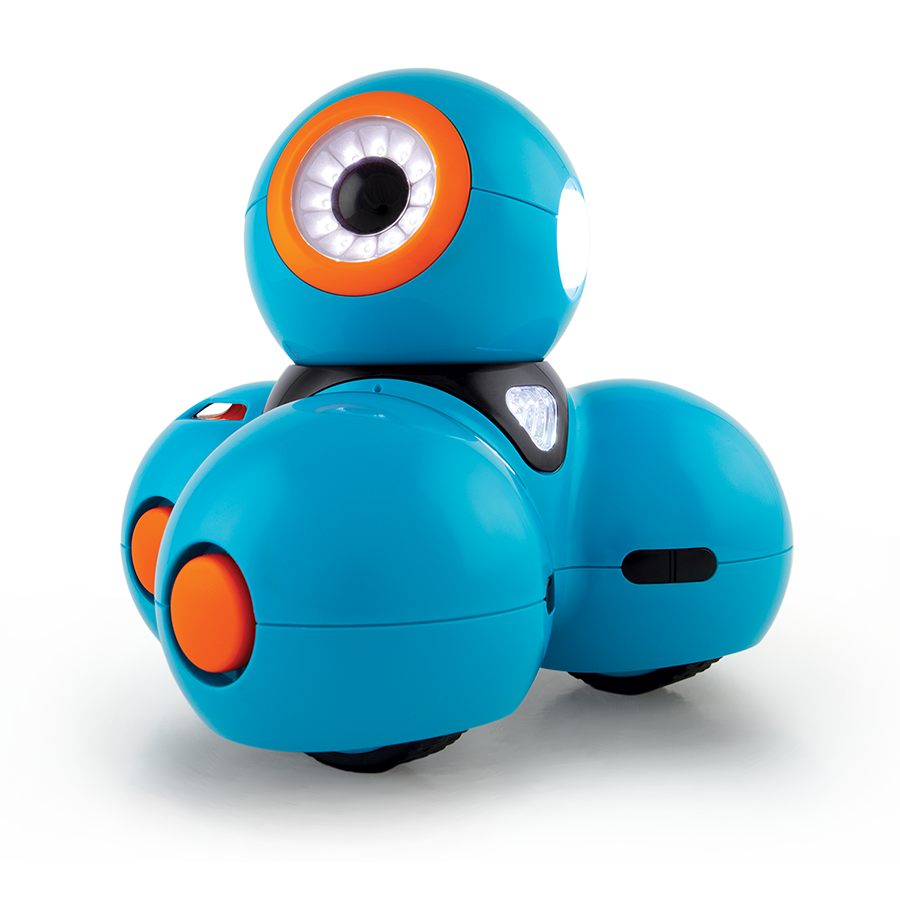
The Wonder Workshop Dash (on Amazon) is the most creative app-based robot here, and the one with the biggest caveat. It runs $150-$160 (a roughly 19% increase took effect in October 2025 from import tariffs) and suits 6-to-9-year-olds.
Dash arrives pre-assembled, controlled through a Scratch-like Blockly app on iOS or Android. It is voice-activated, navigates obstacles, and teaches sequencing, events, loops, algorithms, and variables. Across 500-plus mostly positive reviews, owners call it "engaging and fun," with a child "playing for hours."
Now the caveat, stated plainly: battery and charging issues are the single largest complaint category, roughly 30% of negative reviews. Owners report units that "won't hold charge anymore" or "die immediately after unplugging." Lithium batteries should last 4-5 years, yet some reportedly fail within 12-24 months. Wonder Workshop replaces failed units free within one year, but only if you bought from a retailer with a real return window. The other cost is the tablet you do not get in the box.
Who should NOT buy it: anyone without a tablet, anyone for whom battery reliability is non-negotiable, or families with a kid 11-plus who will outgrow visual blocks fast. If Dash interests you, our Dash vs Cue comparison weighs it against its sibling.
Does Sphero Mini teach real programming for older kids?
The Sphero Mini (on Amazon) is the pick for 8-to-12-year-olds who want to move past sequences toward real programming. At roughly $45-$60, this ping-pong-ball-sized robot is cheaper than Dash and widely available.
Its standout feature is a three-level path on the same robot: a Draw mode (visual), a Blocks mode (logic), and a JavaScript mode (real text code). That JavaScript step is the genuine differentiator, since most starters never get there. It has interchangeable LED shells and about 45 minutes of battery life. Across 400-plus reviews, owners praise it for "advanced learners."
The honest complaints: Bluetooth reconnection hiccups are frequent, with owners noting they "have to re-connect often" and the "connection drops in crowded WiFi areas," though not dealbreakers. It also has a steeper learning curve than the simpler robots.
Who should NOT buy it: 6-to-7-year-olds (a simpler robot fits better), WiFi-averse households, and a child who frustrates easily with Bluetooth pairing. For more options at this age, see our robot kits for 9-to-12 year olds guide.
Is Osmo Coding Awbie clever enough to justify the iPad?
The Osmo Coding Starter Kit (on Amazon) with the Coding Awbie game is the most original concept here: physical wooden blocks that an iPad's camera reads in real time, moving an on-screen character named Awbie. It runs $50-$75 and suits ages 5-8.
The pedagogy is sound. It bridges tangible blocks and digital feedback with no reading or typing, icons only, which kinesthetic learners take to quickly. Across 300-plus app-store reviews, parents call it a "perfect introduction" with "no reading barrier." Awbie being a girl character is a small inclusion win over faceless robots.
The honest, decisive con is that it requires a compatible iPad. If you own one, Osmo is excellent and well-priced. If you do not, total cost jumps past $300, and the Fire Tablet version has latency issues.
Who should NOT buy it: families without a compatible iPad, anyone wanting a self-contained toy, and 9-plus kids who outgrow the game. With an iPad on hand, it is a clever, affordable pick.
Which pick should most parents skip?
For most buyers, the riskiest pick is the Wonder Workshop Dash. It is genuinely creative and fun, but the battery-durability problem is systemic and verified by 30%-plus of its negative reviews. The 1-year replacement policy helps only if you bought from a retailer with a return window; buy used or gray-market and you lose that safety net.
This is not a "never buy Dash" verdict. It is a "buy it eyes-open, with easy returns" verdict. If you cannot absorb a $150 spend plus a possible replacement in 18-24 months, or you lack a tablet, choose differently. Botley 2.0 is the safer pick for ages 6-9, and Sphero Mini gives ages 8-12 real JavaScript with Bluetooth hiccups instead of battery failures.
So which one should you buy?
Bottom line: For a frustration-free, screen-free start at ages 5-7, our pick is Botley 2.0 (4.5/5). It is the safest first robot, with no app to crash and no tablet to buy.
The short version by need:
- Top overall pick: Botley 2.0, screen-free and frustration-free for ages 5-7.
- For older kids who want real code: Sphero Mini, visual blocks that graduate to JavaScript, 8-12.
- Budget pick: Code & Go Robot Mouse, the simplest start at around $40 all-in, 4-6.
A last word on the framing you started with. Reject pinkwashing and trust your child's own curiosity. These robots help any child who is interested. Match the toy to her age, then give her room to fail, fix it, and try again. That builds belonging far more than the color of the box. Need a gentler starting point first? Our stem toys for 6-to-8 year olds guide is the place to begin.