programming-toys · ages 3-9
Best Screen-Free Coding Toys 2026: Teach Logic Without a Tablet (Ages 3-9)
The best screen-free coding toys for 2026, age-bucketed 3-5, 6-8, and beyond. Honest picks that teach logic with no app and no tablet, plus a clear verdict.
Published 2026-06-07 · 9 min read
Amazon Associates disclosure
As an Amazon Associate, I earn from qualifying purchases. The price you pay is the same. This guide is based on manufacturer specifications, published independent reviews, and verified-buyer feedback, not hands-on testing.
TL;DR
- Best overall: Botley 2.0 (~$80-90, ages 5+). The deepest screen-free runway: up to ~150 steps, object detection, and basic if/then logic.
- Best budget first toy: Code & Go Robot Mouse (~$35-50, ages 4+). Clean sequencing and maze logic, fully screen-free.
- Youngest start: Cubetto (
$100+, ages 3+) or Fisher-Price Kinderbot ($30-40, ages 3+). Tactile blocks or big buttons for tiny hands.- Premium, grows-with-them: KIBO 21 (~$400+, ages 4-7). Wooden code blocks plus build-and-decorate engineering that lasts years.
- Every pick is 100% screen-free (no app, no tablet), which fits AAP guidance on limiting screens for young children.
- All except the Kinderbot carry a choking-hazard warning, not for under 3 (CPSC small-parts rule).
Most "learn to code" toys for young kids hide a catch in the fine print: they need a tablet. For a lot of parents, that defeats the point. You wanted your four-year-old building logic on the floor, not staring at another glowing rectangle. This guide ranks the best screen-free coding toys for 2026 (no app, no screen, no account), sorted by age, with honest cons and a clear best-for-your-kid verdict on each. No hands-on testing is claimed; every factual claim below is sourced. If a tablet already lives in your house and screen-free isn't a hard requirement, our Osmo Coding Awbie vs Coding Jam guide covers the leading tangible-block-plus-screen alternative for ages 5-10.
Why does screen-free matter for a coding toy?
Because the screen is the thing most parents are trying to avoid, not add. The American Academy of Pediatrics recommends limiting screen media for young children: roughly one hour a day of high-quality content for 2-to-5-year-olds, co-viewed, with no screens (beyond video chat) under 18 months (AAP / HealthyChildren.org). A coding toy that needs a tablet quietly spends that hour for you.
Screen-free toys dodge that entirely. The thinking happens with hands and eyes, on a grid or a control board, and there are no device-time battles, no WiFi, and no accounts. There is also real evidence the tangible version teaches better at this age: a systematic review of 22 studies found that age-appropriate robotics builds early computational thinking alongside collaboration and problem-solving, and KinderLab's research reports children using physical code blocks scored about 27% better on computational-thinking measures than children using screen-based tools. Concrete feedback beats an abstract screen when the learner is five.
What does "coding" even mean for a young child?
There is no typing and no syntax. For a 3-to-8-year-old, "coding" is three concrete thinking skills, and every toy below drills the same ones.
- Sequencing: putting steps in the right order so the robot reaches a goal.
- Directionality: reasoning about forward, back, and turns on a grid (early spatial logic).
- Debugging: the most valuable one. When the robot misses, the child looks at the steps, finds the mistake, and tries again.
That last loop is the whole point. The child gives instructions, the world responds, the child adjusts. Peer-reviewed work on tangible robots with preschoolers ties exactly this kind of play to measurable computational-thinking gains, and it maps onto hands-on design-process standards like NGSS K-2-ETS1. The deeper toys add loops and if/then logic on top, but they all start here.
Ages 3-5: tactile blocks and big buttons
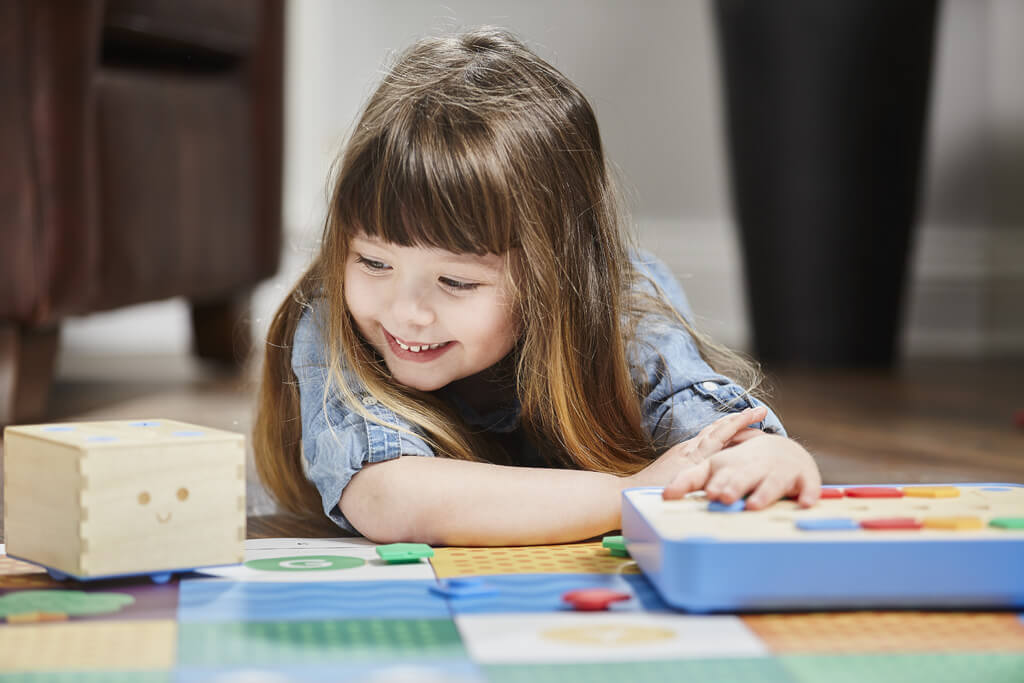
Little hands need a low floor. At this age you want either chunky buttons or physical blocks, short paths, and a fast win. Three picks fit.
The Code & Go Robot Mouse (ASIN B0D5F323H4, ages 4+, ~$35-50) is the cleanest first sequencing toy. Kids lay out a maze, press colour-coded direction buttons on Colby the mouse, and watch it run the whole sequence to the cheese. It teaches sequencing and a satisfying dose of debugging when the mouse stops short. The honest con: path-accuracy drift on long programs, so keep paths to roughly eight steps. Buy the rechargeable version (B0D5F323H4), since older sets used disposable batteries.
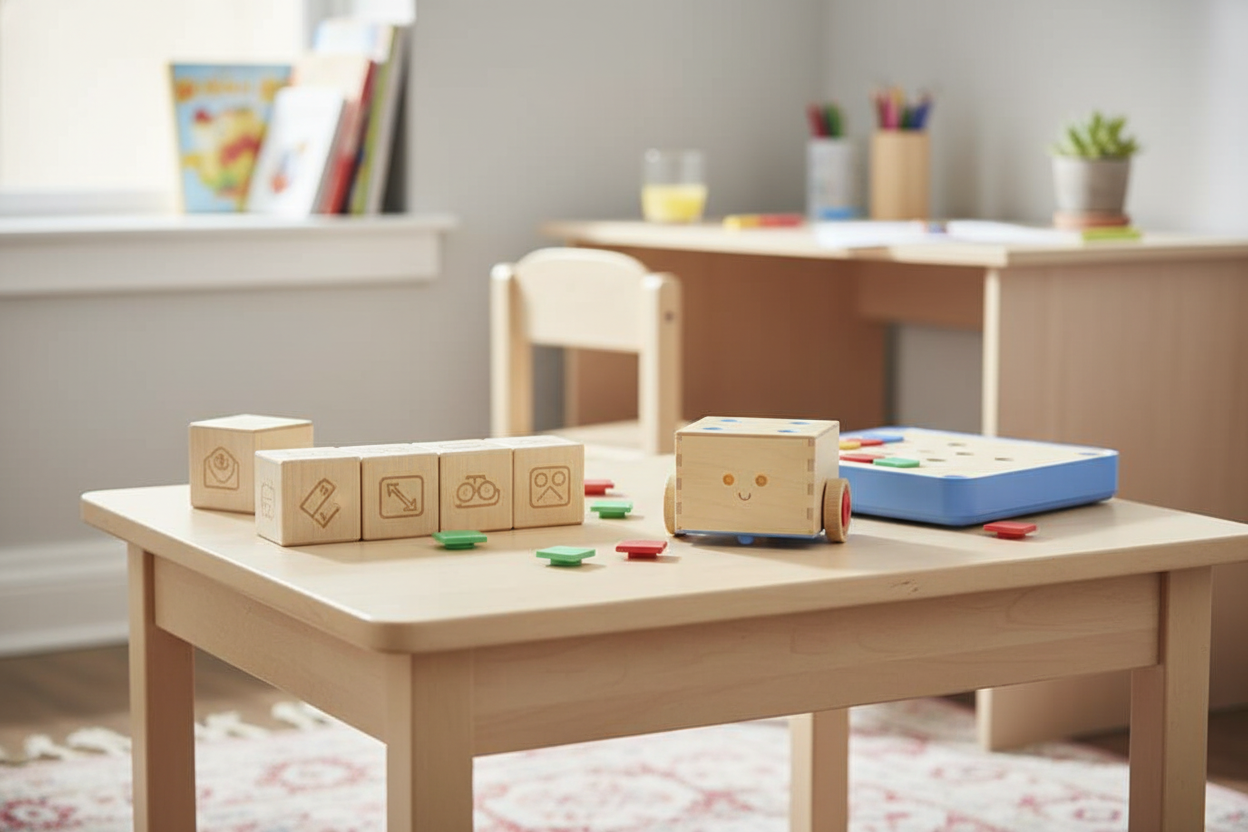
The Primo Cubetto (ASIN B0D3M5K1GM, ages 3+, ~$100+) is the Montessori option and the youngest genuine start. There are no buttons at all: children place tactile wooden blocks on a physical control board to "write" the program, which makes the abstraction unusually concrete for a three-year-old. The con is the price. That is a lot for a first toy, and the concept ceiling is lower than a kit built to grow.
The Fisher-Price Code 'n Learn Kinderbot (ASIN B07MFRD29W, ages 3+, ~$30-40) is the budget toe-dip. Kids enter codes on a keypad to make the robot move, with lights, phrases, and early math games layered in. Be clear-eyed: this is closest to a regular electronic learning toy with a coding mode bolted on. Kids often engage the play features more than the logic, and they outgrow it fast. Fine as a cheap "is my kid into this?" test.
Ages 6-8: real sequencing, loops, and if/then
This is the sweet spot for screen-free coding, and it is where the best overall pick lives.
The Botley 2.0 (ASIN B083T5G5ZK, ages 5+, ~$80-90) is programmed with a separate handheld remote, which is why Learning Resources labels it 5+. In return you get the deepest runway here: six-directional movement, 45-degree turns, looping, up to about 150 steps, and object detection that unlocks simple if/then logic ("if Botley senses a wall, then turn"). A five-to-seven-year-old keeps finding new challenges for months. The trade-offs, from parent reviews: the remote drains AAA batteries with regular play, and there is occasional motor or wheel wear under heavy use. Keep rechargeable AAAs handy. For the full head-to-head with the cheaper mouse, see our Botley 2.0 vs Code & Go comparison.
The Coding Critters Ranger & Zip (ASIN B07P5P3V5G, ages 4+, ~$50) is the pick for the kid who rolls their eyes at "robots." It is a coding pet: children press directional buttons on Ranger's back to code sequences up to 30 steps, following a storybook adventure. That narrative hook is the whole appeal, and it won Preschool Toy of the Year in 2020. The con: the coding is shallow (30 steps, no if/then), and the cuddly-pet appeal can overshadow the logic. A softer on-ramp, not a long runway.
What about ages 8 and up? KIBO and the honest next step
Here is the thing the listicles skip: genuinely screen-free coding tools thin out past age eight. The depth that an older kid wants, like variables, real loops, and conditionals tied to live inputs, mostly arrives on a screen. So this tier has two answers.
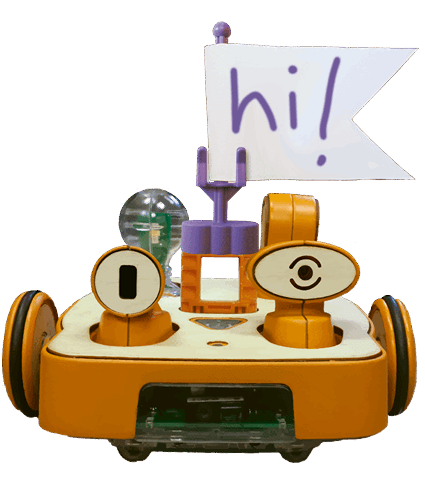
The premium screen-free answer is the KIBO 21 Robot Kit (ASIN B07T9GW1BJ, ages 4-7, ~$400+). Kids arrange wooden programming blocks in sequence, scan their barcodes, and KIBO runs the program. Then they build and decorate the robot and add light, sound, and distance sensors. It is the richest concept set on this list and the only one that plausibly lasts years rather than months, which is why classrooms and homeschoolers buy it. The cons are real: the $400+ price is a serious barrier, the age label caps at 7 (it stretches through expansion, not harder labels), and it sells mostly direct, so verify the Amazon listing and stock before you buy.
The honest answer for most 8-and-up kids, though, is to graduate to screen-based coding. That is not a failure of screen-free toys; it is the point of them. Once the logic is in place, a physical-computing kit teaches far more, faster. Our micro:bit vs Arduino starter kit guide covers exactly that next step: when to make the jump and which board fits which kid.
How the picks compare by age and depth
Here is the whole field on one screen. Cells are short by design; the nuance is in the sections above.
| Pick | Best age | Price tier | How it codes | Logic depth |
|---|---|---|---|---|
| Fisher-Price Kinderbot | 3-5 | ~$30-40 | Keypad buttons | Shallow (intro) |
| Cubetto | 3-5 | ~$100+ | Tactile wooden blocks | Sequencing + loops |
| Code & Go Mouse | 4-6 | ~$35-50 | Direction buttons + cards | Sequencing, debugging |
| Coding Critters | 4-7 | ~$50 | Buttons on the pet | Sequencing (30 steps) |
| Botley 2.0 | 5-7 | ~$80-90 | Handheld remote | Loops, object detect, if/then |
| KIBO 21 | 4-7+ | ~$400+ | Wooden code blocks (scan) | Deepest (sensors, build) |
What should you check before buying?
Every pick except the Kinderbot includes small parts (cards, tiles, blocks, battery covers) and therefore carries the standard label: "CHOKING HAZARD — Small parts. Not for children under 3 years." That warning is not boilerplate; it reflects the CPSC small-parts rule (16 CFR 1501) and the mandatory US toy-safety standard, ASTM F963. If there is a child under 3 in the home, treat the box label as binding and store loose tiles out of reach.
As of writing there were no active CPSC recalls for any product on this list. Recall status is live, though, so check CPSC.gov/Recalls before you buy.
So which screen-free coding toy should you buy?
Bottom line: For most families, Botley 2.0 is the best screen-free coding toy (4.5/5): the deepest logic runway for a 5-to-7-year-old, fully screen-free, at a fair mid price.
For most families with one kid aged 5-7: Botley 2.0. It is fully screen-free, fairly priced, and goes the furthest before a child outgrows it. Object detection and if/then logic keep it interesting for months.
Buying for a younger or tighter-budget house? Code & Go Robot Mouse is the cheap, clean first sequencing toy; Cubetto is the premium 3+ tactile start; the Kinderbot is the low-risk budget test. Want a kit that lasts years and you can spend for it? KIBO 21. And when your kid is around eight and clearly ready for more, that is your cue to move to screen-based coding. The toys did their job.
Sources
- American Academy of Pediatrics — HealthyChildren.org (screen media guidance)
- AAP Pediatrics — Media and Young Minds
- CPSC — Small Parts for Toys and Children's Products (16 CFR 1501)
- CPSC — ASTM F963 toy safety chart
- CPSC Recalls database
- Educational Robotics Intervention to Foster Computational Thinking in Preschoolers (NIH/PMC)
- Educational Robotics for Developing Computational Thinking in Young Learners: A Systematic Review (NIH/PMC)
- KinderLab Robotics — KIBO research (screen-free vs screen)
- NGSS — K-2 Engineering Design (K-2-ETS1)