Osmo Coding Jam vs Coding Awbie: Which to Buy First (2026)
Osmo Coding Awbie or Coding Jam first? Start with Awbie (ages 5–8) for core logic, then Jam for music. The 2026 catch: both only ship inside the Coding Starter Kit.
Published Jun 18, 2026 · 8 min read
As an Amazon Associate, I earn from qualifying purchases. Your price stays the same.
TL;DR
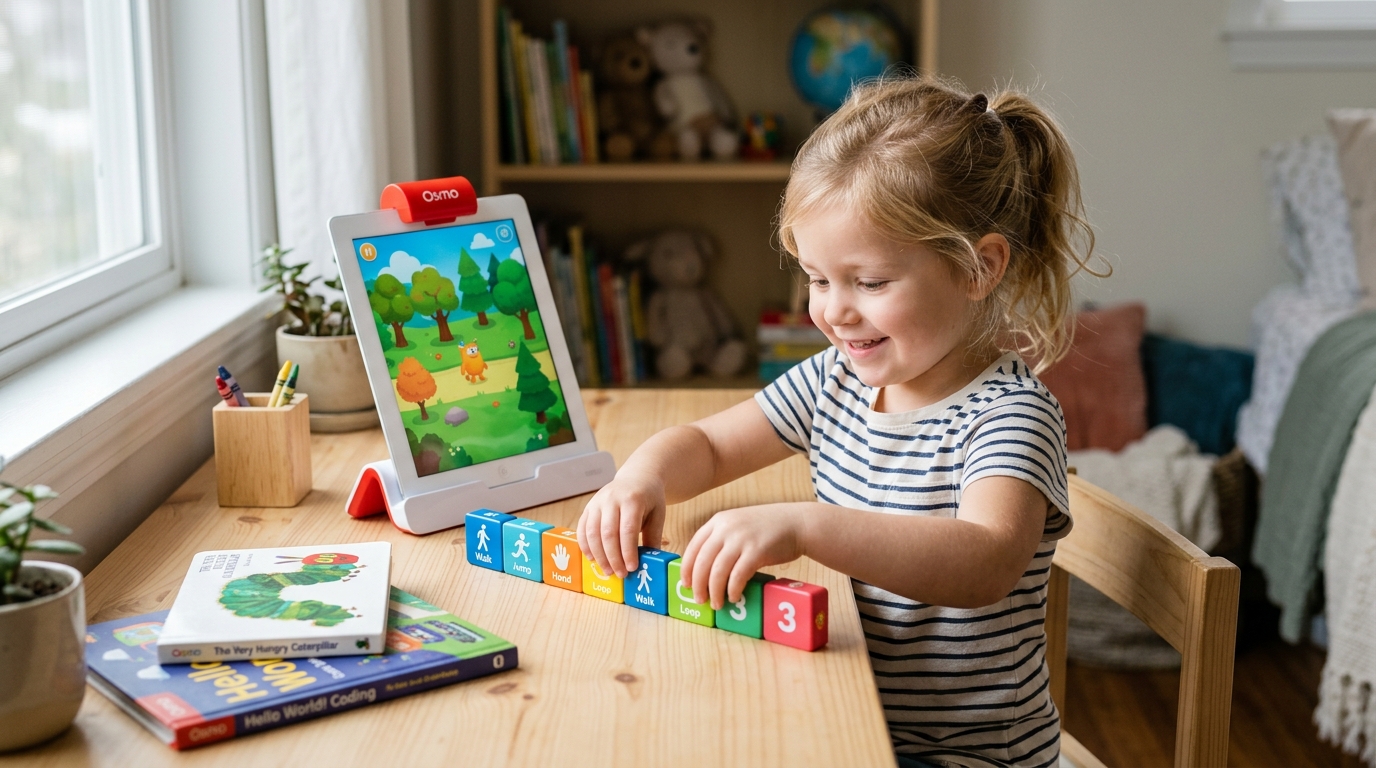
- Start with Coding Awbie (ages 5–8): a story-driven adventure that teaches sequencing, loops, and conditionals. It's the gateway.
- Move to Coding Jam (ages 6–10) next, it's creative music composition, a level-up once the basics click.
- The 2026 catch: you can't buy either game separately. Both ship inside the Osmo Coding Starter Kit (Awbie + Jam + Duo + base + 31 blocks, ~$38–$60).
- Check your tablet first: iPad (iOS 15+) or Amazon Fire (Fire OS 7+) only: no Android.
- Worth it for a 5–9-year-old with a compatible tablet; skip it if you'd have to buy an iPad just to run it, or your child is 10+.
As an Amazon Associate I earn from qualifying purchases made through links in this review. It doesn't change the price you pay. This guide is based on manufacturer specifications and published independent reviews, not personal hands-on testing.
If you're comparing Osmo Coding Awbie and Coding Jam to decide which to buy first, the short answer is Awbie, but there's a 2026 twist that changes how you actually buy them. Osmo no longer sells the games on their own; both come bundled in one kit. So the real question is which game to start your child on, and whether the system fits your house at all. Here's the decision, fast.
| Coding Awbie | Coding Jam | Coding Duo | |
|---|---|---|---|
| Best age | 5–8 (6–7 ideal) | 6–10 | 7–11 (2-player) |
| Teaches | Sequencing, loops, conditionals | Loops, patterns, music output | Collaborative logic |
| Blocks used | 8 block types | 14 block types (6 more) | shared 31-block set |
| Style | Story adventure | Creative music studio | Co-op puzzle |
| Learning curve | Gentlest | Moderate | Hardest |
| App cost | Free | Free | Free |
| Sold | Bundle only (Starter Kit) | Bundle only (Starter Kit) | Bundle only (Starter Kit) |
Which Osmo coding game should you buy first?
Start with Coding Awbie. A 5-to-8-year-old can play it with the least adult help: kids aged 6 to 7 go solo after the first session, and it introduces one idea at a time. That is exactly what you want from a first coding toy.
Awbie is built as a story: your child arranges physical coding blocks to send a character on an adventure, and in doing so picks up sequencing, loops, and conditionals without it feeling like a lesson. The Osmo support team confirms all three coding games are still actively supported. One guide notes that a six-year-old using Coding Awbie is practising "the same logical thinking that a programmer uses writing Python," just with blocks instead of a keyboard (Screenwise).
Coding Jam is the next step, not the first one. It swaps the adventure for a music studio where kids sequence blocks to compose tunes from 300-plus sounds. It's genuinely fun, but the concepts run a little deeper and the open-ended creativity lands better once a child already understands sequencing. Reach for Jam when Awbie starts to feel too easy, usually around age 8.
What does Coding Awbie teach?
Awbie teaches the foundations, sequencing, loops, and conditionals, through a quest your child controls with blocks. It's the layer the others build on: a child who can sequence Awbie's 8 block types is ready to read Jam's.
Each block is a command. Lay them out in order and the character moves, eats, and explores; get the order wrong and your child sees it fail and fixes it. That loop of "arrange, run, debug" is the core of programming, and Awbie hides it inside a game. Parents and educators consistently report that the tactile blocks beat pure-screen coding for this age group, and special-needs educators flag strong engagement gains (Coder Kids). Common Sense Media rates it 7+ and calls it an "exceptional educational coding game."
What does Coding Jam teach?
Jam teaches loops, repetition, and creative patterning by turning code into music. It's the same logic dressed up as composition rather than adventure.
Instead of moving a character, your child snaps together music blocks (14 types, six more than Awbie) to build and layer a track from 300-plus sounds, then loops and remixes it. That makes loops and repetition tangible: you literally hear a loop repeat. The trade-off is depth: reviewers note Jam is "pretty basic" in pure programming terms and that its studio mode is creative rather than challenging for a child who already codes. For a 6-to-10-year-old who loves music, though, it holds attention longer than Awbie because they're making something of their own.
Can you buy Coding Awbie or Coding Jam separately?
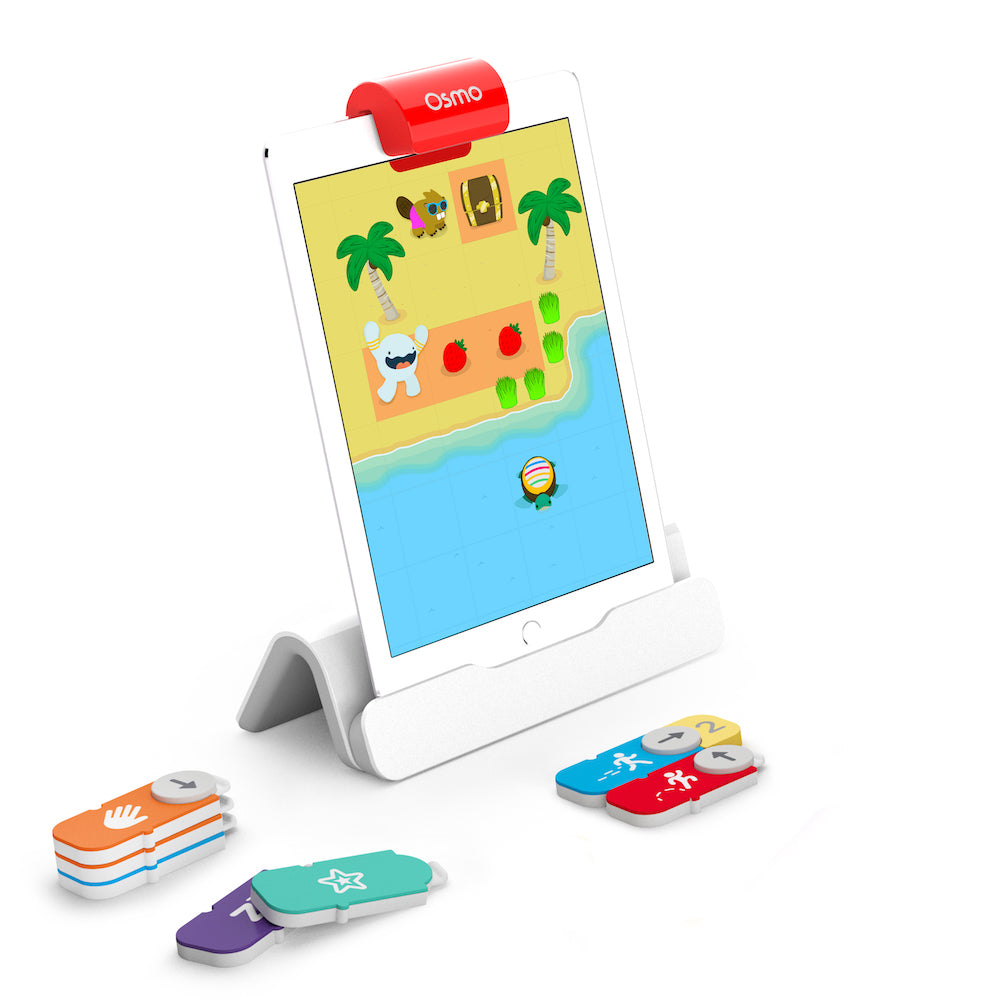
No, and this is the part most older reviews get wrong. As of 2026, neither game is sold as a standalone block set. Both ship only inside a bundle.
Your two options are the Coding Starter Kit: Coding Awbie, Coding Jam, and Coding Duo, plus the Osmo Base and all 31 magnetic blocks, or the Coding Family Bundle, which has the same 31 blocks and three apps but no base. Osmo has confirmed the games are not discontinued; they're simply bundle-only now, and individual replacement-block sets are no longer offered.
For almost everyone, the Starter Kit is the buy: it's about $38–$60 and includes the base you need. The Family Bundle only makes sense if you already own a compatible Osmo Base from another game like Tangram, since a base bought separately runs $39–$49 and erases the saving. One nice detail: the 31-block set covers all three games at once, so there's nothing extra to buy as your child moves from Awbie to Jam.
What do you need to run Osmo Coding?
A compatible iPad or Amazon Fire tablet, and there is no Android support. Check this before anything else; it's the most common reason a kit gets returned.
Per Osmo's compatibility list, you need an iPad on iOS 15 or later (iPad 5th gen, iPad Air 2, iPad mini 4, any iPad Pro, or newer) or an Amazon Fire tablet on Fire OS 7 or later (Fire 7, Fire HD 8, or Fire HD 10 from 2017 onward). Standard Android tablets, phones, and Kindle e-readers won't work. Two practical gotchas: the tablet must come out of its protective case to seat in the Osmo Base, and the iPad base and Fire base are different units, so buy the one that matches your device. The apps are free to download, and after a one-time online setup the games play offline, since the base's camera reads the blocks locally.
What age is Osmo Coding for, and when do kids outgrow it?
Best for ages 5 to 10, with the sweet spot at 6 to 8, and most kids age out by 10 or 11. Knowing the exit point saves you money.
Awbie suits 5-to-8-year-olds, Jam stretches to about 10, and Duo lands around 7 to 11. The ceiling is real: Osmo Coding stays block-based and never introduces typed syntax, so a confident 9-year-old can start to find it shallow, and by 11 most have moved on. That's not a flaw, it's a stage. When your child is ready for "real code," step them up to text-and-block tools. For younger siblings coming up behind, our guides to STEM toys for 6-to-8-year-olds and coding robots for preschoolers cover the next picks.
Is Osmo Coding worth the money?
Worth it for a 5-to-9-year-old with a compatible tablet; not worth it if you'd have to buy a tablet just to run it. The math is simple once you frame it as cost per hour.
The Starter Kit is roughly $38–$60 for about 20 to 50 hours of play per game, a couple of dollars an hour, which is fair for a few weeks of real learning. It earns 4.7 out of 5 across more than 2,800 reviews on its Amazon listing, with the praise centred on how the tangible blocks make logic click for young kids. The honest cons: parents report losing one to three small magnetic blocks over six months (and replacements are pricey), the engagement window is weeks rather than years, and there's no Android support. If you already own an iPad and have a curious six-year-old, it's an easy yes. If buying a tablet is part of the equation, the value evaporates.
Who should skip Osmo Coding?
Skip it if you're Android-only, strictly anti-screen, or shopping for a child who's already 10+ and wants real code. Osmo is excellent in its lane and a poor fit outside it.
- No compatible tablet → a browser tool like Scratch Jr or Code.org runs on Chromebooks and Android with no special hardware.
- Anti-screen household → Osmo still needs a tablet as the digital half; a screen-free coding toy or a floor robot like Bee-Bot teaches sequencing with zero screen time.
- Age 11+ who wants "real" programming → block syntax doesn't transfer to Python or JavaScript; go straight to Scratch or Code.org.
- Tight under-$50 budget, or a child who routinely loses small parts → borrow from a library STEM kit first; the blocks bleed away and replacements aren't cheap.
The verdict: our pick
Start your child on Coding Awbie, but buy the Osmo Coding Starter Kit to get it, because in 2026 that bundle is the only way to buy either game, and it includes Coding Jam for when your child levels up. Confirm your tablet is on the compatibility list first, expect a few intense weeks rather than years of play, and plan to graduate to Scratch or Code.org around age 10. For a 5-to-8-year-old with an iPad already in the house, it's one of the better first coding toys you can buy.
Bottom line: Buy Coding Awbie first (ages 5–8), then Coding Jam, but both only come in the Osmo Coding Starter Kit (~$38–$60, 4.7/5). iPad or Fire tablet required, no Android. Great value if you have a compatible tablet and a curious young kid; skip it if you'd have to buy the tablet too or your child is already 10+.
Shopping for a gift? Start here
- Best LEGO Botanicals Sets for Adult Builders and Gift-Givers (2026)
- LEGO Botanicals Bonsai Tree vs LEGO Botanicals Orchid: Which Is Better for Adult Builders and Gift Buyers?
- Holiday Gift Guide 2026: The Best Toys by Age and Budget, From Preschool to Grown-Ups
- Gifts for Grown-Ups Who Still Love Toys: LEGO, Board Games and Puzzles (2026)
How we research: This guide is based on manufacturer specifications, published independent reviews, and verified-buyer feedback, not hands-on testing.
Holiday gift guide drops every Friday in Q4
One email a week with the newest review and the toys our community is actually buying. No spam, unsubscribe anytime.