programming-toys · ages 10-14
Raspberry Pi Pico vs micro:bit V2 for Beginner Coders (2026): Which First Board Wins?
Raspberry Pi Pico vs BBC micro:bit V2 for a true beginner aged 10-14. We compare specs, price, and coding on-ramp to name the board that gets a kid coding fastest.
Published 2026-06-11 · 9 min read
Amazon Associates disclosure
As an Amazon Associate, I earn from qualifying purchases. The price you pay is the same. This guide is based on manufacturer specifications, published independent reviews, and verified-buyer feedback, not hands-on testing.
TL;DR
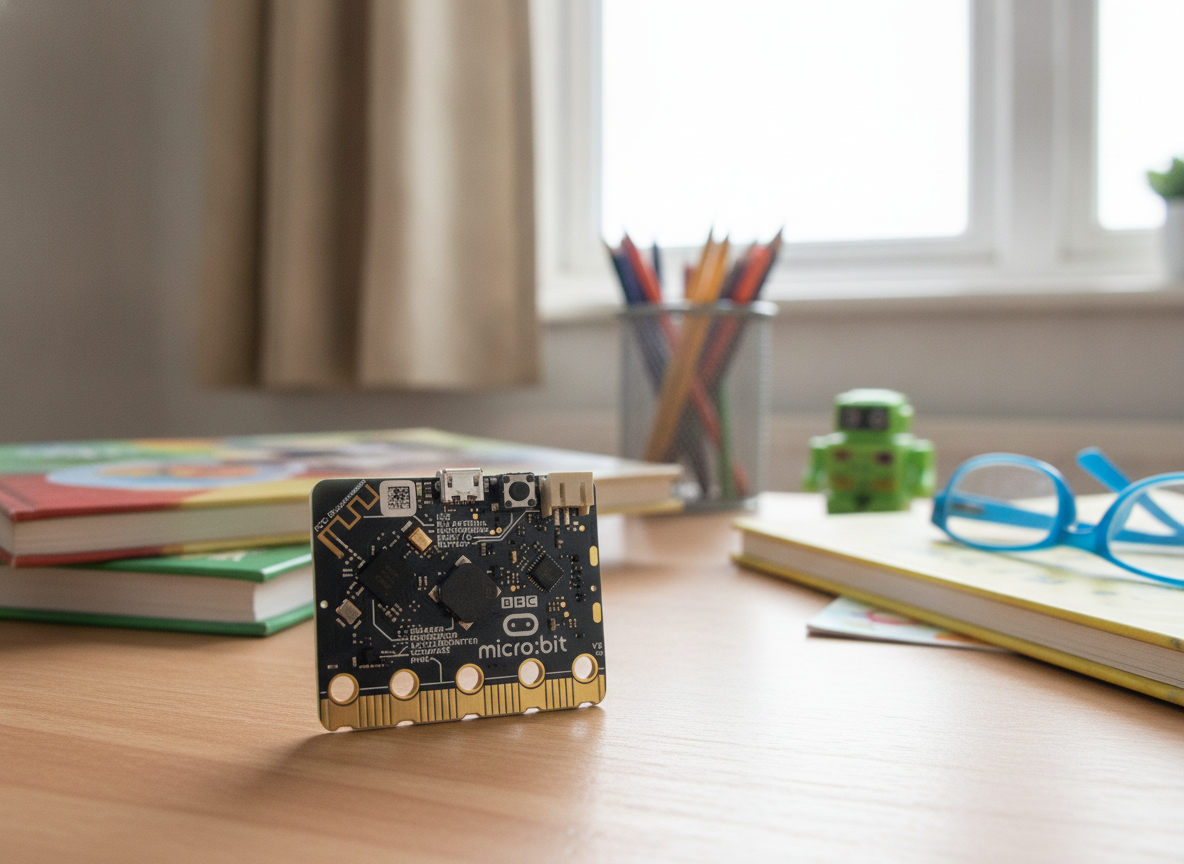
- The BBC micro:bit V2 (Go) (~$26-30) is the faster first board for a true beginner: a built-in 5x5 LED display, accelerometer, microphone, speaker, and radio, plus coding that starts in MakeCode blocks and toggles to Python. The micro:bit Educational Foundation designs it for ages 8+ (Python 11+).
- The Raspberry Pi Pico 2 (~$5 bare) is cheaper and far more powerful — a 150MHz dual-core chip with 520KB RAM — but it has no built-in sensors beyond an on-chip temperature reading and no first-party block editor. Best for a kid who already codes or has an adult to help.
- Same goal, opposite boards. New-to-coding kid who wants fast wins: micro:bit V2. Cheap, powerful, and electronics-deep with support on hand: Raspberry Pi Pico.
As an Amazon Associate, I earn from qualifying purchases made through product links in this review. This does not affect the price you pay. This comparison is based on manufacturer specs, published expert reviews, and educator feedback, not a personal hands-on test.
Two boards dominate every "first microcontroller for my kid" thread. One is a tiny computer with a glowing LED grid and sensors already inside. The other is a bare, cheap, surprisingly powerful chip that does almost nothing until you tell it to. Both teach a 10-14 year old to code at wildly different prices, but they ask different things of a beginner. This guide draws on both manufacturers' specs and published educator reviews to sort out which one gets a true first-timer coding fastest.
What is the one decision that actually matters?
Before the spec sheet, here is the choice that decides it. A beginner needs to see something happen in the first few minutes, or they wander off.
The micro:bit V2 hands a kid feedback the second it powers on: a 5x5 grid of LEDs, buttons, a speaker that beeps, and motion it can react to. Drag three blocks, press download, and your name scrolls across the board. The Raspberry Pi Pico does none of that out of the box. It is a blank slate. One tiny status LED, a temperature sensor, and everything else is something you wire and program yourself.
That gap is not about which board is "better." It is about whether a beginner can self-start. The micro:bit makes the first win automatic; the Pico makes it earned — great for a curious, supported kid, a wall for one who is alone and impatient.
What does the Raspberry Pi Pico give a beginner?
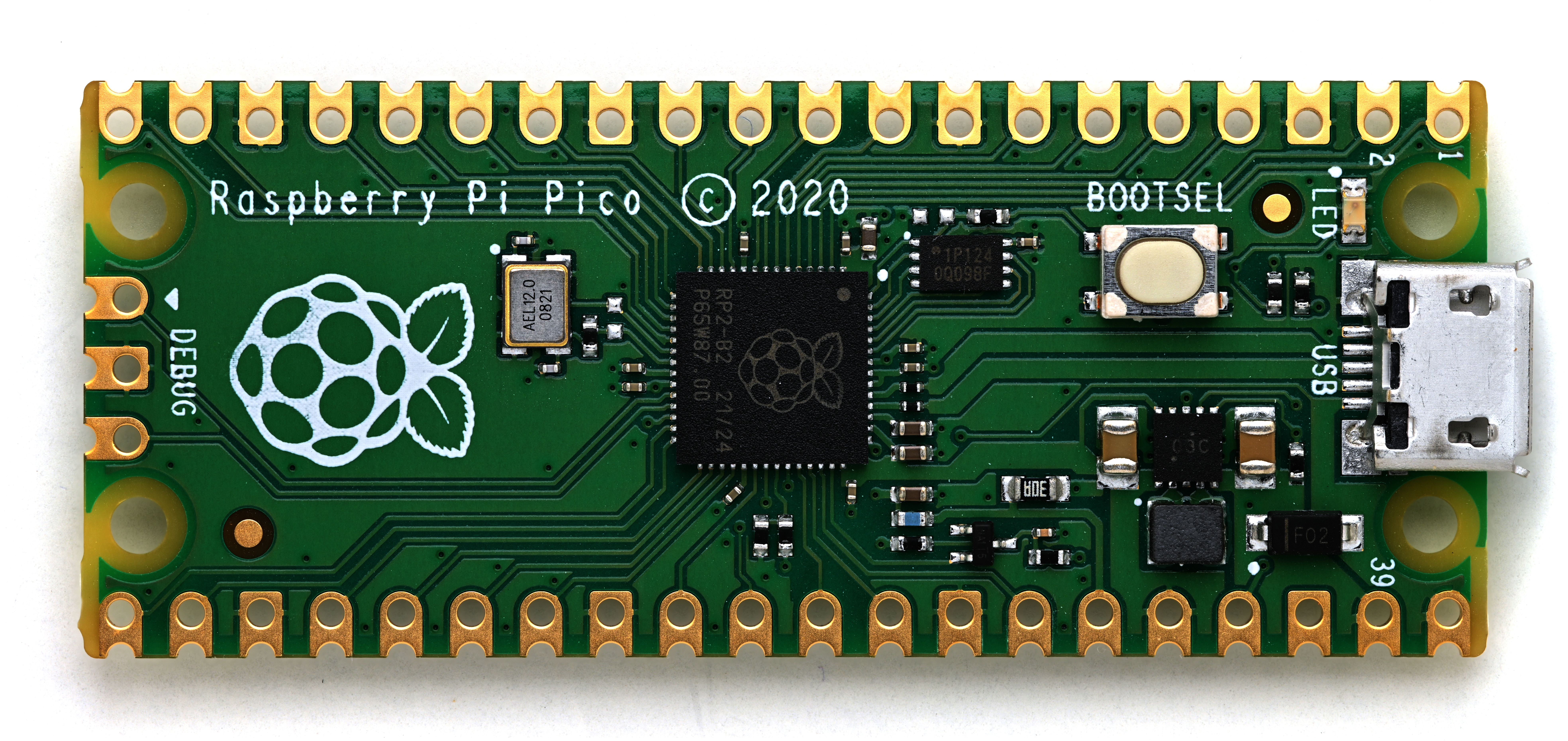

The Pico line is the value-and-power play. Per Raspberry Pi's board comparison, the 2026 lineup:
- Pico (original, ~$4): RP2040 chip, dual-core Arm Cortex-M0+ at 133MHz, 264KB SRAM, 2MB flash, 26 GPIO pins. No wireless.
- Pico W (~$6): same RP2040, adds Wi-Fi 802.11n and Bluetooth 5.2.
- Pico 2 (~$5): the newer RP2350 chip — dual Arm Cortex-M33 or dual Hazard3 RISC-V cores at 150MHz, 520KB SRAM, 4MB flash, same 26 GPIO. No wireless.
- Pico 2 W (~$7): the RP2350 plus Wi-Fi and Bluetooth 5.2, on sale since 2024.
The board measures about 51 x 21mm. What it does not have is the headline: no LED display, no accelerometer, no microphone, no speaker. You get only the chip's temperature sensor and a single GP25 status LED. For a beginner that also means no first-party MakeCode-style block editor. The standard on-ramp is installing the Thonny editor and writing MicroPython text from the first line, per the official guide. That is a step the micro:bit skips.
To make a Pico usable for a kid, you want a starter kit. The Freenove Ultimate Starter Kit for Pico 2 W (ASIN B0DR2GDKJ4) bundles the Pico 2 W, 224 parts, 119 projects, and a 767-page tutorial for around $45 (price varies). That adds the breadboard, sensors, and lessons the bare board lacks.
What does the BBC micro:bit V2 give a beginner?
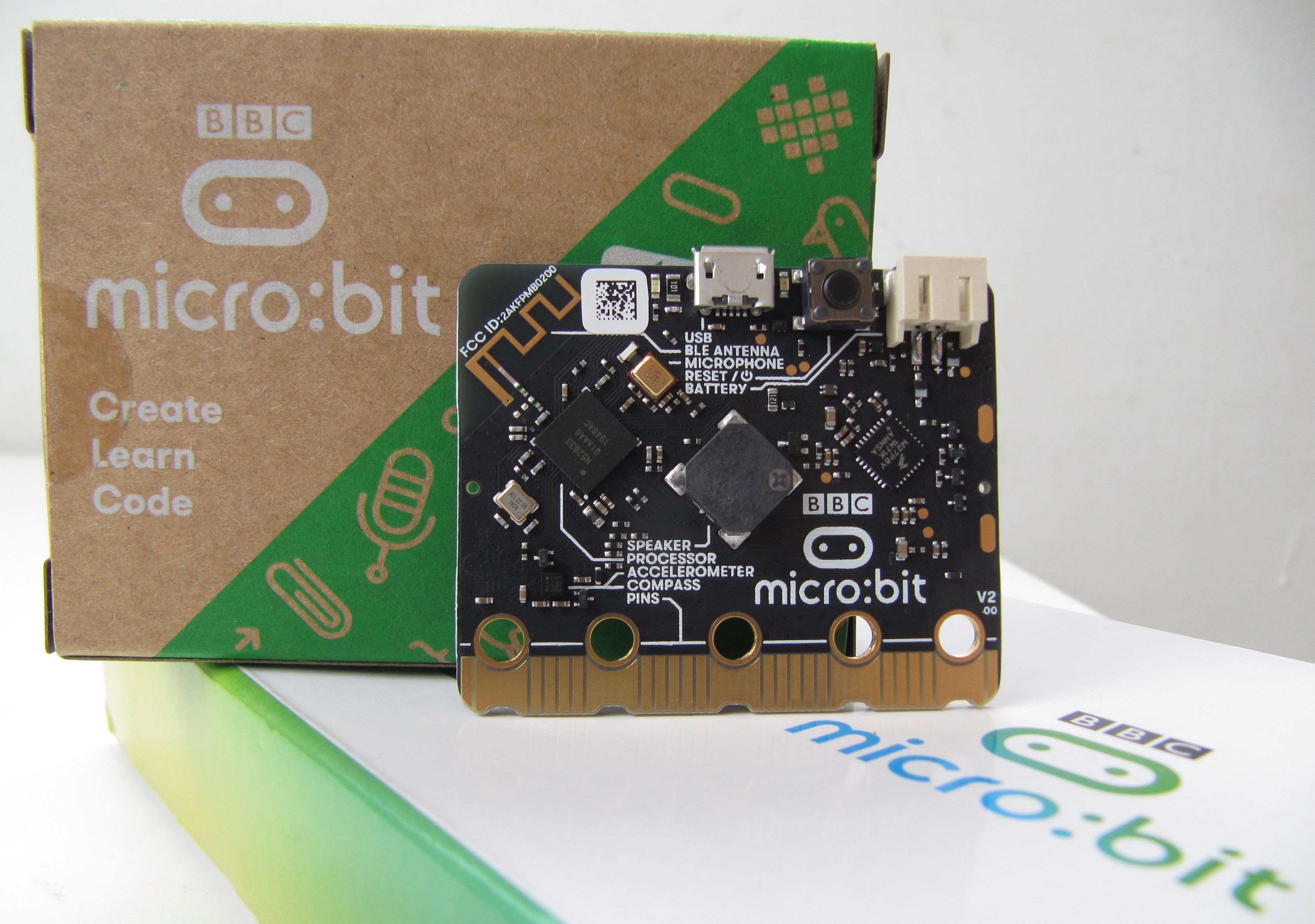

The micro:bit V2 takes the opposite philosophy: feedback first, wiring last. Per the micro:bit technical hardware reference, the board runs a Nordic nRF52833, a single Arm Cortex-M4 at 64MHz, with 128KB RAM, 512KB flash, and 19 assignable GPIO pins on its edge connector. It measures 51.6 x 42mm.
The sensors are the point. Built into that board: a 5x5 LED display, a 3-axis accelerometer and magnetometer, a MEMS microphone, a speaker, two buttons plus a touch logo, a temperature sensor, and 2.4GHz radio plus Bluetooth 5.1. A kid can sense and measure light, temperature, sound, movement, and magnetism without wiring a single component.
The coding on-ramp is the other half. A first-timer opens MakeCode, drags blocks, and the LED grid scrolls their name within minutes, with no syntax to mistype. When ready, the same editor toggles those blocks straight to Python. The Educational Foundation pegs the board at ages 8+ for blocks and 11+ for Python, so a 10-14 year old lands right in the sweet spot.
The buyable bundle is the micro:bit V2 Go Kit (ASIN B0BP1J72RR): the board, a micro-USB cable, and a battery holder with batteries for about $26-30, complete the moment you open it.
What do owners and educators actually say?
Across classroom write-ups and reseller reviews, the recurring praise for the micro:bit V2 is the same three things: the block-to-Python path, the built-in sensors, and the instant interactivity. One educator comparison calls the micro:bit "excellent for teaching absolute beginners" because the coding "always involves the exciting electronic features built into the board". The most common complaints: you must re-download the program to the board each time, pairing add-on tools over Bluetooth can be finicky, and the abstraction teaches less about raw circuits.
For the Raspberry Pi Pico, the consistent praise is the price-to-power ratio and the MicroPython workflow once it is running. Reviewers note the MicroPython focus "minimizes the confusion and time required to get started" compared with C/C++. The recurring beginner complaint is the flip side: no polished first-party block editor like MakeCode, so the entry step is steeper, and the bare board gives a young learner nothing to react to until they have built something. The educator consensus is blunt: the Pico "will not replace BBC micro:bit V2 even though it is way more powerful" for absolute beginners and classrooms.
How do they compare head-to-head?
| Criterion | BBC micro:bit V2 (Go) | Raspberry Pi Pico 2 |
|---|---|---|
| Price | ~$26-30 (Go kit) | |
| Processor | nRF52833, 1x Cortex-M4 @ 64MHz | RP2350, 2x Cortex-M33 / RISC-V @ 150MHz |
| RAM | 128KB | 520KB |
| Flash | 512KB | 4MB |
| GPIO pins | 19 (edge connector) | 26 |
| Built-in sensors | LED 5x5, accelerometer, mic, speaker, radio | Temperature only |
| Coding entry | MakeCode blocks then 1-click Python | MicroPython text (Thonny), no block editor |
| Best-for age | 8+ (Python 11+) | 10+ with coding or adult support |
The table makes the takeaway obvious. The Pico wins the raw-compute rows: roughly 2x the clock, 4x the RAM, 8x the flash, more pins, and a fifth of the bare price. One row it does not win is wireless. The bare Pico 2 has no radio at all. The micro:bit V2 ships with Bluetooth and 2.4GHz radio built in, and wireless on a Pico means paying up for the Pico W or Pico 2 W. The micro:bit also wins the rows that decide a beginner's first week: built-in feedback and a block-coding on-ramp.
Who should NOT buy each one?
Skip the bare Raspberry Pi Pico if your kid has zero adult support and has never coded. The blank-slate design has no built-in feedback and no first-party block editor, so a solo first-timer hits the Thonny-plus-MicroPython setup wall before they ever see a result. Skip it too if you want a complete gift out of the box: the bare board needs a cable, breadboard, and parts, so buy a starter kit or don't buy a Pico.
Skip the micro:bit V2 if your kid already codes confidently and wants raw power, deep electronics, or the cheapest path to a project. Its 64MHz single core, 128KB RAM, and abstracted sensors will feel limiting fast, and you pay roughly 5x the bare Pico price for an on-ramp an experienced kid does not need. By hiding the wiring, it also teaches less about how circuits physically close.
So which board is the pick?
Bottom line: For a true beginner, the BBC micro:bit V2 (Go) is our pick, rated 4.5 out of 5 as a first board for a true beginner. It is the fastest first board, with block-to-Python coding, built-in feedback, and zero wiring. Choose the Raspberry Pi Pico instead only if your kid already codes or has adult support and wants cheap, powerful, and electronics-deep.
For a kid aged 10-14 who is new to coding and wants to see something happen fast, get the micro:bit V2 Go Kit. The MakeCode-to-Python on-ramp removes the syntax barrier, the built-in LED grid and sensors give instant feedback with no wiring, and the board aligns with real classroom CS standards. It is the lowest-regret first buy and stays useful for years.
For a kid who already codes, has an adult to help, or wants the cheapest, most powerful path into real electronics, get a Raspberry Pi Pico starter kit, or a bare Pico 2 if you have parts. At $5 for the board it is unbeatable value, the 150MHz dual-core RP2350 has real headroom, and MicroPython on it is a genuine skill that carries into bigger projects.
Still unsure? Ask one question: does your kid need the board to do something the moment it powers on, or are they happy to build the something first? The honest answer points straight at the board. For other first boards, our micro:bit vs Arduino starter kit guide covers the hand-wiring jump, and our Makey Makey vs micro:bit comparison covers the gentler zero-code step before this one. If a robot is the goal, see our best robot kits for 9-12 year olds.