robotics · ages 8-10
Sphero BOLT+ Review: Real Coding Robot With LCD Screen for Ages 8-10
Sphero BOLT+ teaches kids to code Python and JavaScript through Draw-Blocks-Text progression on an animated LCD screen.
Published 2026-06-03 · 9 min read
Amazon Associates disclosure
As an Amazon Associate, I earn from qualifying purchases. The price you pay is the same. This guide is based on manufacturer specifications, published independent reviews, and verified-buyer feedback, not hands-on testing.

TL;DR
- Real progression path: Draw → Blocks → Python/JavaScript keeps kids engaged for years, not weeks.
- 128x128 LCD screen displays 650+ animations and live sensor data. Feels like a professional device, not a toy.
- $199 price tag and 2-hour battery mean this is a premium choice; Botley 2.0 ($50-80, screen-free) is better for budget-conscious families.
- Age 8+ is accurate; younger siblings under 7 will find the app/pairing barrier real, not "just a parental help" moment.
- Waterproof but not practical. Floats, survives splashes, but submersion breaks Bluetooth. So waterproof doesn't mean water-play ready.
What exactly is the Sphero BOLT+?
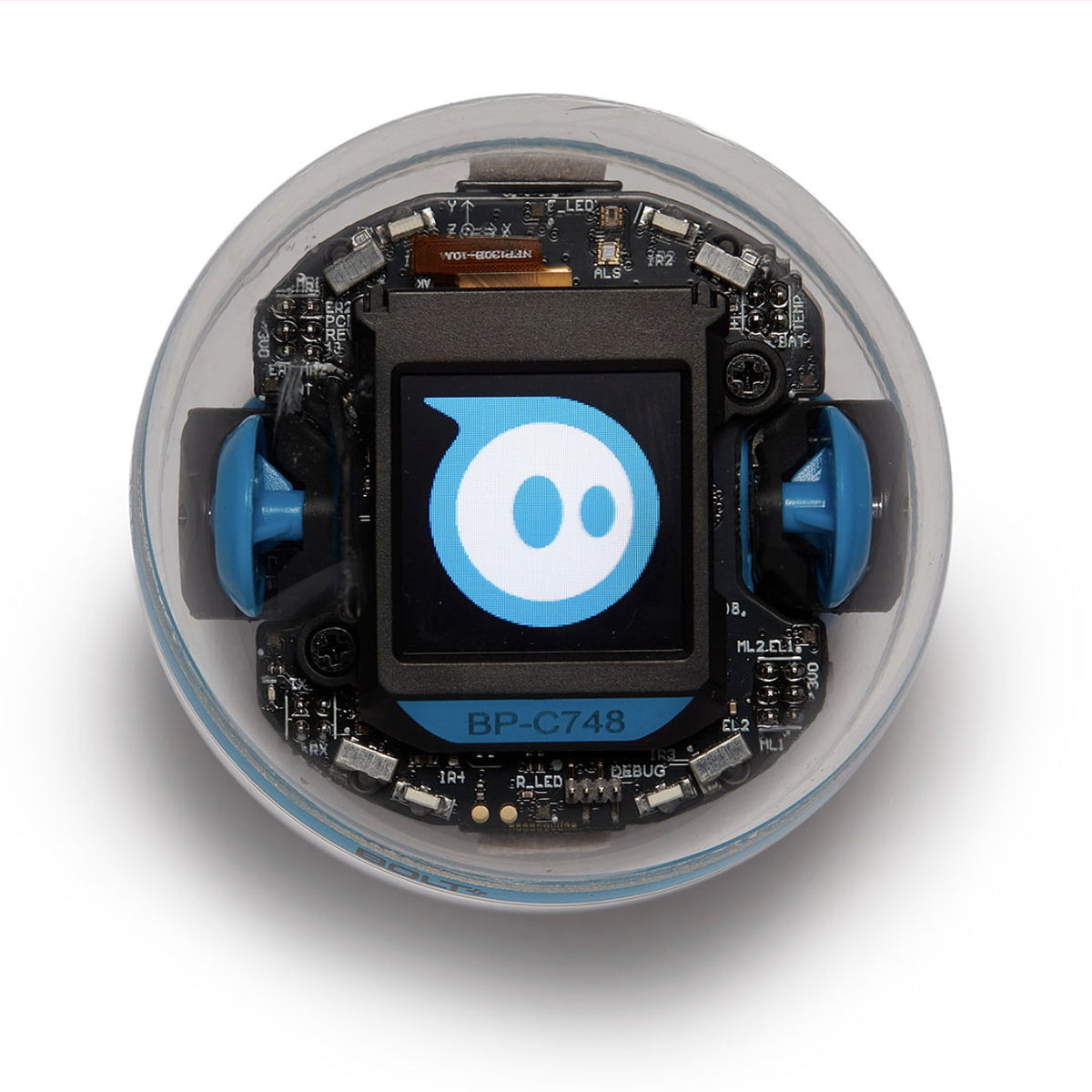
Sphero BOLT+ is a programmable ball about the size of a baseball that rolls around under code control and displays animated graphics on its 128x128 pixel LCD screen. The device went live at MSRP $199 and is rated 4.7 stars across 1,222 customer reviews on Amazon, targeting grades 3 to 10.
Unlike the original BOLT's 8x8 LED matrix, the BOLT+ upgraded to a full LCD display that can show 650+ graphics and animations. Kids program it three ways: Draw (a visual path editor), Blocks (drag-drop Scratch-style), and Text (Python or JavaScript). All three run through the free Sphero Edu app on a parent's phone or a shared tablet.
The specs sound impressive. What matters for your decision is whether those specs match how your kid actually learns. This ball sits in a premium tier alongside LEGO Mindstorms and advanced coding systems, but differs in form factor and app dependency.
Who is BOLT+ really for?
BOLT+ fits a specific profile: a child who has already done block-based coding (like Scratch in school) and wants to see their code move a physical device in the real world. Or a kid drawn to hands-on learning who is willing to progress from visual to text-based code over a year or two.
Age 8 as a floor is honest. The Sphero Edu app requires Bluetooth pairing and smartphone setup before play begins. A typical 8-year-old can learn to operate it after 30-60 minutes of guided setup. A 6-year-old finds that setup frustrating, not playful. If you have younger siblings, the small Qi charging pad sits in reach. It's not a choking hazard per the ASTM F963-23 toy-safety standard, but monitor it anyway.
For younger learners or families skeptical of app-based devices, Botley 2.0 starts at age 5 and skips the app entirely.
BOLT+ vs Botley 2.0 vs Dash: which fits your kid?
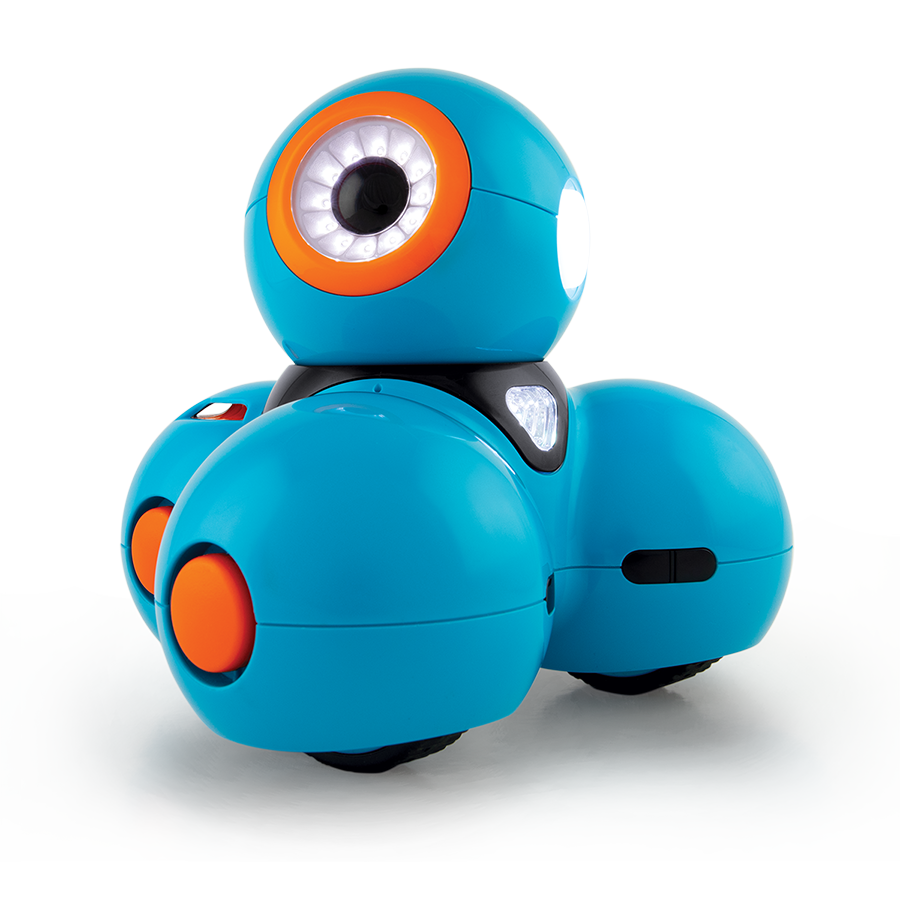
| Feature | Sphero BOLT+ | Botley 2.0 | Wonder Workshop Dash |
|---|---|---|---|
| Best for | Coding-first kids 8+ | Screen-free, ages 5-7 | Balance of play + coding, 6-11 |
| Price tier | ~$199 | ~$50–80 | ~$100 |
| Programming method | Draw/Blocks/Python/JavaScript | Remote cards (screen-free) | Block-based app |
| App required? | Yes (Bluetooth + WiFi) | No | Yes (optional; basic mode works offline) |
| What it teaches | Sensor logic, real code | Sequence, basic logic | Visual blocks, motor control |
| Battery runtime | ~2 hours | ~1 hour | Varies by model, ~1-2 hours |
| Charge time | 6-8 hours (Qi) | Battery replacement | USB, 3-4 hours |
Sphero BOLT+ wins if your child wants to write actual Python or JavaScript and debug sensor data. Cost is the trade-off: you are paying for an LCD screen and wireless charging, not just movement.
Botley 2.0 is the value pick and the screen-free pick. It supports up to 150-step sequences and teaches logic blocks without any app setup. No Bluetooth drama. No dead battery after 2 hours of afternoon play. For a family budget-conscious or skeptical of app time, Botley 2.0 excels at the preschool-to-early-elementary tier and is where I'd recommend starting.
Dash (by Wonder Workshop) sits between them: app-based like BOLT+, but the interface is simpler (no text coding) and the price is lower (~$100). If BOLT+'s Python feels like a leap, Dash is the gentler on-ramp.
What does BOLT+ actually teach, and how far does it go?
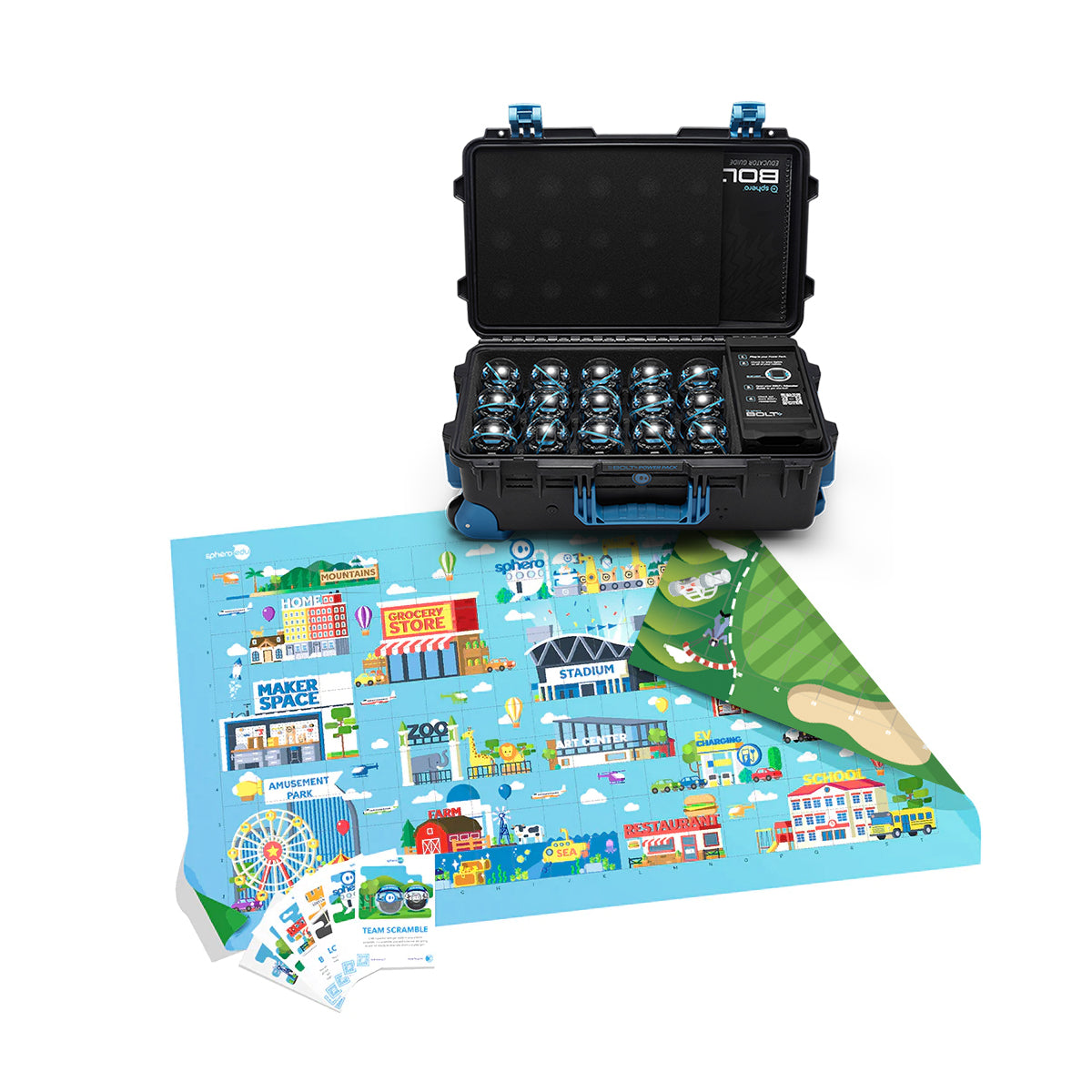
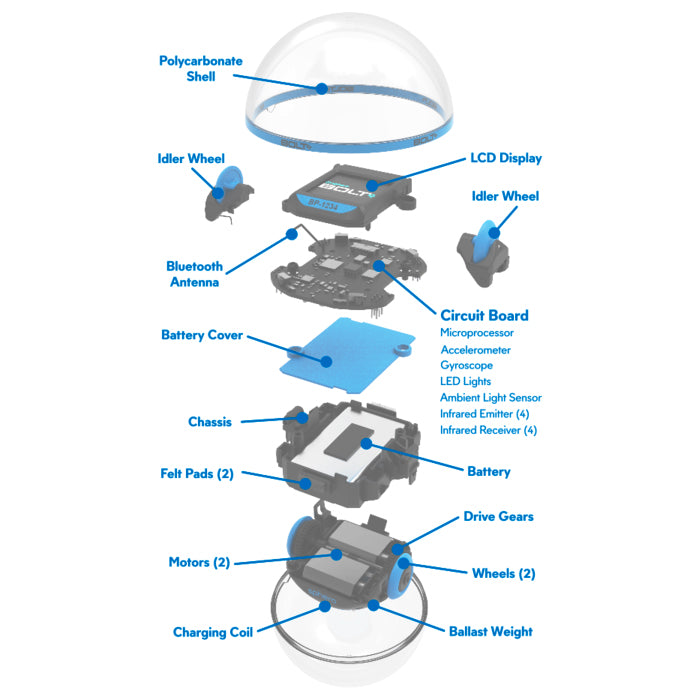
BOLT+ has three tiers of progression, and this matters more than specs:
Draw interface: Kids draw a path on screen; the device executes it. This is visual and immediate. An 8-year-old gets it in minutes. It builds spatial intuition (if I draw a square, the ball draws a square).
Blocks: Drag-drop logic blocks (move, turn, wait, loop, if-then). This is Scratch-level abstraction. Still visual, but introducing conditionals and loops. Most kids ages 8-10 can handle this with a parent nearby for help with the app.
Text programming: Python and JavaScript. This is real code. A 9-year-old who has done Scratch in school can read Python syntax and write simple commands. A 7-year-old finds it jargon-heavy. This is where BOLT+ keeps growing into grades 4-8 and beyond.
The honest part: the learning curve from Blocks to Text is steep. Your child does not just "level up"—they switch paradigms. If a kid is happy at the Blocks level, they might stay there for years. Text coding is optional, not inevitable. Many educators use BOLT+ for block-based projects only and never touch Python.
What are the honest cons?
Battery life is real. 2 hours of active play, 6-8 hours to fully recharge. That math limits after-school sessions. One period at school, home, or an after-program uses the full charge. If your kid wants Saturday afternoon plus evening play, you need two units or a mid-day break. For families on a single-device budget, this is a genuine constraint.
App dependency. The Sphero Edu app requires Bluetooth pairing and internet for lesson content. Initial setup means a parent's phone is mandatory. Later sessions can be independent, but troubleshooting is harder without an adult nearby.
Waterproof doesn't mean water-friendly. BOLT+ is rated to 5 meters depth and floats. Submerged use disrupts Bluetooth, negating the waterproof spec for water-based projects. You can rinse it off after sandy play, but you cannot program it in the pool.
Price premium is steep. At $199, BOLT+ costs 2-4x more than Botley 2.0 ($50-80) or Dash ($100). For a family testing the waters with their first coding device, the barrier is significant.
Is BOLT+ safe for an 8-year-old (and younger siblings)?
Age recommendation is accurate. Sphero recommends ages 8+, and testing has not surfaced CPSC recalls. The BOLT+ itself has no sharp edges or small parts that detach. The Qi charging pad is the only pinch point. Keep it away from toddlers.
App pairing is the real barrier. A younger child who cannot navigate app interfaces will be stuck waiting for an adult. This is not a "just needs help once" moment; recurrent troubleshooting is expected as they encounter app state changes and Bluetooth hiccups.
ASTM F963-23 compliance. All toys marketed to children under 14 in the U.S. must meet the mandatory toy-safety standard as of April 20, 2024. Sphero maintains compliance, though specific certification documents are not publicly available. Standard practice is to assume compliance for major manufacturers selling through Amazon.
So should you buy it?
Bottom line: Buy BOLT+ if your 8-10-year-old has done block-based coding (Scratch, Code.org) and wants to see code move the ball in real time and you can absorb the $199 cost. If coding is brand-new, start with Botley 2.0 or Dash and upgrade later. If screen-free is a hard requirement, Botley is your answer. For a full overview of entry-level options, see best STEM toys for ages 6-8.
BOLT+ is not a "bad" device, and the 4.7-star rating reflects real parent satisfaction. The LCD display and Python support genuinely set it apart. But it is a premium tool with a premium price and real limitations (2-hour battery, app dependency, steep learning curve to text code). Match it to a child who is ready for that, and it pays for itself in engagement. For most families testing the waters, a cheaper entry point is the smarter move. And if you're weighing whether to wait for a November discount on any of these robots, our Black Friday smart toy deals guide covers how to check a price-history chart so the eventual markdown is real, not a pre-inflated markup.
Sources
- Sphero — BOLT+ Coding Robot (official product page, specs, pricing)
- Amazon — Sphero BOLT+ Listing (4.7★/1,222 reviews, age guidance)
- Sphero — BOLT vs. BOLT+ Official Comparison (LCD upgrade details)
- Tom's Hardware — Sphero BOLT Hands-On Review (battery testing: 2-hour active, 6-hour charge)
- STEM Geek — Sphero BOLT Specifications (waterproof spec: 5m depth, floats)
- Wonder Workshop — Robot Comparison Guide (BOLT+ vs. Dash vs. Botley 2.0 positioning)
- CPSC — ASTM F963 Toy Safety Standard (U.S. toy safety requirements, effective April 20, 2024)
- Botley 2.0 — Amazon (competitor ASIN)
- Wonder Workshop Dash — Amazon (competitor ASIN)