stem-kits · ages 8-12
Best Electronics Kit for a 10-Year-Old: Makey Makey vs BBC micro:bit (2026)
Two of the most-recommended electronics kits for a 10-year-old solve different problems.
Published 2026-06-01 · 9 min read
Amazon Associates disclosure
As an Amazon Associate, I earn from qualifying purchases. The price you pay is the same. This guide is based on manufacturer specifications, published independent reviews, and verified-buyer feedback, not hands-on testing.
TL;DR
- Makey Makey Classic (~$50, no coding, plug-and-play) is the gentler on-ramp: it turns bananas and foil into a keyboard with zero software, so a 10-year-old is inventing in seconds. It teaches conductivity and creative problem-solving, not programming.
- BBC micro:bit v2 Go (~$20-25 board, ~$40-60 sensor kit) teaches actual coding (blocks in MakeCode, then Python) and runs untethered on a battery pack. The micro:bit Educational Foundation designs it for ages 8+.
- Never built electronics and wants instant wins: start with Makey Makey. Ready to write code (or you want to grow them into it): start with the micro:bit. They solve different problems. The "best" depends on your kid, not the spec sheet.
Picking an electronics kit for a 10-year-old is really a choice between two philosophies: invent first, code never versus code from day one. Makey Makey and the BBC micro:bit are the two most-recommended kits in this band and sit on opposite sides of that line. This research-based head-to-head ranks them by what your kid learns, whether you need a computer, and what happens when a build fails. Findings are synthesized from manufacturer specs, expert reviews, and published safety standards, not from a personal hands-on test. Safety claims are checked against the U.S. Consumer Product Safety Commission.
As an Amazon Associate, I earn from qualifying purchases made through product links in this review. This does not affect the price you pay.
What is each kit, really?
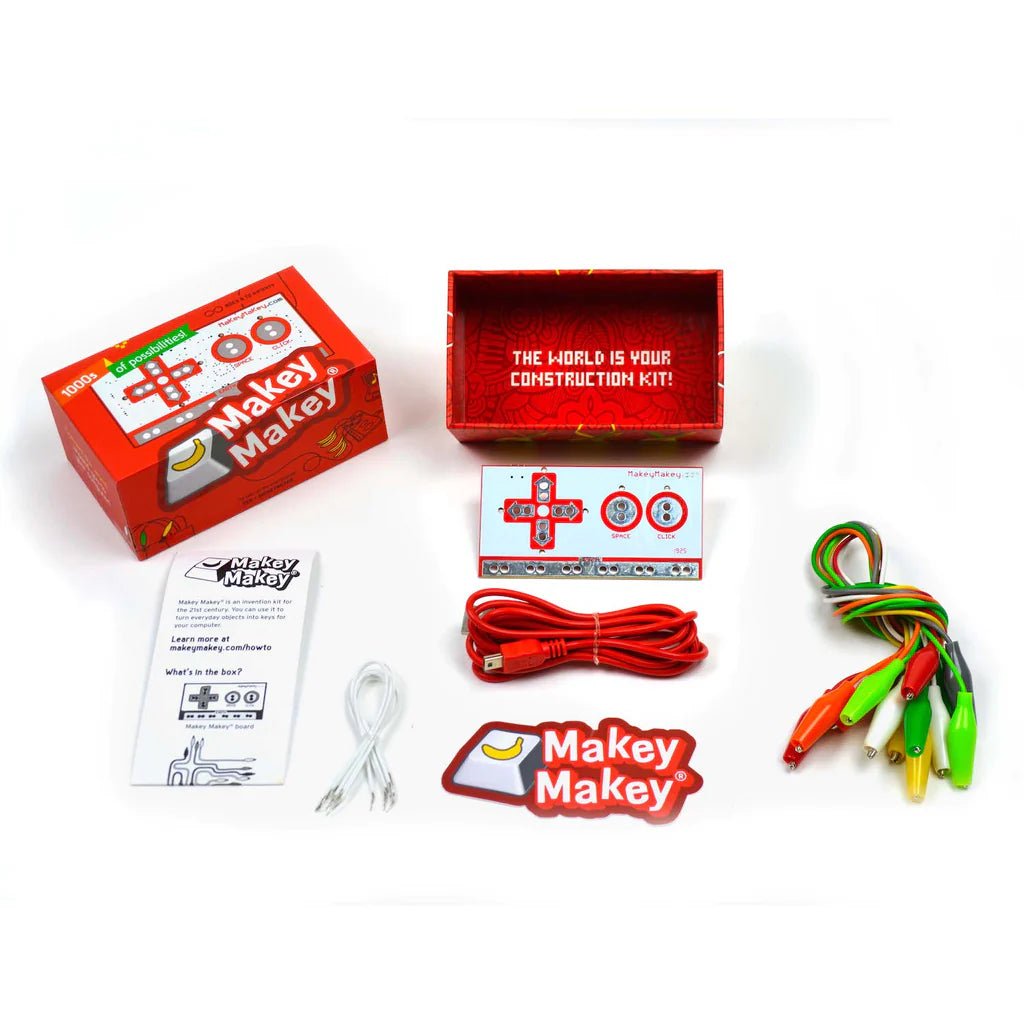
Makey Makey Classic is an invention board, not a computer. It plugs into any computer via USB and pretends to be a keyboard and mouse. You clip an alligator wire from it to anything that conducts a little electricity (a banana, a stack of coins, foil, your own skin), and touching that object "presses a key." The box holds a board, USB cable, 7 alligator clips, 6 connector wires, and an instruction guide, and crucially, no programming knowledge or software install is needed. The famous first project is a "banana piano." It is labeled ages 8 and up.
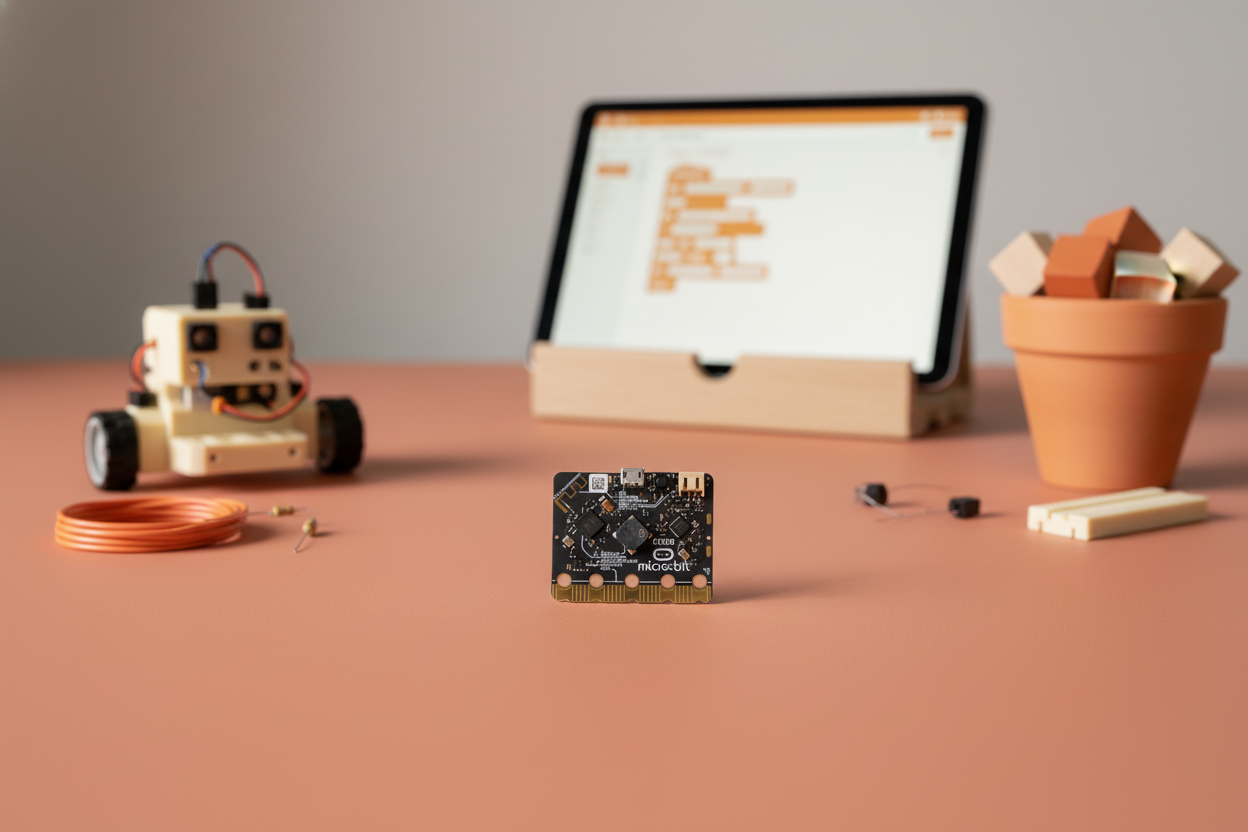
BBC micro:bit v2 is a tiny programmable computer. The v2 board carries a 5×5 LED matrix, two buttons, a touch logo, a motion sensor, a microphone, and a speaker, and it can sense and measure light, temperature, sound, movement, and magnetism. The kid writes code for it in block-based Microsoft MakeCode or text-based Python on a computer or tablet, then transfers the program to the board, which runs untethered on a battery pack. The Go bundle adds the USB cable and AAA battery holder.
The headline difference shows up before either is powered on: one is a peripheral that needs a host computer to do anything; the other is a standalone computer the kid programs and carries around.
Which kit teaches the most for a 10-year-old?
The cleanest comparison is what skill each one builds. Here is the head-to-head matrix.
| Criterion | Makey Makey Classic | BBC micro:bit v2 (Go) |
|---|---|---|
| Age fit | 8+ label | 8+ (Foundation); designed 8-14 |
| Price tier | ~$50 | ~$20-25 board; ~$40-60 sensor starter kit |
| Needs a computer? | Yes — it controls a computer | Yes to program it; then runs solo on battery |
| Coding required? | None — plug-and-play USB | Yes — MakeCode blocks, then Python |
| Screen time | While in use (controls on-screen apps) | During coding only; runs offline after |
| What it teaches | Conductivity, circuits, creative invention | Real coding logic, sensors, embedded computing |
| Failure mode | Visible — trace the clip path | Hidden — code flashes but behaves wrong |
| Build form | Open board with exposed clips | Open board with exposed pins |
A few things stand out from the specs alone. The micro:bit board is the cheaper entry at ~$20-25, but a usable kit (sensors, LEDs, breadboard) climbs to ~$40-60, narrowing the gap with Makey Makey's ~$50. More important than price: these teach different things. One teaches that circuits exist and can be playful; the other teaches how to make a computer do what you tell it. Both ship as bare boards, so the right pick at this age comes down to time-to-first-win and which failure mode your kid can recover from (covered below).
Makey Makey or micro:bit: which is the better first kit?
The honest answer is it depends on the kid.
Makey Makey wins on instant gratification. With nothing to code and nothing to install, a 10-year-old clips a wire to a banana and plays a note within the first minute. That feedback loop is the whole point: it teaches conductivity and invention through play and rarely hits the "nothing works" wall that kills momentum. The trade-off: it tops out fast. After a few controllers, there is no deeper layer without bolting on Scratch.
The micro:bit wins on depth. Common Sense Education calls it a versatile tool to learn to program with blocks or text, starting in MakeCode and scaling to Python. A 10-year-old can begin by scrolling their name on the LED grid, then grow into reading the accelerometer or building a step counter: a kit they use for years, not weeks. The trade-off: the first session has more friction (device, editor, transfer step).
So: for a kid who has never touched electronics and lights up at hands-on play, Makey Makey is the lower-regret first buy. For a kid who likes puzzles or "how does this work" questions, or one you want to nudge toward coding, the micro:bit is the better long-term investment.
What happens when the build doesn't work?
Every electronics kit eventually produces a build that fails. The difference is whether the failure teaches anything.
With Makey Makey, the failure is physical and visible. When a key won't trigger, the kid can see the whole circuit: is the clip gripping the banana? Is their other hand on the "earth" strip to close the loop? Is the object actually conductive? The fix is hands-on: reseat the clip, touch ground, swap the object. The mistake itself teaches what "completing a circuit" means.
With the micro:bit, the failure is usually hidden in the code. A program flashes successfully but the LED pattern is wrong, or a button does nothing, because of a logic bug the editor doesn't flag. Common Sense Education also notes a real snag: connecting via Bluetooth is challenging on the apps, and the program must be downloaded to the device each time. That is a debugging skill worth learning, though it is a steeper wall for a kid with low patience.
The practical takeaway: a visible, physical failure (Makey Makey) is one a young child can often diagnose alone by inspection, while a hidden code bug (micro:bit) typically needs them to reason about logic or ask for help. Match that to how much frustration your kid tolerates before walking away.
How safe are these for a 10-year-old (and a younger sibling in the house)?
Two safety facts matter, both well-documented.
Small parts and choking. Both are bare circuit boards with small components: alligator clips and connector wires on one, exposed pins and a tiny board on the other. Toys intended for children under 3 that contain small parts are banned hazardous substances under CPSC's small-parts rule, 16 CFR Part 1501; a part is "small" if it fits inside a test cylinder 2.25 in long by 1.25 in wide (16 CFR § 1501.4). Both kits are labeled 8+, so they are not required to pass that test. This means the clips, jumper wires, and the small board are choking hazards for any child under 3 in the home. With a toddler sibling, treat the 8+ label as binding and store kits up high.
Batteries. The micro:bit Go bundle ships with a AAA battery holder; Makey Makey draws power over USB and needs no batteries. Per the manufacturers' contents, neither uses loose coin/button cells in the main kit (the higher-risk ingestion type). CPSC toy-safety guidance still calls for battery compartments to be secured against small children, so check that the AAA holder closes firmly and keep it out of a toddler's reach.
Is the micro:bit worth the extra setup for a 10-year-old?
The friction is real and worth naming. Before a 10-year-old codes anything they need a computer or tablet, the MakeCode or Python editor, and a transfer step. The Bluetooth/app path can also be fiddly. That is more upfront effort than clip-and-play.
Where it pays off: the micro:bit is one of the few kits at this price that genuinely grows with the kid. A 10-year-old starts with blocks; by 12 they read sensors and write Python. The Foundation positions it across ages 8-14, so it spans this whole band and beyond: a multi-year tool, not a one-summer toy. If your goal is to seed real coding interest, the setup tax is worth paying. If your goal is instant, frustration-free play, it is not.
For how kits in this band stack up, see our best STEM toys for 6 to 8 year olds guide for a younger sibling, and our micro:bit vs Arduino starter kit for 12-year-olds for the next step up once a 10-year-old outgrows blocks.
Honest cons — what each pick gets wrong
- Makey Makey Classic: a one-trick board at heart. Once the novelty of controlling a computer with fruit wears off, there is no deeper coding layer without adding Scratch, and it does nothing without a host computer. The seven alligator clips and connector wires are small and easy to lose, so factor in spares.
- BBC micro:bit v2: setup friction is the main drawback (device, editor, and transfer step all required), and Common Sense Education flags that Bluetooth pairing on the apps is challenging and the program must be downloaded to the device each time. The bare board is underwhelming until you add sensors (pushing real cost toward ~$40-60).
So which electronics kit should you actually buy?
For a 10-year-old who has never built electronics and loves instant, hands-on play: start with Makey Makey Classic. Zero coding, zero install, inventing in seconds. Just know it tops out fast.
For a 10-year-old who already likes puzzles or code, or who you want to grow into programming: buy the BBC micro:bit v2 Go. It teaches genuine coding logic, scales from blocks to Python, runs untethered, and stays useful for years. Worth the steeper setup if depth is the goal.
If you can't predict which kid you have, Makey Makey is the safer first bet, with its gentler and more visible failure mode. The micro:bit is the higher-ceiling investment that grows from blocks to Python and stays useful for years.