stem-kits · ages 8-12
Snap Circuits Jr. vs littleBits STEAM+: Which Electronics Kit Earns Its Price for Ages 8-12?
One kit costs ~$25 and needs no screen; the other runs ~$300 and ships with an app and a curriculum.
Published 2026-06-01 · 9 min read
Amazon Associates disclosure
As an Amazon Associate, I earn from qualifying purchases. The price you pay is the same. This guide is based on manufacturer specifications, published independent reviews, and verified-buyer feedback, not hands-on testing.
TL;DR
- For most 8-12 year olds starting electronics, Snap Circuits Jr. SC-100 (~$25, screen-free, 100+ projects) is the lowest-regret first kit; step up to the SC-300 Classic (300+ projects) for a 10-12 year old or a kid who's already hooked.
- littleBits STEAM+ (~$300, app-required, ~40 hours of curriculum) earns its price only in a classroom/homeschool setup or for a kid who has outgrown Snap Circuits and wants app-driven invention.
- Both clear the CPSC small-parts test for 8+, but both are choking hazards for a sibling under 3: store them up high. The real split is screen-free-and-visible (Snap) vs app-driven-and-self-orienting (littleBits).
Picking an electronics kit for an 8-12 year old is a bet on attention span, reading level, and screen budget. This research-based guide compares two of the most-recommended kits, Snap Circuits Jr. (and its SC-300 sibling) against littleBits STEAM+, by what each one teaches and what it costs per guided project. It is synthesized from manufacturer specs, expert reviews, and published safety standards, not from a personal hands-on test. Safety claims are checked against the U.S. Consumer Product Safety Commission and the American Academy of Pediatrics.
As an Amazon Associate, I earn from qualifying purchases made through product links in this review. This does not affect the price you pay.
What's actually in each box?
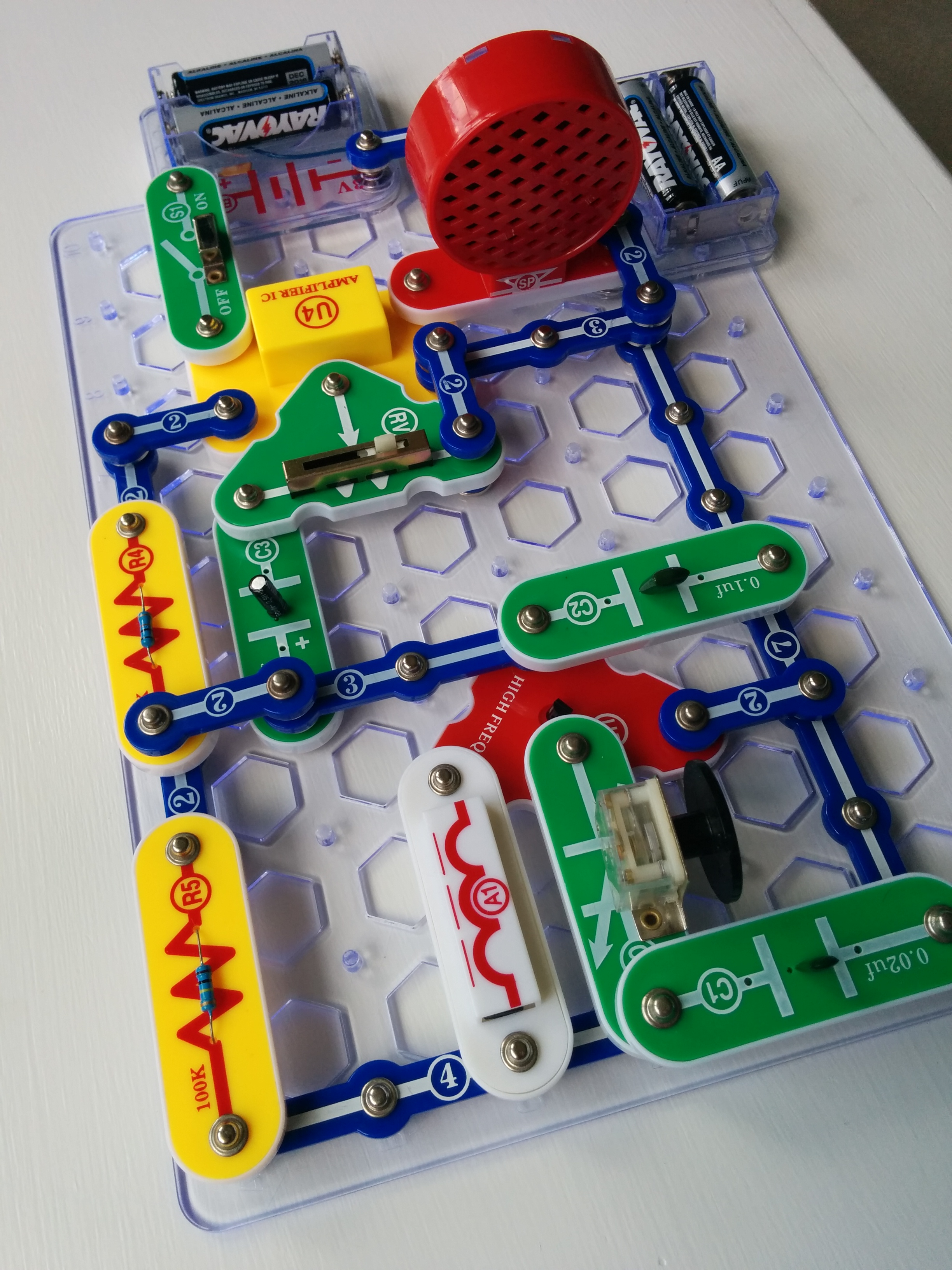
Snap Circuits Jr. SC-100 is the starter kit: about 28 parts and over 100 projects, including a battery holder, resistors, an LED, a small motor, a speaker, and the clear-plastic snap blocks that lock onto a peg-board. A full-color manual numbers the builds from "make a light turn on" up to a basic AM radio. No app, no account, no internet. The step-up Snap Circuits Classic SC-300 (300+ projects, 60+ parts) uses the same snap system with more components; Elenco labels it 8+, and resellers commonly recommend it for ages 10+ given the more advanced builds.
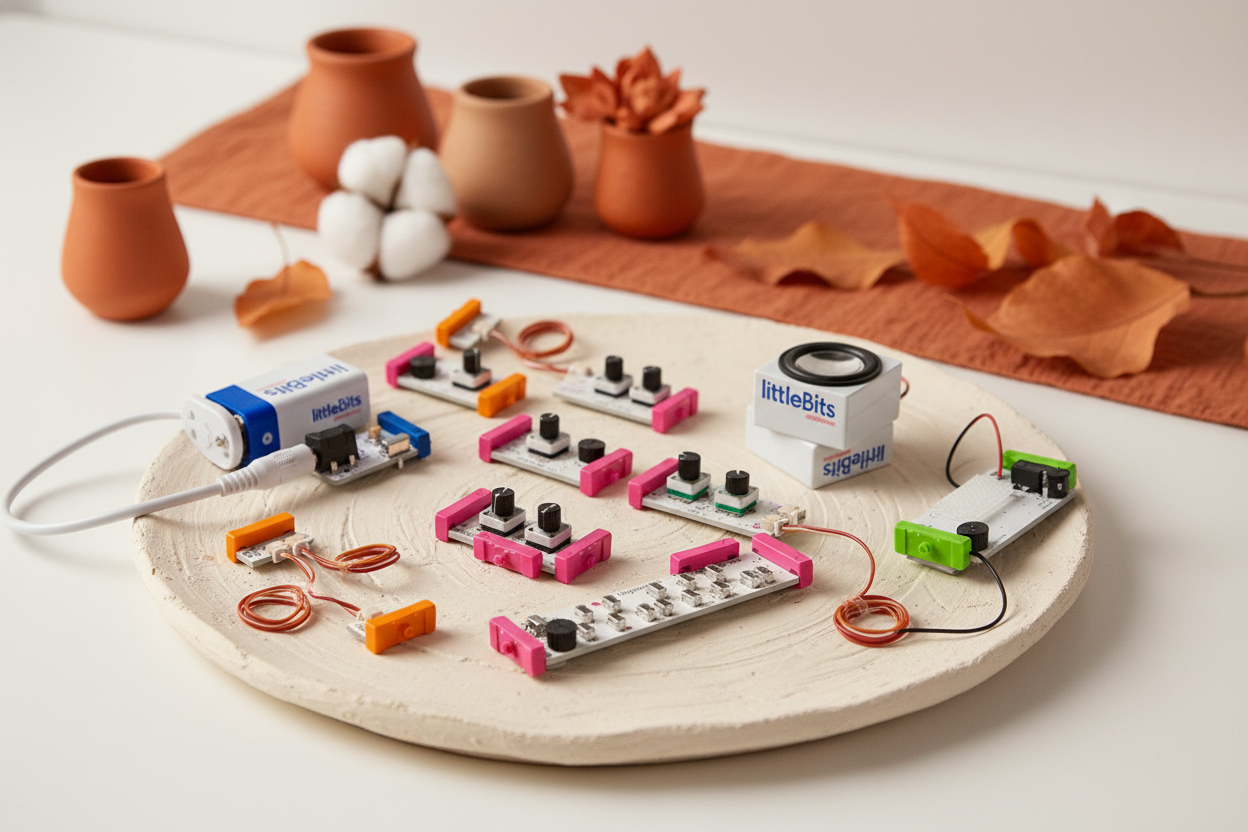
littleBits STEAM+ (the educator "STEAM Student Set" line) is a much bigger, pricier box: color-coded magnetic Bits (power, input, output, wire), mounting boards, a storage container, and a companion app that holds the lessons (critically, the lessons only load through that app). Sphero's listing pegs the kit at ~$300, grades 3-8, with 40+ hours of standards-aligned STEAM and coding curriculum and a programmable codeBit. The Bits snap together magnetically and self-orient, so there's no way to wire them backwards. That's part of the appeal, and part of the limitation.
The first practical difference shows up immediately: Snap Circuits is usable the moment you open it; littleBits STEAM+ wants you to download the Fuse app, create an account, and pair before the first lesson loads. For a kid eager to start at the kitchen table, that delay is real.
Note on availability: Sphero has wound down the consumer littleBits line, so STEAM+ stock and pricing fluctuate and some variants are educator-only. If the ~$300 Student Set is out of stock, the cheaper at-Home Learning Starter Kit (ages 8+) is the better-stocked consumer option. Check current availability on either listing before buying.
Which kit teaches the most for the money?
The cleanest signal here is what skill the kit builds and at what cost per guided project, not how many pieces are in the box. Here is the head-to-head, drawn from each product's listing and learning spec.
| Criterion | Snap Circuits Jr. SC-100 (/ SC-300) | littleBits STEAM+ |
|---|---|---|
| Age fit | 8+ label; SC-300 better for 10-12 | Grades 3-8 (~8-13) |
| Price tier | ~$25 (Jr.) / a bit more (SC-300) | ~$300 (Student Set) |
| Screen-free? | Yes — no device at all | No — Fuse app on tablet/phone for lessons |
| What it teaches | Real circuits: current, polarity, series vs parallel | Modular invention + light block/JS coding via codeBit |
| Guided projects | 100+ (Jr.) / 300+ (SC-300) | ~40 hours of curriculum (lesson-app gated) |
| Failure mode | Visible — backwards part is traceable | Self-orienting Bits; app surfaces a generic stalled state |
| Learning-per-dollar | High — reusable, no device | Lower per project, but bundles curriculum |
A few things jump out from the specs alone. Snap Circuits Jr. delivers 100+ guided projects for ~$25 with no device (strong learning-per-dollar), and the SC-300 triples the project count for a modest step up. littleBits costs more partly because it bundles a tablet-driven curriculum; whether that's value or overhead depends entirely on whether you'll use the curriculum. Common Sense Education's reviewers call littleBits "a good introduction to basic circuitry" and note the magnetic Bits let kids iterate quickly without soldering, while flagging that it is pricey and that costs climb as kids want more Bits.
On learning-per-dollar at this age, the screen-free, reusable Snap Circuits kits are hard to beat; littleBits earns its price through the bundled curriculum rather than the raw project count.
Which one survives the "it doesn't work" moment?
Every electronics kit eventually produces a build that fails. The difference is whether the failure teaches anything.
With Snap Circuits, every component sits visible on the pegboard. When a circuit doesn't light, the kid can trace the path, spot a part snapped in backwards, flip it, and the LED comes on. The mistake itself surfaces polarity and current. With littleBits, the Bits self-orient magnetically, so the backwards-part mistake can't happen. But Common Sense Education reviewers describe littleBits as a maker tool that shines with educator guidance. That fits the pattern: a stalled build is easier to diagnose when an adult is there to help. The kit prevents one mistake and, with it, some of the diagnostic learning that mistake produces. littleBits is well-engineered for a classroom where a teacher diagnoses the failure. At a kitchen table without that teacher, that's a quiet cost. If your kid gets frustrated easily, the visible-error kit is the safer bet.
How safe is each kit for an 8-12 year old (and a younger sibling)?
Two safety facts matter here, both documented.
Small parts and choking. Both kits carry an 8+ label, so they are not toys for children under 3. The CPSC small-parts rule, 16 CFR Part 1501 bans small parts only in toys made for that youngest group, so these 8+ kits are not required to pass it. A part counts as "small" if it fits inside a test cylinder 2.25 in long by 1.25 in wide (16 CFR § 1501.4). The practical upshot: the resistors, LEDs, and small Bits are choking hazards for any child under 3 in the home. With a toddler sibling, treat the box warning as binding and store kits up high.
Batteries. Per their listings, Snap Circuits Jr. runs on AA cells and littleBits power Bits use an enclosed rechargeable pack. Neither relies on the highest-risk loose coin/button cells. Still, CPSC toy-safety guidance calls for battery compartments to be secured against small children. Keep any compartment closed near a young sibling, and keep any button cells out of a toddler's reach.
Screen time. For ages 6+, the AAP no longer sets a fixed daily minute limit; it asks families to place consistent limits and keep screens from displacing sleep, activity, and family time via a Family Media Plan. Snap Circuits adds zero screen time; littleBits STEAM+ adds a tablet to every guided lesson. If your kid's screen budget is already tight, that's a real point for Snap Circuits.
When is littleBits STEAM+ actually the right call?
There are a few scenarios where the ~$300 sticker becomes defensible:
- Homeschool or classroom use where the ~40 hours of standards-aligned curriculum replaces a science unit you'd otherwise pay for. littleBits is built for, and praised by, educator reviewers for exactly this maker-lab setting.
- Your kid already finished Snap Circuits (or the SC-300) and is asking for open-ended invention rather than numbered builds.
- An adult is willing to coach. The kit shines when someone diagnoses the failure modes the app won't.
If none of those is true, the money usually goes further on Snap Circuits Jr. plus a separate coding toy than on one littleBits box.
Honest cons of each kit
Snap Circuits is the better fit for most families, but it's not perfect:
- The clear snap blocks can crack if a frustrated kid forces them together at the wrong angle, and Elenco replacement parts can be slow to source.
- The numbered manual can read fast for a younger 8-year-old, so plan to sit with them for the first builds.
- The Jr. caps out quickly for a curious 10-12 year old, which is the case for buying the SC-300 instead.
littleBits STEAM+ has its own frustrations:
- It requires a tablet or phone the kid can borrow uninterrupted, and the Fuse app/account adds setup friction before any building.
- Costs climb as kids want Bits the base kit doesn't include, a point Common Sense Education reviewers raise directly.
- Consumer availability is shaky since Sphero wound down the line, so stock and price are volatile. Confirm the listing is live before buying.
For the broader picture at the younger end of this band, see our best STEM toys for 6 to 8 year olds, and if budget is the deciding factor, our roundup of the best circuit kits under $50 for beginners.
So which kit should you actually buy?
For most families with one kid aged 8-12 learning electronics: start with Snap Circuits Jr. SC-100 (~$25). It's the cheapest, the most independent, fully screen-free, and it teaches circuits the right way — by making the wrong-orientation mistake visible. For a 10-12 year old or a kid who's already hooked, buy the SC-300 Classic instead of the Jr.
Reach for littleBits STEAM+ only in the specific case of homeschool/classroom curriculum need, an already-finished-Snap-Circuits kid, and an adult with time to coach. Go in eyes-open about the app-required, curriculum-driven model and the shaky consumer stock.
This is a research-based buyer's guide: the verdicts above come from manufacturer specs, expert reviews, and published safety standards rather than a single reviewer's playroom. Where a claim is about learning value, age fit, or safety, it is cited to a named source so you can check it yourself.