electronic-learning · ages 3-5
Best Phonics Tablets for 3-5 Year Olds (2026): Honest Picks for Pre-Readers
Phonics tablets and early-literacy devices for ages 3-5 in 2026, picked by how your pre-reader learns. Honest cons, real prices, and AAP screen-time guidance.
Published 2026-06-10 · 9 min read
Amazon Associates disclosure
As an Amazon Associate, I earn from qualifying purchases. The price you pay is the same. This guide is based on manufacturer specifications, published independent reviews, and verified-buyer feedback, not hands-on testing.
Picking among phonics tablets for 3-5 year olds is messy, and finding the ones that are actually best is harder. Half the listings say "ages 3+" and stop there, which tells you nothing about whether the device teaches the ABC song or helps a kid blend letters into words. "Device" hides a huge range, from a $25 button toy to a real Android slate that eats your daily media budget.
So this guide sorts the picks by how your child learns and how much glowing display you want: hands-on with tactile letters, near screen-free button play, paper-and-stylus reading, active standing play, or a full tablet. Each is framed against manufacturer specs and pediatric guidance. Find your bucket and the choice gets simple.
TL;DR
- Best overall (hands-on, ages 3-5): Osmo Little Genius Starter Kit. Physical letter pieces, 50+ letter sounds, needs an iPad you own.
- Best near screen-free: LeapFrog 2-in-1 LeapTop Touch (ages 2-5). Letter sounds on AA batteries, tiny display.
- Best for reading depth: LeapFrog LeapStart bundle. Stylus reads real books aloud, no glowing display.
- Buy a true tablet eyes-open. The LeapPad Academy is capable but uses your whole AAP media hour.
How do you teach letters to a 3-5 year old without overdoing screens?
A pre-reader is not reading in the adult sense yet. They stack three skills, roughly in order: letter names ("that's a B"), letter sounds (B says "buh"), then blending those into words like "cat." A toy that only sings the alphabet suits a brand-new three-year-old but bores an older preschooler ready to read words, so the picks below are tagged by rung.
Daily media time changes the decision too, and most roundups skip it. The American Academy of Pediatrics recommends that ages 2-5 use about one hour per day of high-quality media, co-viewed by a parent who helps the child understand what they see, per its policy statement Media and Young Minds. Newer AAP guidance leans on quality over a rigid stopwatch, but the one-hour anchor holds, as its 5 C's framework makes clear. A glowing slate uses that whole hour; a button toy or stylus book barely registers. None of these replace you reading aloud, where early literacy is built.
Is the Osmo Little Genius the top hands-on pick?
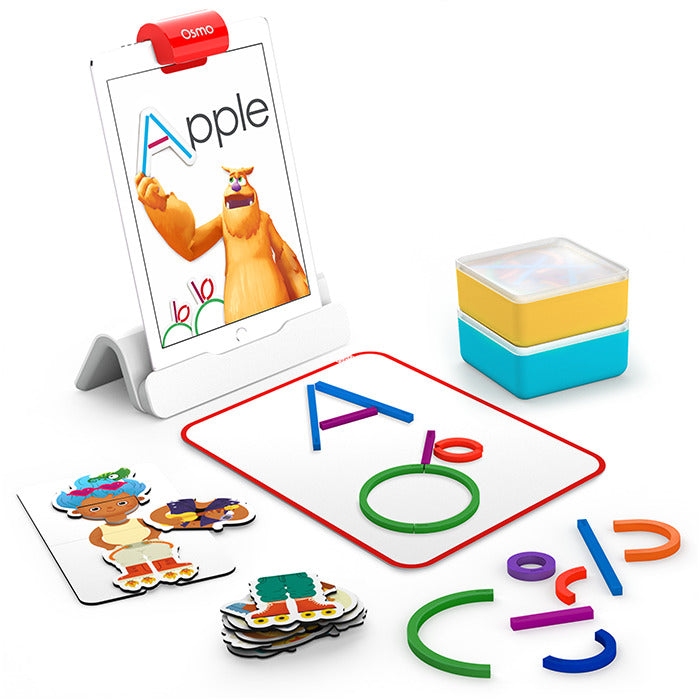
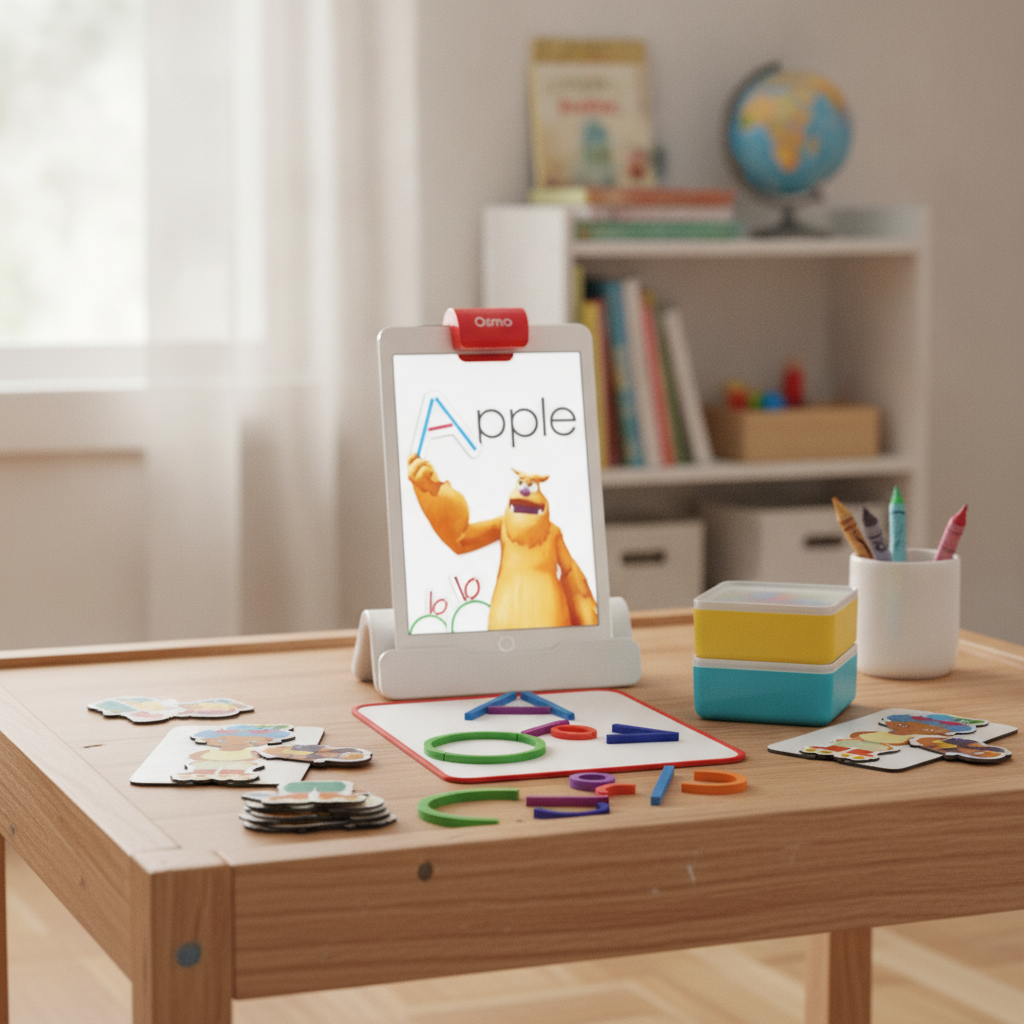
If you want one device that teaches letters by touch, this is it. The Osmo Little Genius Starter Kit turns physical play into on-tablet learning. Per Osmo's product page, it is rated ages 3-5 and ships with a base, a reflector, and tactile silicone letter sticks the child arranges by hand. Its ABCs app teaches letter formation and, by Osmo's count, 50-plus sounds across 300-plus words.
The reason it wins is the tactile loop. A young preschooler who cannot type yet can grab a curved silicone piece, build a letter, and watch it animate. That hand-to-tablet connection is exactly the co-play AAP guidance wants. Its Amazon listing bundles four apps and runs roughly $48 to $80.
Pros: genuinely hands-on letter building, strong literacy depth for the age, naturally co-played, no internet needed. Cons: it needs an iPad you already own (a cost if you do not), and it wants a quiet flat table. For the deeper brand debate, see our LeapFrog vs VTech learning-tablet guide. Who it is for: the 3-5 child who learns by doing, and a parent happy to sit and play.
Which device teaches letter sounds with almost no display?
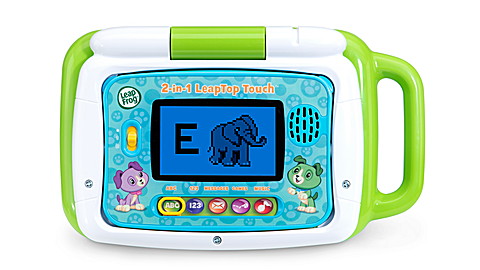
Some families want letter sounds without committing to glowing-display minutes, and that is a smart instinct. The LeapFrog 2-in-1 LeapTop Touch is the pick. Per LeapFrog's product page, it runs five modes on a full A-Z keyboard, teaching letter sounds, counting, and animals. Its Amazon listing rates it for ages 2-5.
The clever part is the form factor. It flips from a pretend laptop into a tablet, so a younger child role-plays "working" while pressing keys that speak each letter. It runs on AA batteries with only a small display, so the daily-hour hit is near zero. That makes it the most frustration-proof start for the youngest end.
Pros: near screen-free, durable, cheap, and right on the bottom rung (letter names and first sounds). Cons: it tops out fast, with no blending or word-building, so an older preschooler ready to sound out words outgrows it. Who it is for: a toddler or young preschooler just meeting letters, or a media-cautious household.
Which pick goes deepest on reading and spelling?
When a kid is ready to move from single letters toward actual words, paper beats pixels. The LeapFrog LeapStart Learning Success Bundle uses a stylus that reads invisible dots on printed pages, triggering audio prompts. Per LeapFrog's LeapStart page, it is rated ages 2-5 and its books build reading and vocabulary, with many activities offering two levels so a book grows with the child. Its Amazon listing runs about $45.
The honest appeal is no glowing display at all. The child touches a page, the stylus speaks, and there is no video to get lost in. Books carry Say It, Sound It, and Spell It prompts, the closest any pick here gets to deliberate instruction. It is the strongest choice for an older preschooler working toward blending.
Pros: truly screen-free, deliberate sound-and-spell prompts, two-level replay value, promotes a proper writing grip. Cons: the books are sold separately, so the cost climbs past the sticker. If audio storytelling is more your goal, compare it with players in our Toniebox vs Yoto vs Storypod showdown. Who it is for: the older preschooler ready for word work, in a screen-free home.
What about a kid who will not sit still?
Not every pre-reader will sit at a table, and that is fine. The VTech Touch & Learn Activity Desk Deluxe is a standing desk a younger child works at on their feet. Per VTech's product page, it is rated ages 2-5 and ships with five activity pages plus more than 200 touch-and-learn spots covering letters, sounds, numbers, music, and writing. Expansion packs, including a dedicated Phonics Fun set, slot in as the child grows.
The win is physical engagement. A toddler who cannot sit still presses the desk's pages while standing, hearing each letter without a real display, since it runs on AA batteries.
Pros: stand-up active play, near screen-free, expandable with letter-sound packs, durable furniture build. Cons: it is bulky, the base content is broad rather than deep, and the strongest reading content lives in separate packs. Who it is for: the busy toddler or preschooler who learns standing up, with room for a desk.
Should you buy a true tablet like the LeapPad Academy?
If you specifically want an app-driven slate, the LeapFrog LeapPad Academy is the honest pick, with one big asterisk. Per LeapFrog's LeapPad Academy page, it is rated ages 3-8, ships with 20-plus educator-approved apps, and its skills list includes phonics, reading comprehension, and spelling. Parent controls cap time and gate web access. Its Amazon listing confirms the age range.
Here is the asterisk. This is a glowing-display device, so it uses your entire AAP media hour, where the button toys above barely touch it. The parent timers help, but it asks the most of your daily budget and supervision. For a young preschooler it is overkill; for an older one getting a device anyway, it beats a general one.
Pros: broad letter-to-science curriculum, real parent controls and time limits. Cons: full daily-hour cost, highest price here, and the most supervision required. A toddler does not need it. For unplugged skill building instead, see our screen-free coding toys guide. Who it is for: an older preschooler getting a device regardless, where a locked-down one wins.
How do these devices compare at a glance?
| Device | Best for | Age fit | Literacy depth | Daily-hour cost | Where to buy |
|---|---|---|---|---|---|
| Osmo Little Genius | Hands-on (overall) | 3-5 | Sounds + words (tactile) | Moderate (needs iPad) | Amazon |
| LeapFrog LeapTop Touch | Near screen-free | 2-5 | Letter names + sounds | Minimal | Amazon |
| LeapFrog LeapStart | Reading depth | 2-5 | Sounds, blending, spelling | None (paper) | Amazon |
| VTech Activity Desk | Active toddlers | 2-5 | Letters + sound packs | Minimal | Amazon |
| LeapFrog LeapPad Academy | True tablet | 3-8 | Phonics + full curriculum | Full (glowing display) | Amazon |
What is our verdict, and what about safety?
Bottom line: For most families with a 3-5 year old, the Osmo Little Genius Starter Kit is our top pick (4.5/5): a hands-on early-literacy device with tactile letters, real co-play, and a natural media-time cap.
Osmo wins because it teaches letters the way young kids actually learn, by touch, and pulls a parent into the play rather than handing the child a device to disappear into. Its 50-plus sounds cover the whole 3-5 window. But our top pick is not automatically right for your kid. Want letters with almost no glowing display? The LeapTop Touch is the gentlest start. Ready for word work on paper? LeapStart goes deepest. Got a kid who will not sit down? The VTech Activity Desk teaches standing up. And if a real slate is happening anyway, the LeapPad Academy is the safer pick, just budget that daily hour.
Two safety notes round it out. The CPSC's small-parts rule (16 CFR Part 1501) bans choking-hazard small parts in toys for children under three. Most picks here clear that bar, but the Osmo silicone pieces are small, so store them high if a younger sibling is around. And habits beat rules: co-use the device, name what you both see, and stop before the hour is up. Match the device to how your pre-reader learns, and any of these supports the reading you do together.
Disclosure: this post contains Amazon affiliate links; we may earn a commission at no cost to you. Always check each product's official page for current pricing and age guidance before you order.