Wonder Workshop Dash: A Practical Guide for Parents Choosing a Kids' Coding Robot
Is the Wonder Workshop Dash robot the right STEM toy for your child? This guide covers key features, age suitability, alternatives, and what to check before buying.
Published Sep 26, 2026 · 5 min read
As an Amazon Associate, I earn from qualifying purchases. Your price stays the same.
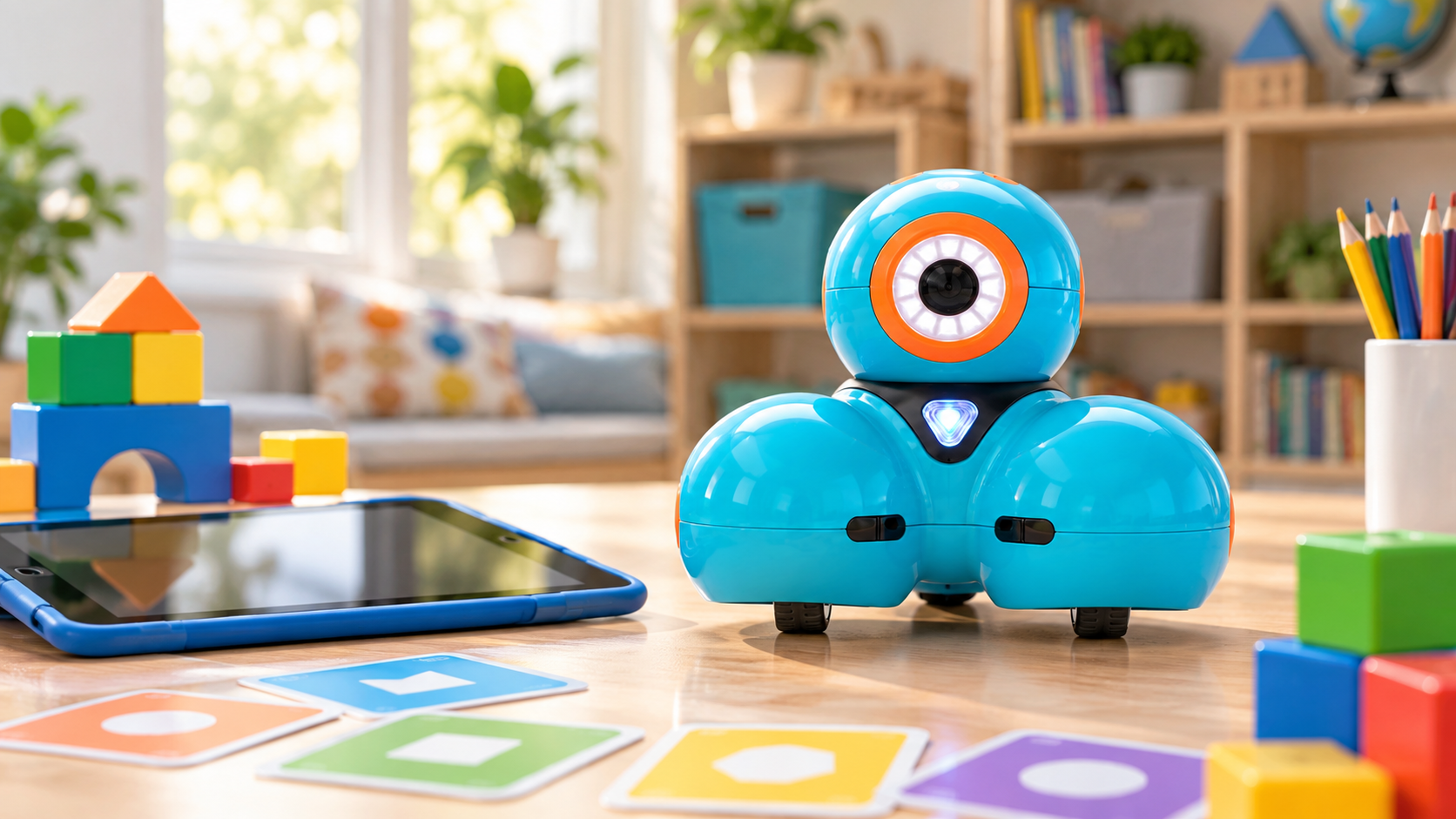
Choosing a first programmable robot for a child involves balancing engagement, educational value, and ease of use. The Wonder Workshop Dash is a popular option designed to introduce coding concepts through play. This guide breaks down who Dash suits, what to verify before purchasing, how it compares to similar robots, and practical alternatives, so you can make an informed decision based on your child's interests and your family's needs.

Quick pick: Wonder Workshop Dash. Best for families with children aged 6-9 who are new to coding and enjoy interactive play. See it on Amazon (affiliate link)
Who Is the Wonder Workshop Dash For?
Dash is engineered for children aged 6 and up, according to Wonder Workshop's product specifications. It's geared toward kids who are curious about how things work and enjoy hands-on activities. The robot works best for beginners with no prior coding experience, as it uses intuitive visual programming apps like Wonder and Blockly. Parents looking for a toy that transitions from simple remote-control play to basic coding logic will find Dash fits that progression.
However, it's less ideal for older children or teens who may outgrow its capabilities quickly. If your child already has experience with platforms like Scratch or shows interest in more complex projects, a robot aimed at a higher age range might be more appropriate.
Key Features and Specifications
Understanding Dash's core attributes helps determine if it aligns with your child's play style and learning goals.
Programming and Control
Dash is programmed via Bluetooth through Wonder Workshop's free iOS and Android apps. The Wonder app offers a drag-and-drop interface suitable for young children, while Blockly introduces more structured coding concepts. The robot can also be controlled using a smartphone or tablet as a remote.
Physical Design and Capabilities
Dash is a sturdy, wheeled robot with built-in sensors for detecting objects, light, and sound. It has LEDs, a speaker, and can be expanded with accessories like a xylophone or building brick connectors. Battery life is typically around 60-90 minutes of active play per charge, based on manufacturer claims.
Compatibility and Requirements
The robot requires a compatible Bluetooth-enabled device (most smartphones and tablets from the last few years work). It doesn't need Wi-Fi after the initial app download. Wonder Workshop provides ongoing curriculum resources and community challenges, which can extend the play value.
What to Verify Before Buying
Before purchasing, check these practical points to avoid surprises.
Device and App Compatibility
Ensure your child's tablet or smartphone meets the minimum requirements for the Wonder or Blockly apps. Older devices may experience lag or connectivity issues. It's worth checking recent app store reviews for compatibility notes with your specific device model.
Safety and Durability
Dash is designed for rough play, but like any electronic toy, it has limitations. Verify that the robot's materials are non-toxic and that there are no small parts that could detach, though Wonder Workshop states compliance with toy safety standards. Keep in mind that the robot is not waterproof and should be used indoors on smooth surfaces for best performance.
Learning Curve and Support
While the apps are user-friendly, younger children may need initial guidance. Review the available tutorials on Wonder Workshop's website to gauge if the support materials fit your family's approach. Consider whether you value a strong online community for troubleshooting and project ideas.
Trade-offs and Meaningful Limitations
No robot is perfect, and Dash has specific trade-offs to consider.
Depth vs. Accessibility
Dash excels at making coding approachable for young kids, but this comes at the cost of advanced functionality. It won't teach text-based programming or handle complex algorithms. For families prioritizing depth over age-appropriate introduction, this could be a limitation.
Cost of Expansion
The base robot is often sold separately, and accessories like the Sketch Kit or Launcher are additional purchases. If your child wants to explore more activities, the total cost can add up. Compare this to all-in-one kits from other brands.
Longevity
Children's interests change rapidly. Dash's programming options are somewhat limited for older kids, so it may have a shorter shelf life than robots with broader compatibility. This is a key consideration if you're investing in long-term educational value.
To help visualize how Dash stacks up against a similar but more advanced option from the same brand, here's a compact comparison based on manufacturer product pages and common review summaries:
| Feature | Wonder Workshop Dash | Wonder Workshop Cue |
|---|---|---|
| Target Age | 6+ years | 11+ years |
| Programming Level | Visual block coding (Wonder, Blockly) | Advanced block coding with AI features |
| Key Add-ons | Xylophone, building brick connectors | Customizable avatars, advanced sensors |
| Typical Use Case | Introductory coding and play | More complex projects and personality |
| Price Range (approx.) | Base robot is mid-tier for kids' robots | Higher initial cost, more features |
This table highlights that Dash is tailored for younger beginners, while Cue is designed for older children ready for more sophisticated interaction. If your child is at the upper end of Dash's age range, consider whether investing in Cue might offer better longevity.
Practical Alternatives to Consider
If Dash doesn't seem like the right fit, here are other options worth researching.
For Younger Children (Ages 5-8)
Sphero BOLT offers similar visual programming but with a spherical design that rolls and lights up. It's durable and has a strong educational ecosystem, though it might be slightly more abstract for very young kids. LEGO DUPLO Steam Park combines physical building with simple coding concepts, which can be more engaging for hands-on learners.
For Older Children (Ages 8-12)
LEGO BOOST Creative Toolbox integrates with LEGO bricks, offering a familiar building experience plus coding. It's great for kids who love construction but may not focus as heavily on pure robotics. mBot by Makeblock is a budget-friendly, build-it-yourself robot that introduces both hardware and software, suitable for those interested in electronics.
For Advanced Learners (Ages 12+)
Raspberry Pi-based kits like the PiCar provide a deeper dive into programming and electronics, but they require more parental involvement or technical knowledge. Arduino starter kits are another option for teens interested in prototyping, though they have a steeper learning curve.
When choosing an alternative, consider your child's primary interest, whether it's storytelling, building, or logical puzzles, and match the robot's strengths accordingly.
Our Recommendation
The Wonder Workshop Dash is a solid choice for families with children aged 6-9 who are new to coding and enjoy interactive play. Its strength lies in making programming tangible and fun without overwhelming young learners. We recommend it if your child shows curiosity in gadgets, you have a compatible device, and you value a supportive educational community.
However, if your child is older than 9, already has some coding experience, or you're concerned about long-term engagement, explore the alternatives mentioned above, particularly Cue or LEGO BOOST. Always check current reviews for updates on app compatibility and any known issues.
Final Takeaway
Before you buy, let your child try the demo versions of the Wonder app if possible. Observing their engagement with the interface can be the best indicator of whether Dash will hold their interest and provide meaningful learning opportunities.
Shopping for a gift? Start here
- Best LEGO Botanicals Sets for Adult Builders and Gift-Givers (2026)
- LEGO Botanicals Bonsai Tree vs LEGO Botanicals Orchid: Which Is Better for Adult Builders and Gift Buyers?
- Holiday Gift Guide 2026: The Best Toys by Age and Budget, From Preschool to Grown-Ups
- Gifts for Grown-Ups Who Still Love Toys: LEGO, Board Games and Puzzles (2026)
How we research: This guide is based on manufacturer specifications, published independent reviews, and verified-buyer feedback, not hands-on testing.
Holiday gift guide drops every Friday in Q4
One email a week with the newest review and the toys our community is actually buying. No spam, unsubscribe anytime.