electronics
Arduino vs Raspberry Pi: किशोर के electronics projects के लिए कौन सही है? (2026)
Arduino या Raspberry Pi किशोर के electronics projects के लिए? ये अलग tools हैं: Arduino real-time sensors और motors के लिए, Raspberry Pi camera, AI, और web के लिए। Project के हिसाब से चुनें।
2026-06-16 को प्रकाशित · 9 मिनट में पढ़ें
Amazon Associates disclosure
As an Amazon Associate, I earn from qualifying purchases. The price you pay is the same. This guide is based on manufacturer specifications, published independent reviews, and verified-buyer feedback, not hands-on testing.
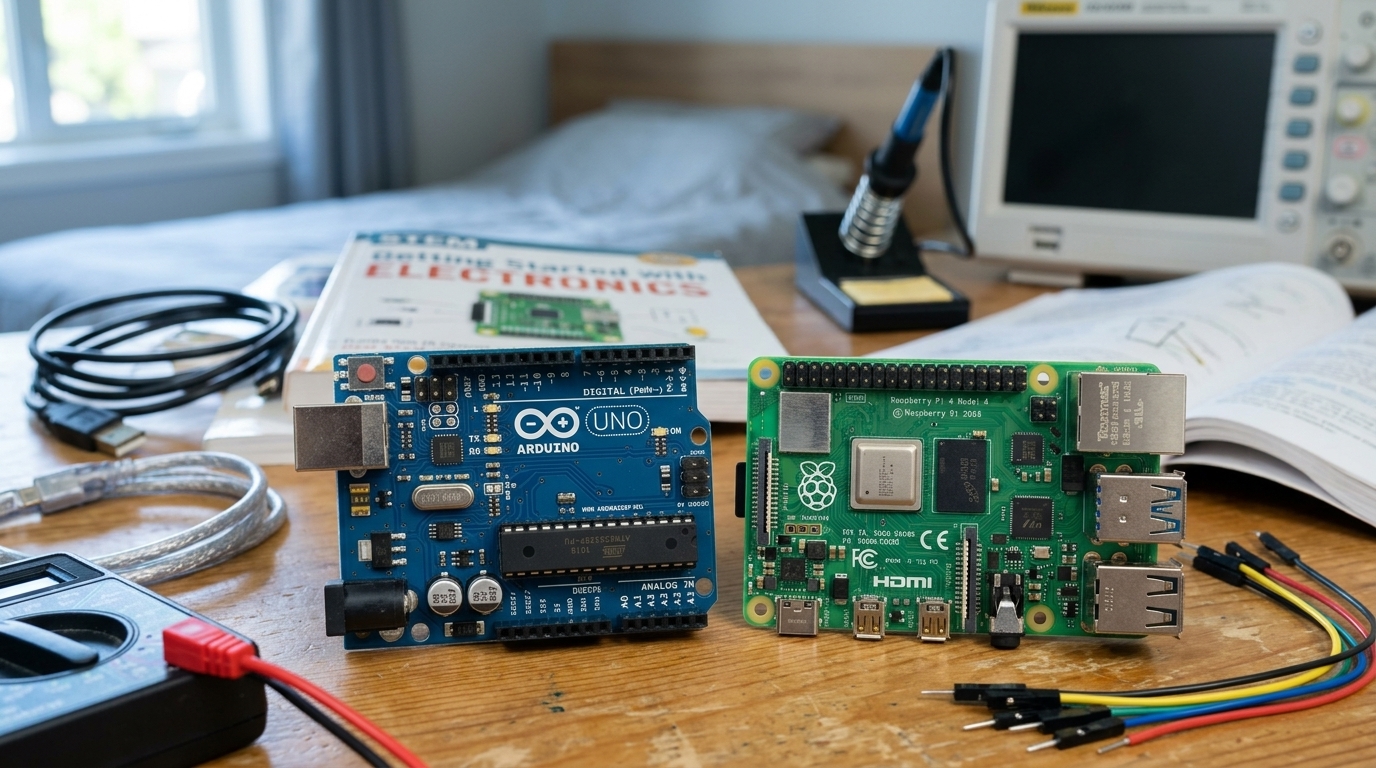
TL;DR
- Arduino: microcontroller, ~$28, real-time, 6 analog inputs, sensors/motors/LED के लिए सबसे अच्छा।
- Raspberry Pi: Linux computer, ~$80, zero analog pins, camera/AI/weather dashboards के लिए सबसे अच्छा।
- Sensor read करना है और motor trigger करना है? Arduino जीतता है।
- Security camera या AI object detector बनाना है? Raspberry Pi जीतता है।
- Budget tight है और सीख रहे हो? एक Elegoo clone Arduino (~$12-20) सबसे अच्छा entry point है।
Amazon Associate के तौर पर, मैं इस review में links के माध्यम से की गई qualifying purchases पर earnings करता हूँ। इससे तुम्हें दी गई कीमत में कोई फर्क नहीं पड़ता। यह comparison manufacturer specifications और published independent reviews पर आधारित है, personal hands-on testing पर नहीं।
किशोर cool electronics बनाना चाहता है, लेकिन क्या Arduino या Raspberry Pi खरीदना चाहिए? Short answer: ये अलग tools हैं। Arduino एक microcontroller है (कोई operating system नहीं, real-time control, sensors और motors के साथ अच्छा)। Raspberry Pi एक full Linux computer है (भारी computing power, camera, AI, networking)। वह board चुनो जो project के match करे, hype के नहीं।
असल अंतर क्या है — microcontroller vs computer?
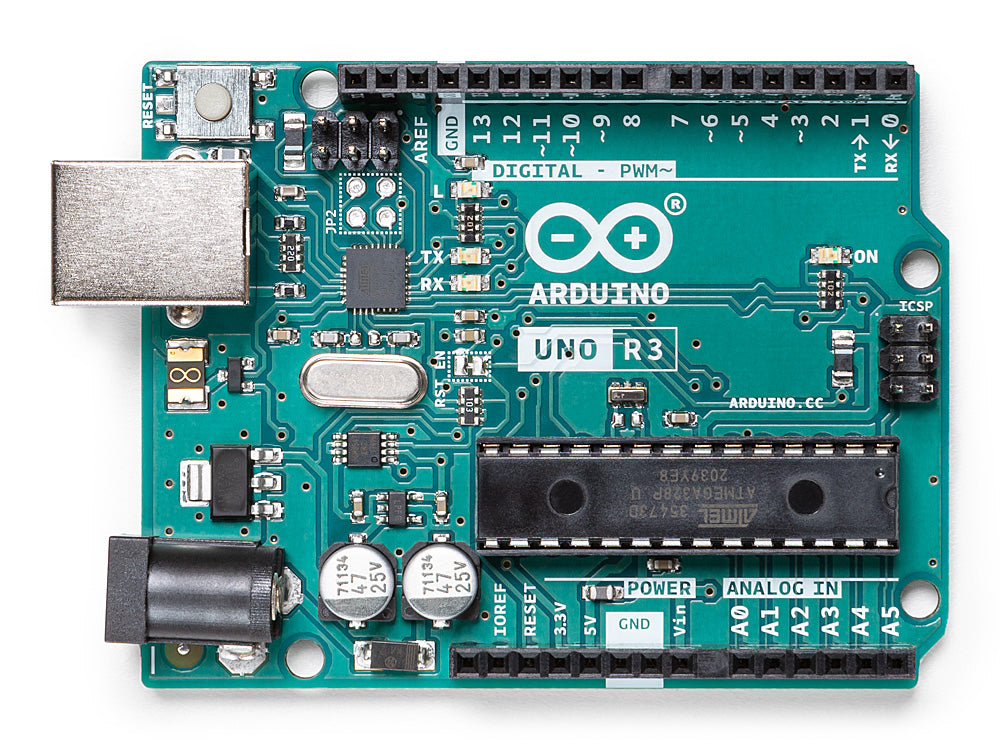
Arduino एक bare-metal microcontroller है; Raspberry Pi एक operating system चलाता है। यह split सब कुछ समझाता है।
Arduino कोई operating system के साथ नहीं आता। तुम Arduino IDE में code लिखते हो, upload करते हो, और वह code chip पर अकेले चलता है जब तक तुम इसे reprogram नहीं करते। ATmega328P processor 16 MHz पर चलता है 2 KB RAM के साथ। ये input pins को microseconds में read करता है और deterministically respond करता है। हर cycle predictable है। यह real-time control है।
Raspberry Pi 5 Linux चलाता है। ये एक desktop पर boot करता है, multitasks करता है, Python चलाता है, web servers spawn करता है। BCM2712 chip 2.4 GHz पर clock करता है 1-16 GB RAM के साथ। लेकिन Linux overhead जोड़ता है: OS scheduler तुम्हारे code को milliseconds से delay कर सकता है। यह एक weather station के लिए ठीक है, real-time में car का RPM read करने के लिए नहीं।
Result: Arduino predictable लेकिन simple है। Raspberry Pi powerful है लेकिन timing के साथ loose है।
Sensors, motors, और real-time control के लिए कौन बेहतर है?
Arduino। इसके 6 analog input pins हैं जो continuously voltage read करते हैं। Raspberry Pi के पास zero हैं। Soil moisture, battery voltage, या light को measure करने के लिए, एक Arduino सीधे connect करता है। Raspberry Pi को एक separate analog-to-digital converter board चाहिए, अन्य $5-15 और ज़्यादा wiring।
Arduino motors और servos को भी lag के बिना control करता है। एक servo को हर 20 milliseconds में एक precise pulse चाहिए, और Arduino हर बार deliver करता है। एक Raspberry Pi शायद सही time पर deliver करे, जब तक OS context-switch गलत moment पर न हो। Robotics के लिए, यह jitter shaky movement का कारण बनता है।
Honest con: Arduino एक साथ दो काम नहीं कर सकता। ये एक program forever चलाता है। कोई networking नहीं, कोई camera नहीं, बिना add-on shields के multitasking नहीं जो extra cost करते हैं और build को complicate करते हैं Digi-Key की breakdown के अनुसार।
Camera, AI, web, और heavy compute के लिए कौन बेहतर है?
Raspberry Pi। यह एक camera connector और Python 3 के साथ आता है। एक camera add करो, और तुम video stream कर सकते हो या OpenCV के साथ object detection चला सकते हो। Arduino नहीं कर सकता — कोई OS नहीं, कोई Python नहीं, कोई camera interface नहीं Raspberry Pi docs के अनुसार।
Raspberry Pi एक web server भी चलाता है। एक छोटा Python app लिखो और Pi एक dashboard, एक security logger, या एक smart-home hub बन जाता है, Wi-Fi और Ethernet built-in के साथ। Arduino की web access को एक Wi-Fi shield और custom code चाहिए।
Honest con: Raspberry Pi simple jobs के लिए overkill है और pricier है। SD cards sudden power loss पर corrupt हो सकते हैं एक long-documented Pi issue, तो production setups को एक UPS या SSD boot चाहिए।
Beginner के लिए कौन easier है, और सस्ता?
Arduino। Learning curve gentler है — USB में plug करो, IDE खोलो, digitalWrite(13, HIGH) लिखो, और LED light up हो जाएगी। कोई booting नहीं, कोई SD card नहीं, कोई Linux admin नहीं। Community बहुत बड़ी है, हज़ारों beginner tutorials के साथ।
Cost के लिहाज़ से, एक Elegoo Uno R3 starter kit ~$20-25 में चलता है और board (एक ATmega328P clone official chip के identical), breadboard, components, और एक tutorial book include करता है Elegoo clones same chip use करते हैं ~$28 official board के तरह। एक Raspberry Pi 5 को एक case, power supply, SD card, और cables चाहिए — $120+ boot करने से पहले एक known peripheral tax।
Honest con: Arduino की एक ceiling है — 2 KB RAM, 16 MHz, कोई OS नहीं। तुम इसे सिर्फ outgrow करते हो अगर project को networking, एक camera, या AI चाहिए। ज़्यादातर hobby projects कभी नहीं करते।
Quick project guide — कौन कौन सा खरीदता है?
| Project | खरीदो | क्यों |
|---|---|---|
| Plant-watering sensor | Arduino | analog pins, real-time, low power |
| Robot arm with servos | Arduino | deterministic pulse timing |
| LED strip controller | Arduino | simple I/O, no overhead |
| Security camera with alerts | Raspberry Pi | camera + Python + Wi-Fi |
| Weather station to the cloud | Raspberry Pi | web server, multitasking |
| AI object detector | Raspberry Pi | heavy compute, accelerators |
क्या सस्ते Arduino clones अच्छे हैं?
Learning के लिए, हाँ, और ये सच में पैसे बचाते हैं। एक board जैसे Elegoo Uno R3 same ATmega328P chip use करता है official Arduino के तरह और same Arduino IDE के साथ काम करता है, तो code और tutorials identically behave करते हैं। Price gap बड़ा है: एक clone kit official board की कीमत का लगभग आधा है, और यह breadboard, wires, और components bundle करता है जो एक beginner को चाहिए।
Trade-offs एक पहले project के लिए minor हैं। Clones कभी कभी एक different USB-to-serial chip use करते हैं, जिसे पुराने laptops पर एक driver की जरूरत हो सकती है, और build quality brands के बीच differ करती है। एक teen जब एक LED blink करना सीख रहा है या एक sensor read कर रहा है तब कोई भी matter नहीं करता। Official Arduino खरीदना मुख्य रूप से company को support करता है जो platform design करती है, जो एक fair reason है एक बार जब teen serious हो। शुरू करने के लिए, एक reputable clone kit बेहतर value है।
क्या किशोर दोनों boards को एक साथ use कर सकते हैं?
हाँ, और यह ambitious projects के लिए एक common pattern है। ये दोनों boards complements हैं, बस rivals नहीं। एक capable build अक्सर Raspberry Pi को सोच का charge में और Arduino को timing के charge में रखता है। Pi camera चलाता है, web dashboard, और heavy logic; Arduino analog sensors read करता है और motors को real time में drive करता है, फिर USB serial link के ऊपर Pi को report करता है।
एक self-driving robot car classic example है। Pi vision और route planning handle करता है, जबकि Arduino wheels और steering को millisecond के responsive रखता है। यह split हर board की weakness को sidestep करता है: Pi को real-time control मिलता है जो अन्यथा lacks, और Arduino को एक brain मिलता है जो कभी अपने आप run नहीं कर सकता।
पहले project के लिए, लेकिन, एक board plenty है। दूसरा तभी buy करो जब एक build genuinely दोनों layers को चाहिए। अगर किशोर सिर्फ शुरुआत कर रहा है, एक single board wiring और debugging को simple रखता है।
कौन सा board किशोर की skills के साथ grow करता है?
Simple से शुरू करो जितना तुम सोचते हो उससे, फिर climb करो। एक teen जो coding के लिए बिल्कुल नया है अक्सर दोनों boards में से किसी भी एक की तुलना में एक rung नीचे ज़्यादा अच्छा करता है। एक block-coding board जैसे micro:bit या Raspberry Pi Pico basics सिखाता है कम wiring के साथ, और lessons सीधे Arduino के text code में transfer होते हैं।
वहाँ से, Arduino hands-on electronics के लिए natural next step है, और Raspberry Pi software-heavy builds खोलता है जब project इसे call करता है। एक teen जो guided, kit-based path robots बनाने में चाहता है वह all-in-one robotics kit से शुरू कर सकता है और raw Arduino और Pi boards में graduate कर सकता है एक बार जब वो full control चाहते हैं।
Honest rule: child के सामने project के लिए खरीदो, न कि जो वो दो साल में tackle कर सकते हैं। तुम हमेशा एक ज़्यादा capable board add कर सकते हो जब एक real build इसे demand करता है, और skills cleanly ladder के ऊपर transfer करते हैं।
The verdict
Arduino खरीदो अगर तुम sensors read करना चाहते हो, motors drive करना चाहते हो, relays trigger करना चाहते हो, या fundamentals सीखना चाहते हो — यह सस्ता है, सीखना तेज़ है, और real-time है। एक Elegoo Uno R3 starter kit सबसे अच्छा entry point है। एक Raspberry Pi 5 खरीदो अगर तुम एक camera project, AI, या एक web dashboard चाहते हो, और तुम higher cost को accept करते हो। दोनों खरीदो सिर्फ तब जब एक single project genuinely दोनों को चाहिए।
Bottom line: Arduino = real-time, सस्ता, sensors और motors। Raspberry Pi = compute, camera, networking। Project के हिसाब से खरीदो, brand के नहीं।