Best Preschool Learning Toys for Kids (2026)
Compare the Yoto Player, Osmo Genius Starter Kit, and LeapFrog LeapTop Touch to find the right preschool learning toy for your child's age and learning style.
Pubblicato il 13 ott 2026 · 5 min di lettura
Questa guida non è ancora stata tradotta, quindi stai leggendo la versione originale in inglese.
As an Amazon Associate, I earn from qualifying purchases. Your price stays the same.
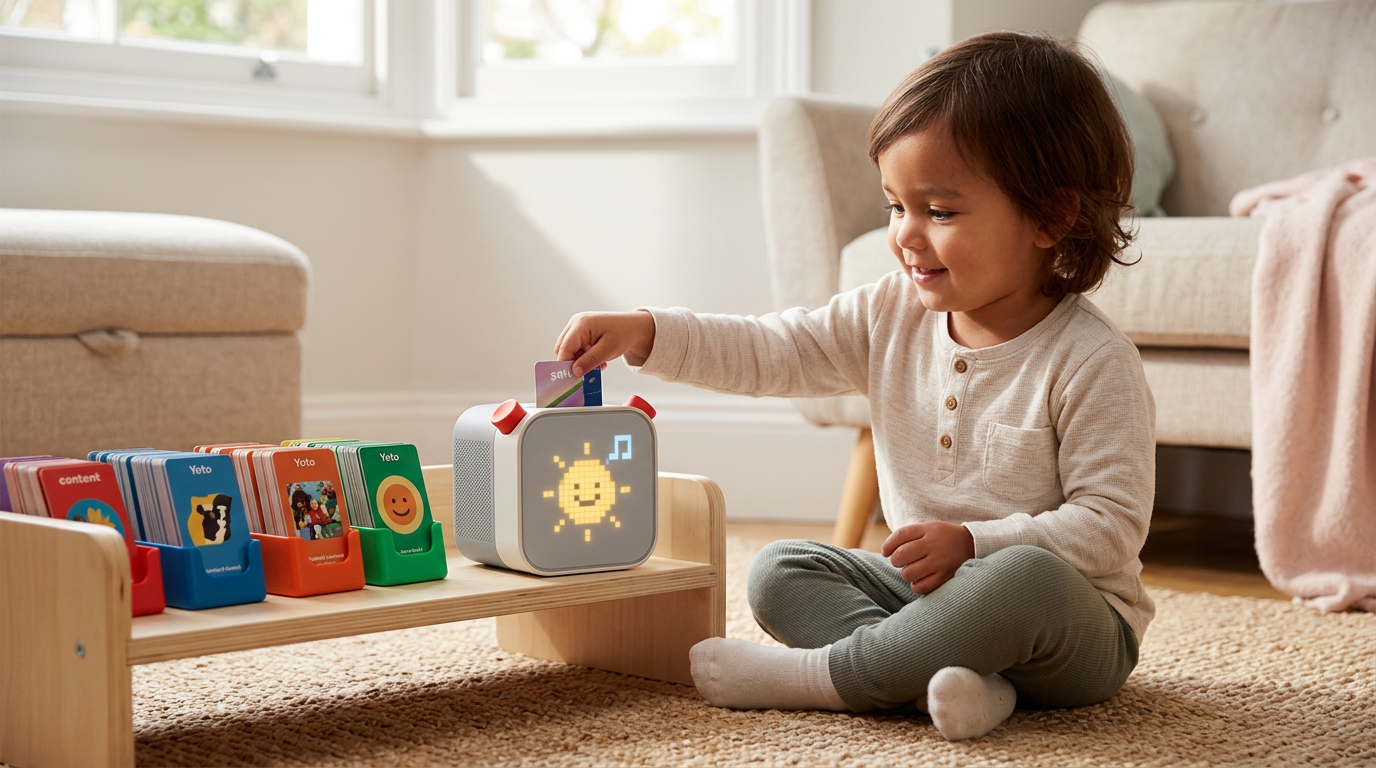
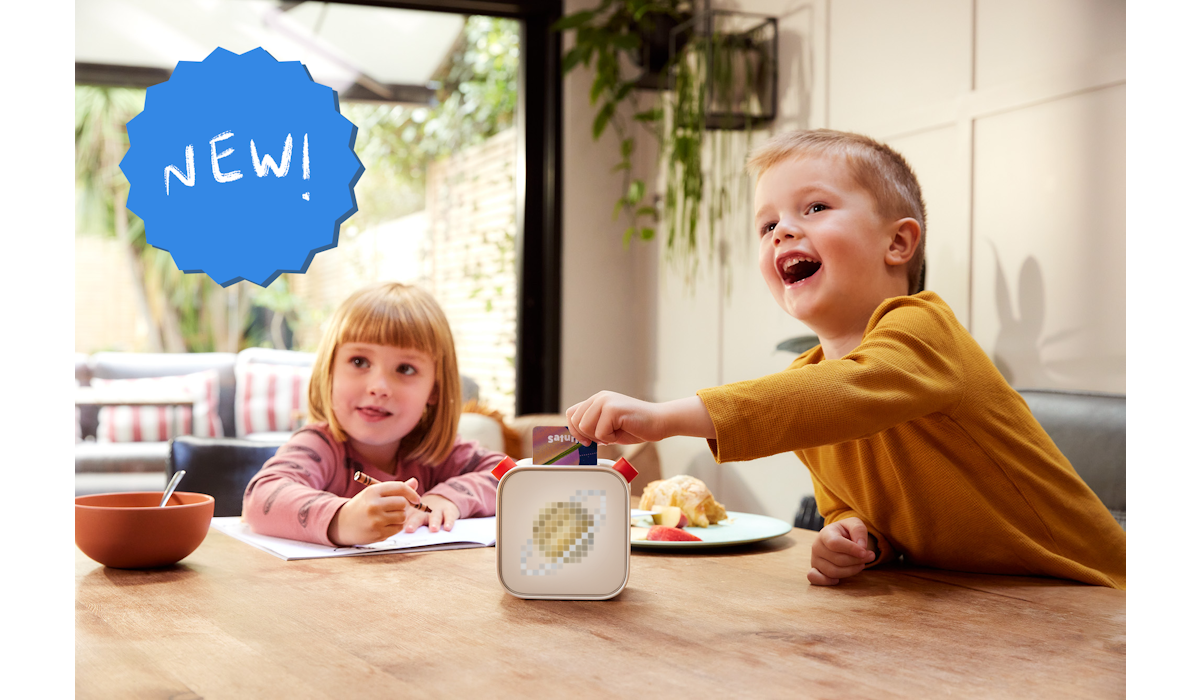
Preschoolers learn best when play and instruction overlap. The right toy can reinforce letter recognition, counting, storytelling, and problem-solving without turning your living room into a lecture hall. The three preschool learning toys below each take a different approach, from screen-free audio to tablet-based tangram puzzles to a classic flip-screen laptop. This roundup breaks down who each one fits, what the research shows, and where you should look before buying.
Quick pick: Yoto Player. Best for screen-free audio learning and independent story time. See it on Amazon (affiliate link).
Comparison at a Glance
| Feature | Yoto Player | Osmo Genius Starter Kit | LeapFrog 2-in-1 LeapTop Touch |
|---|---|---|---|
| Best age range | 3+ (grows with the child) | 6–10 | 2–5 |
| Screen | None (small pixel display) | Requires iPad (not included) | Small built-in flip screen |
| Learning style | Audio-based, child-led | Hands-on physical play with digital feedback | Role-play typing and tapping |
| Key contents | Speaker, card slot, starter content | 5 games, 52 word tiles, 40 number tiles, 7 tangram pieces | Keyboard with letters A–Z, numbers 1–10, five learning modes |
| Parent involvement | Low after setup | Moderate (app setup, some guidance) | Low |
| Main trade-off | Ongoing card/content cost | iPad required; best for older preschoolers | Limited depth once letters and numbers are mastered |
Yoto Player
The Yoto Player is a screen-free speaker designed for children. Kids insert physical content cards into a slot on the device to play audiobooks, music, podcasts, and sound effects. The device includes a small pixel display that shows simple icons, but it does not display video or traditional screen content. This makes it a strong option for parents who want to limit screen exposure while still offering rich storytelling and educational audio.
Who it suits. Children ages 3 and up who enjoy stories, music, and independent play. The Yoto Player grows with the child because the content library spans toddler-friendly nursery rhymes through chapter books and even content aimed at older kids.
Key facts. The Yoto Player uses physical cards as its interface, which means even very young children can choose and play content without navigating menus. Parents manage the device through a companion app. The product is available on Amazon. See it on Amazon (affiliate link).
Trade-off. The initial device is only the start of the investment. Content cards and digital downloads cost additional money, and a well-stocked library can add up quickly over time.
Osmo Genius Starter Kit
The Osmo Genius Starter Kit blends physical manipulatives with tablet-based learning. It uses a reflective mirror attachment on an iPad or Fire tablet to detect what a child is doing with real-world pieces (tiles, tangrams, drawing tools) and translates those actions into on-screen responses. The kit includes five games, 52 word tiles, 40 number tiles, and 7 tangram pieces according to Block and Beaker's review.
Who it suits. Children ages 6–10, which makes it a better fit for the older end of the preschool range or early elementary students. Goods Observer and Science Based Kids both list the 6–10 age range. If your child is 3 or 4, this kit is likely a year or two ahead of them.
Key facts. Osmo's core technology is its mirror-reverse system, which Kidscovery Lab describes in detail. The five games cover math, spelling, problem-solving, and creative drawing. The system requires an iPad or compatible Fire tablet, which is not included in the kit per Block and Beaker. The kit blends digital and hands-on learning in a way that most purely screen-based apps cannot match. See it on Amazon (affiliate link).
Trade-off. You need a compatible tablet, which is a significant added cost if you do not already own one. The base kit also undersells itself for older elementary students, as Science Based Kids notes, so you may need to purchase add-on packs as your child grows.
LeapFrog 2-in-1 LeapTop Touch
The LeapFrog 2-in-1 LeapTop Touch is a toy laptop designed for toddlers and preschoolers. Its screen flips to convert between a keyboard mode and a touch-tablet mode, giving children two ways to interact with the same device. The keyboard includes letters A through Z and numbers 1 through 10, according to the product listing on Amazon.
Who it suits. Younger preschoolers, typically ages 2 through 5, who are just beginning to recognize letters, numbers, and animal names. The LeapTop Touch is built for the role-play stage where kids want to type like their parents. LeapFrog's own store page highlights its focus on basic computer literacy through age-appropriate games.
Key facts. The device offers five learning modes and includes role-play activities such as emailing a character named Scout. Parents can customize the device to help their child practice spelling their own name per Amazon's product description. There is no Wi-Fi requirement and no tablet to supply, which keeps the setup simple. See it on Amazon (affiliate link).
Trade-off. The content has a ceiling. Once a child has the letters, numbers, and basic word patterns down, the LeapTop Touch does not offer much more depth. It is a starter device, not one that grows with a child the way the Yoto Player or Osmo system can.
How to Choose the Right Preschool Learning Toy
The best toy depends on where your child is developmentally and what kind of play they gravitate toward.
If your child loves stories and music, the Yoto Player delivers content without any screen. It works for a wide age range and lets kids control their own listening. The ongoing cost of content cards is the main thing to budget for.
If your child is closer to school age and likes hands-on puzzles, the Osmo Genius Starter Kit offers a genuine blend of physical and digital play. Just make sure you have a compatible tablet before you buy.
If your child is in the 2-to-5 range and just starting to explore letters and numbers, the LeapFrog 2-in-1 LeapTop Touch is a low-cost, no-fuss option. It will not last through elementary school, but it is well suited for the toddler-to-preschool transition.
Consider also how much parental setup and involvement each option needs. The LeapTop Touch works out of the box. The Yoto Player requires an initial app setup but then runs independently. Osmo needs the most setup since it pairs a physical kit with a tablet app.
Sources
- Gadget Review: Yoto Player (3rd Generation) Review
- Block and Beaker: Osmo Genius Starter Kit Review
- Kidscovery Lab: Osmo Genius Starter Kit Review 2026
- Goods Observer: Osmo Genius Starter Kit Review
- Science Based Kids: Osmo Genius Starter Kit Review
- LeapFrog Store: 2-in-1 LeapTop Touch
- Amazon: LeapFrog 2-in-1 LeapTop Touch
Cerchi un regalo? Inizia da qui
- Best LEGO Botanicals Sets for Adult Builders and Gift-Givers (2026)
- LEGO Botanicals Bonsai Tree vs LEGO Botanicals Orchid: Which Is Better for Adult Builders and Gift Buyers?
- Holiday Gift Guide 2026: The Best Toys by Age and Budget, From Preschool to Grown-Ups
- Gifts for Grown-Ups Who Still Love Toys: LEGO, Board Games and Puzzles (2026)
How we research: This guide is based on manufacturer specifications, published independent reviews, and verified-buyer feedback, not hands-on testing.
La guida regali per le feste arriva ogni venerdì nel quarto trimestre
Un'email a settimana con la recensione più recente e i giocattoli che la nostra community sta davvero acquistando. Niente spam, puoi annullare l'iscrizione in qualsiasi momento.